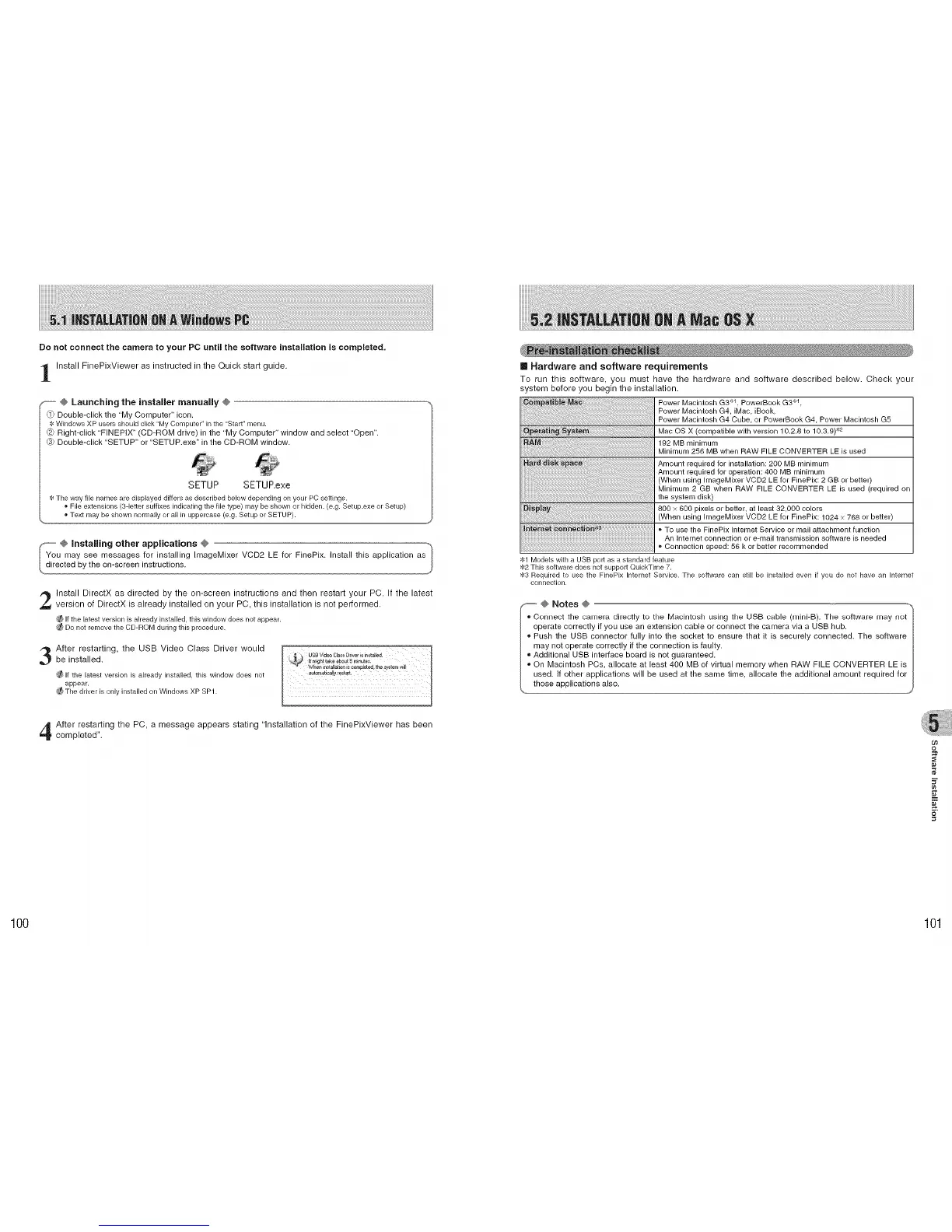
Do not connect the camera to your PC until the software installation is completed.
Install FinePixViewer as instructed in the Quick start guide.
_----,@ Launching the installer manually @
_) Double-click the "My Computer" icon.
Windows XP users should click "My Computer" in the "Star_" menu.
Right-click "FINEPIX" (CD-ROM drive) in the "My Computer" window and select "Open".
_ Double-click "SETUP" or "SETUP.exe" in the CD-ROM window.
SETUP SETUP.exe
The way file names are displayed differs as described below depending on your PC settings.
, File extensions (3-letter suffixes indicating the hie type) may be shown or hidden. (e.g. Setup.exe or Setup)
, Text may be shown normally or all in uppercase (e.g. Setup or SETUP).
2
3
Install DirectX as directed by the on-screen instructions and then restart your PC. If the latest
version of DirectX is already installed on your PC, this installation is not performed.
Ifthe latestversion isalready installed, this window does notappear.
Do not remove the CD-ROM during this procedure.
After restarting, the USB Video Class Driver would
be installed.
If the latest version is already installed, this window does not
appear.
Tile ddver is only installed on Windows XP SP1.
[] Hardware and software requirements
To run this software, you must have the hardware and software described below. Check your
system before you begin the installation.
Power Macintosh G3 _1 PowerBook G3 _'1,
Power Macintosh G4, iMac, iBook,
Power Macintosh G4 Cube, or PowerBook G4 Power Macintosh G5
Mac OS X (compatible with version 10.2,8 to 10.3,9) '_2
192 MB minimum
Minimum 256 MB when RAW FILE CONVERTER LE is used
Amount required for installation: 200 MB minimum
Amount required for operation: 400 MB minimum
(When using ImageMixer VCD2 LE for FinePix: 2 GB or better)
Minimum 2 GB when RAW FILE CONVERTER LE is used (required on
the system disk)
800 × 600 pixels or better, at least 32,000 colors
(When using ImageMixer VCD2 LE for FinePix: 1024 × 768 or better)
To use the FinePix Internet Service or mail attachment function
An Internet connection or e-mail transmission software is needed
Connection speed: 56 k or better recommended
_1 Models with a USB port as a standard feature
82 This software does not support QuickTime 7.
83 Required to use the FinePix Internet Service. Tile software can still be installed even if you do not have an Intemet
connection.
@ Notes @
- Connect the camera directly to the Macintosh using the USB cable (mini-B). The software may not
operate correctly if you use an extension cable or connect the camera via a USB hub.
_,Push the USB connector fully into the socket to ensure that it is securely connected. The software
may not operate correctly if the connection is faulty.
_,Additional USB interface board is not guaranteed.
_,On Macintosh PCs, allocate at least 400 MB of virtual memory when RAW PILE CONVERTER LE is
used. If other applications will be used at the same time, allocate the additional amount required for
those applications also.
After restarting the PC, a message appears stating "Installation of the FinePixViewer has been
completed".
09
5"
100 101











 To Next Page