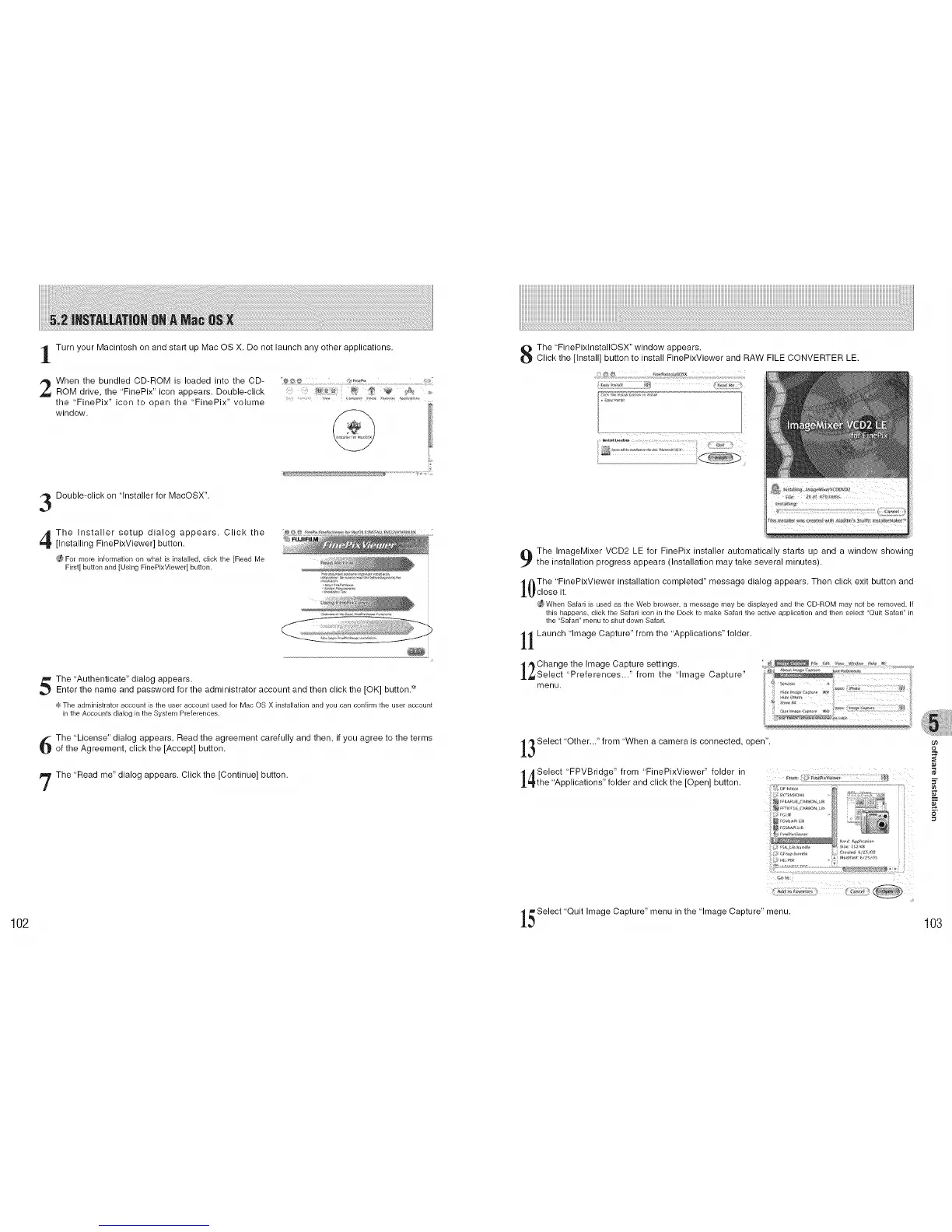
Turn your Macintosh on and start up Mac OS X. Do not launch any other applications.
When the bundled CD-ROM is loaded into the CD- _. ....... :i.!_,_ ......
ROM drive, the 'FinePix" icon appears. Double-click _ £_,:
the 'FinePix" icon to open the "FinePix" volume .................... ...... '_'........ _ _'_'
window.
Double-click on "Installer for MacOSX".
The Installer setup dialog appears. Click the
[Installing FinePixViewer] button.
For more information on what is installed, click the [Read Me
First]button and[Using FinePixViewer] button.
_i_ _i_i¸i ._ •
The 'Authenticate" dialog appears.
Enter the name and password for the administrator account and then click the [OK] button.""
The administrator account is the user account used for Mac OS X installation and you can confirm the user account
in the Accounts dialog in the System Preferences•
The 'License" dialog appears. Read the agreement carefully and then, if you agree to the terms
of the Agreement, click the [Accept] button.
The 'Read me" dialog appears. Click the [Continue] button.
The "FinePixlnstallOSX" window appears.
Click the [Install] button to install FinePixViewer and RAW FILE CONVERTER LE.
The ImageMixer VCD2 LE for FinePix installer automatically starts up and a window showing
the installation progress appears (Installation may take several minutes).
The 'FinePixViewer installation completed" message dialog appears. Then click exit button and
_ close it.
_ When Safari is used as the Web browser, a message may be displayed and the CD-ROM may not be removed• If
this happens, click the Safari icon in the Dock to make Safari the active application and then select "Quit Safari" in
the "Safari" menu to shut down Safari•
1 Launch 'Image Capture" from the "Applications" folder.
,,_Change the Image Capture settings.
_Select "Preferences..." from the "Image Capture"
menu.
3 Select "Other..." from "When a camera is connected, open".
/_ Select "FPVBridge" from 'FinePixViewer" folder in
_the 'Applications" folder and click the [Open] button.
_ f ii__i_i_;: s ¸ _
l_ Select "Quit Image Capture" menu in the "Image Capture" menu.
102 103











 To Next Page