64
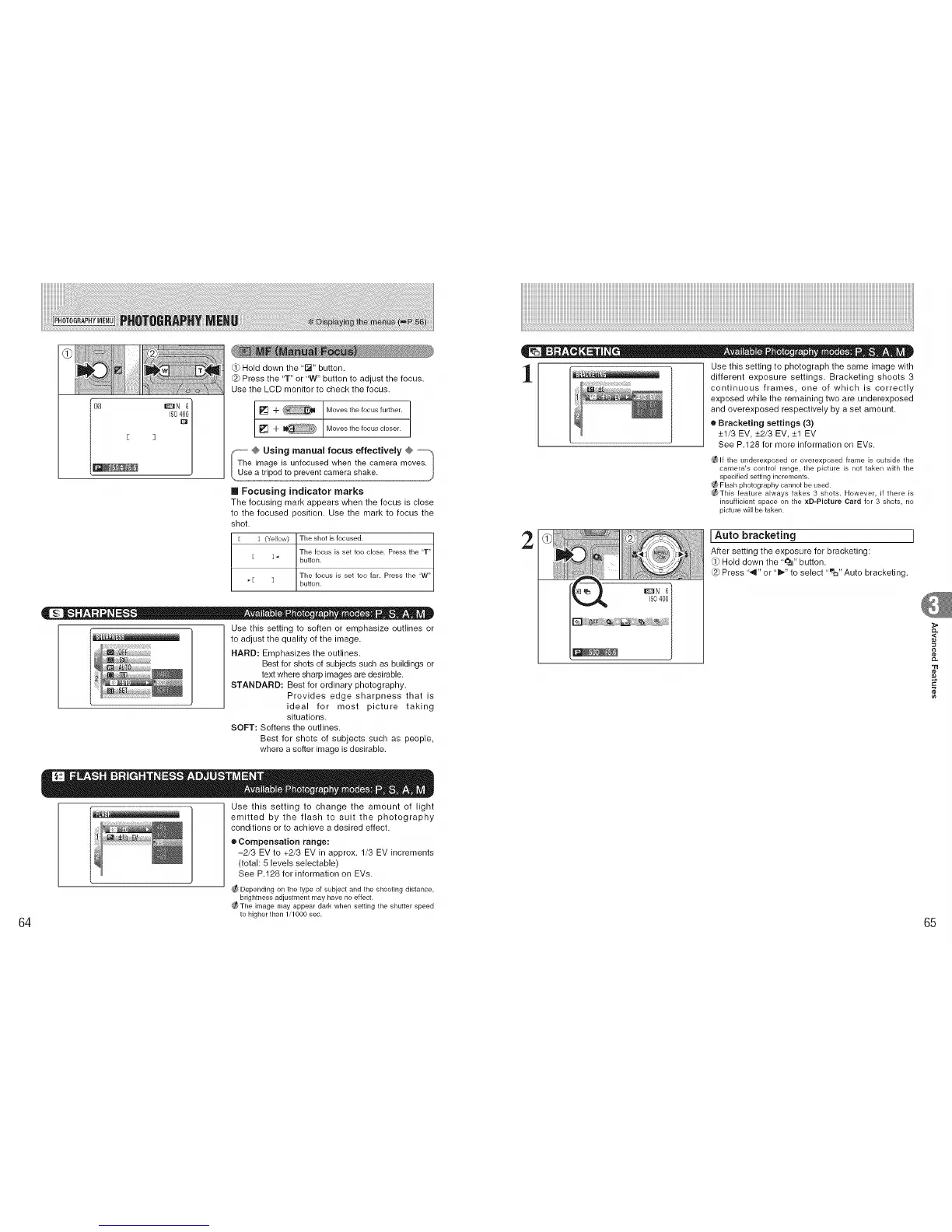
Hold down the '[_" button.
@ Press the 'T" or 'W" button to adjust the focus.
Use the LCD monitor to check the focus.
[] 4- Moves the focus further.
[] 4- Moves the focus closer.
S -° @ Using manual focus effectively @ --,_
I The image is unfocused when the camera moves.
/Use a tripod to prevent camera shake, j
Focusing indicator marks
The focusing mark appears when tile focus is close
to the focused position. Use the mark to focus the
shot.
E ] (Yellow) The shot is focused.
The focus is set too close. Press the "T"
] _ button.
The focus is set too far. Press the "W"
[ ] button.
Use this setting to soften or emphasize outlines or
t,l_i_iU to adjust the quality of the image.
HARD: Emphasizes the outlines.
Best for shots of subjects such as buildings or
text where sharp images are desirable.
STANDARD: Best for ordinary photography.
Provides edge sharpness that is
ideal for most picture taking
situations.
SOFT: Softens the outlines.
Best for shots of subjects such as people,
where a softer image is desirable.
Use this setting to change the amount of light
emitted by the flash to suit the photography
conditions or to achieve a desired effect.
• Compensation range:
-2/3 EV to +2/3 EV in approx. 1/3 EV increments
(total: 5 levels selectable)
See P.128 for information on EVs.
Depending on the type of subject and the shooting distance,
brightness adjustment may have no effect.
_The image may appear dark when setting the shutter speed
k) higher than 1/1000 sec.
Use this setting to photograph the same image with
_ili_t_t_ill[ different exposure settings. Bracketing shoots 3
continuous frames, one of which is correctly
exposed while the remaining two are underexposed
and overexposed respectively by a set amount.
• Bracketing settings (3)
_+1/3 EV, +_2/3 EV, +_1 EV
See P.128 for more information on EVs.
_ If the underexposed or overexposed frame is outside the
camera's control range, the picture is not taken with the
specified setting increments.
_ Flash photography cannot be used.
_f_ This feature always takes 3 shots. However, if there is
insufficient space on the ×D-Picture Card for 3 shots, no
picture will be taken.
2
IAuto bracketing
After setting the exposure for bracketing:
O} Hold down the "_J" button.
Press "._11"or "i1_"to select "_u" Auto bracketing.
DN 6
IS0400
,<
"tl
¢e
65











 To Next Page