3
4
5
6
• D _ L
,,_TIMEDIFFERENCE
/I 4"_ 9,'24,'2005 10 00 AM
°N:/
2005 11:00 A
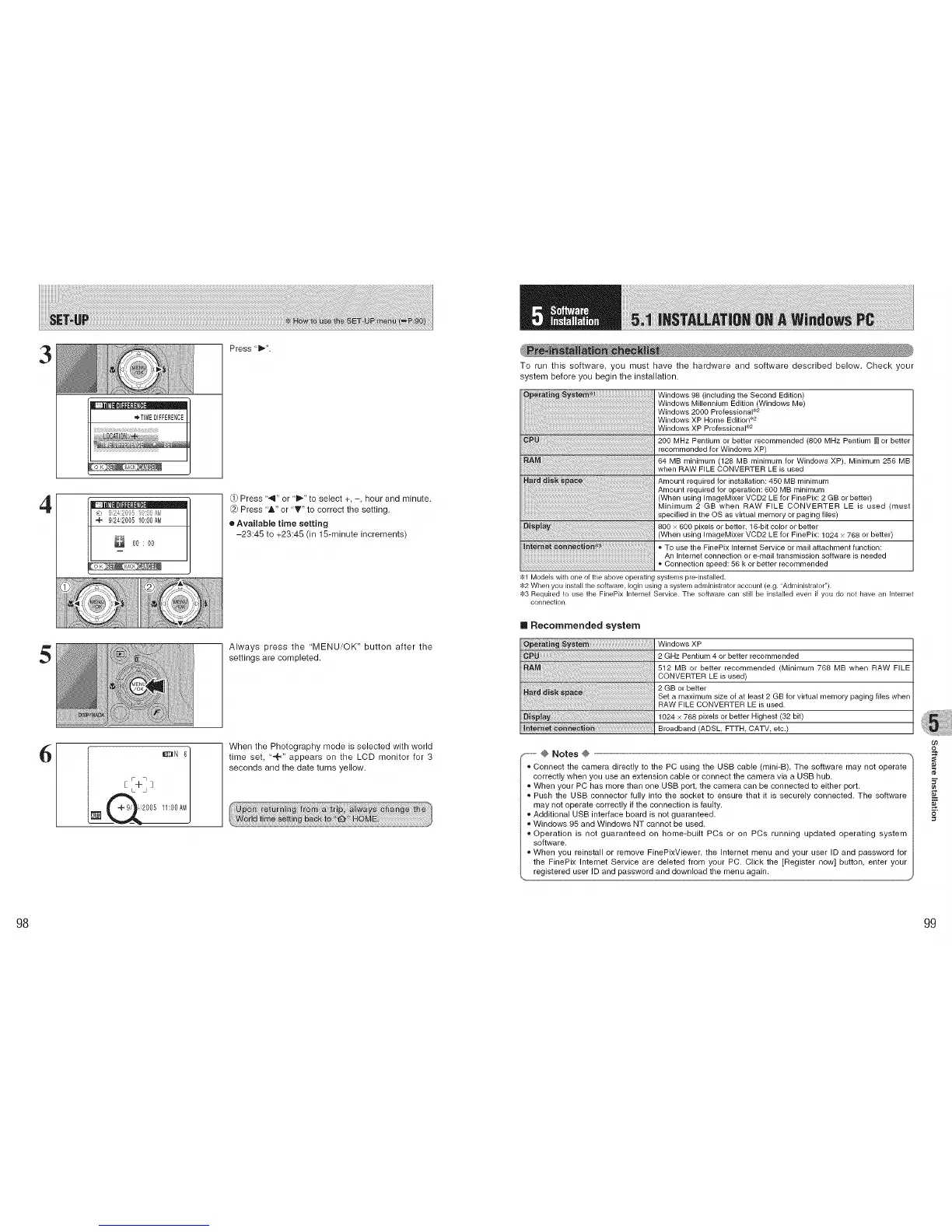
Press "B,,.".
Q) Press '_" or 'i_" to select +, -, hour and minute.
@ Press '&" or 'T" to correct the setting.
e Available time setting
-23:45 to +23:45 (in 15-minute increments)
Always press the 'MENU/OK" button after the
settings are completed.
When the Photography mode is selected with world
time seL "-+," appears on the LCD monitor for 3
seconds and the date turns yellow.
To run this software, you must have the hardware and software described below. Check your
system before you begin the installation.
Windows 98 (including the Second Edition)
Windows Millennium Edition (Windows Me)
Windows 2000 Professional _'2
Windows XP Home Edition _'2
Windows XP Professional _'2
200 MHz Pentium or better recommended (800 MHz Pentium m or better
recommended for Windows XP)
64 MB minimum (128 MB minimum for Windows XP), Minimum 256 MB
when RAW FILE CONVERTER LE is used
Amount required for installation: 450 MB minimum
Amount required for operation: 600 MB minimum
(When using ImageMixer VCD2 LE for FinePix: 2 GB or better)
Minimum 2 GB when RAW FILE CONVERTER LE is used (must
specified in the OS as viltual memory or paging files)
800 x 600 pixels or better, 16-bit color or better
(When using ImageMixer VCD2 LE for FinePix: 1024 x 768 or better)
To use the FinePix Internet Service or mail attachment function:
An Internet connection or e-mail transmission software is needed
Connection speed: 56 k or better recommended
$1 Models with one of the above operating systems pre-installed.
$2 When you install the software, Iogin using a system administrator account (e.g. ;'Administrator").
$3 Required to use the FinePix Internet Service. The software can still be installed even if you do not have an Internet
connection.
[] Recommended system
Windows XP
2 GHz Pentium 4 or better recommended
512 MB or better recommended Minimum 768 MB when RAW FILE
..............................................................I CONVERTER LE is used)
2 GB or better
Set a maximum size of at least 2 GB for virtual memory paging files when
RAW FILE CONVERTER LE is used•
1024 × 788 pixels or better Highest (32 bit)
Broadband (ADSL, FTTH CATV, etc.)
...... @ Notes @ ------------..
,, Connect the camera directly to the PC using the USB cable (mini-B). The software may not operate
correctly when you use an extension cable or connect the camera via a USB hub.
,, When your PC has more than one USB port, the camera can be connected to either port.
,, Push the USB connector fully into the socket to ensure that it is securely connected. The software
may not operate correctly if the connection is faulty.
_,Additional USB interface board is not guaranteed.
_,Windows 95 and Windows NT cannot be used.
_,Operation is not guaranteed on home-built PCs or on PCs running updated operating system
software.
_,When you reinstall or remove FinePixViewer, the Internet menu and your user ID and password for
the FinePix Internet Service are deleted from your PC. Click the [Register now] button, enter your
registered user ID and password and download the menu again.
09
5"
98 99











 To Next Page