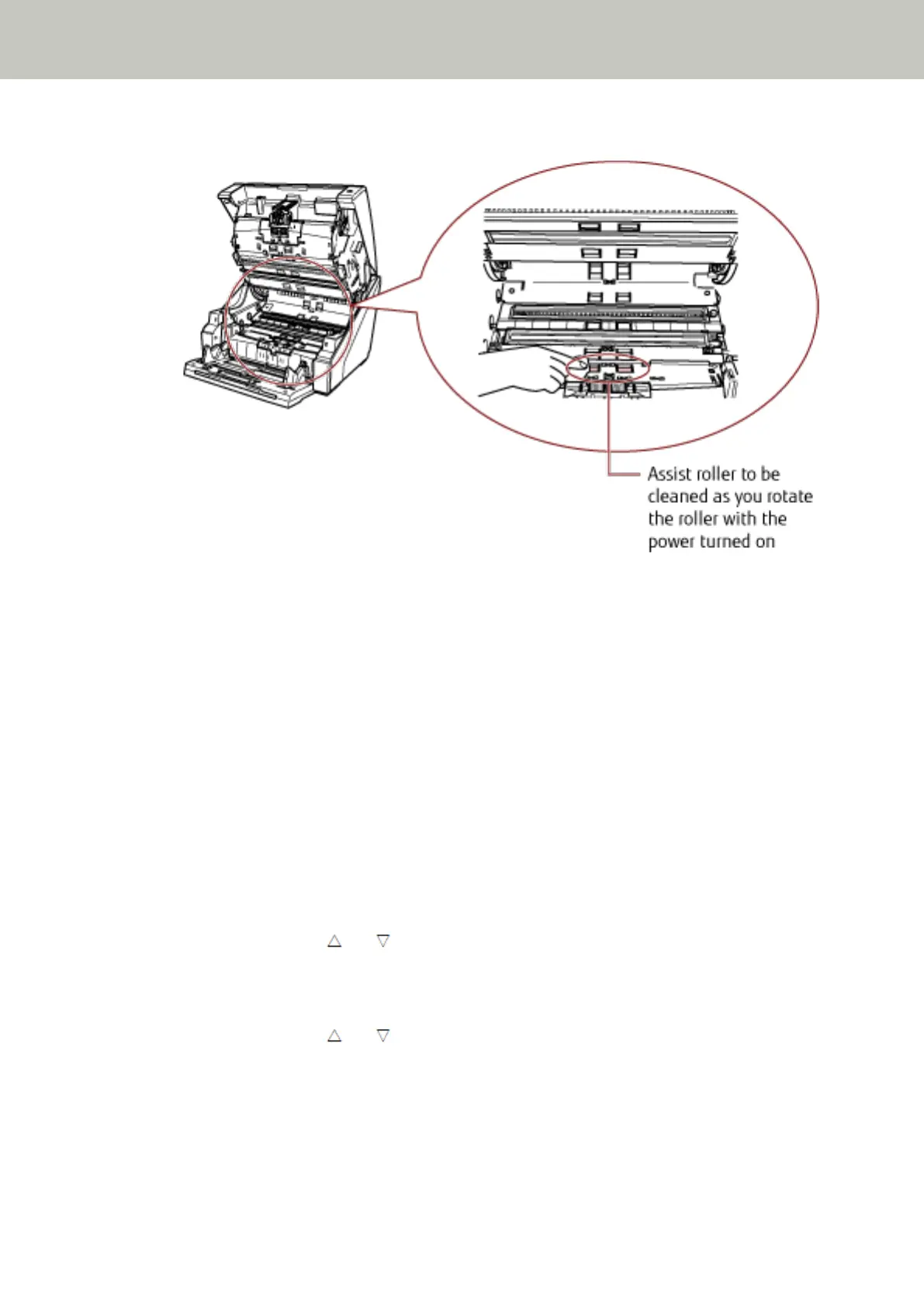
● Paper path lower-side (rollers: 1 location × 2 units)
Feed Roller to Be Cleaned as You Rotate the Roller Manually
Gently wipe the rollers so that the roller surface does not get damaged.
Clean the whole surface as you rotate the roller manually.
Make sure to clean thoroughly because the feeding performance is affected especially when there is
black foreign matter on the roller.
Feed Roller/Assist Roller to Be Cleaned as You Rotate the Roller with the Power Turned On
Clean the rollers in the following procedure:
a Plug in the power cable and turn on the scanner.
For details, refer to How to Turn the Power ON (page 19).
[Ready] is displayed on the LCD.
b Press the [Menu] button.
[Main Menu] is displayed on the LCD.
c Press the [ ] or [ ] button and select [21: Cleaning], then press the [Function/Enter]
button to confirm.
[Cleaning] is displayed on the LCD.
d Press the [ ] or [ ] button and select [2: Wipe], then press the [Function/Enter] button
to confirm.
A message is displayed on the LCD.
Daily Care
133



 To Next Page