Scan Settings for Documents with Tabs/Non-rectangular Documents [Scan
Setting for Document with Tab (Automatic Page Size Detection)]
For documents with index stickers or index tabs attached on the end, you can scan the whole document including its
attachments with Automatic Page Size Detection.
1 Start up the Software Operation Panel.
Refer to Starting Up the Software Operation Panel (page 193).
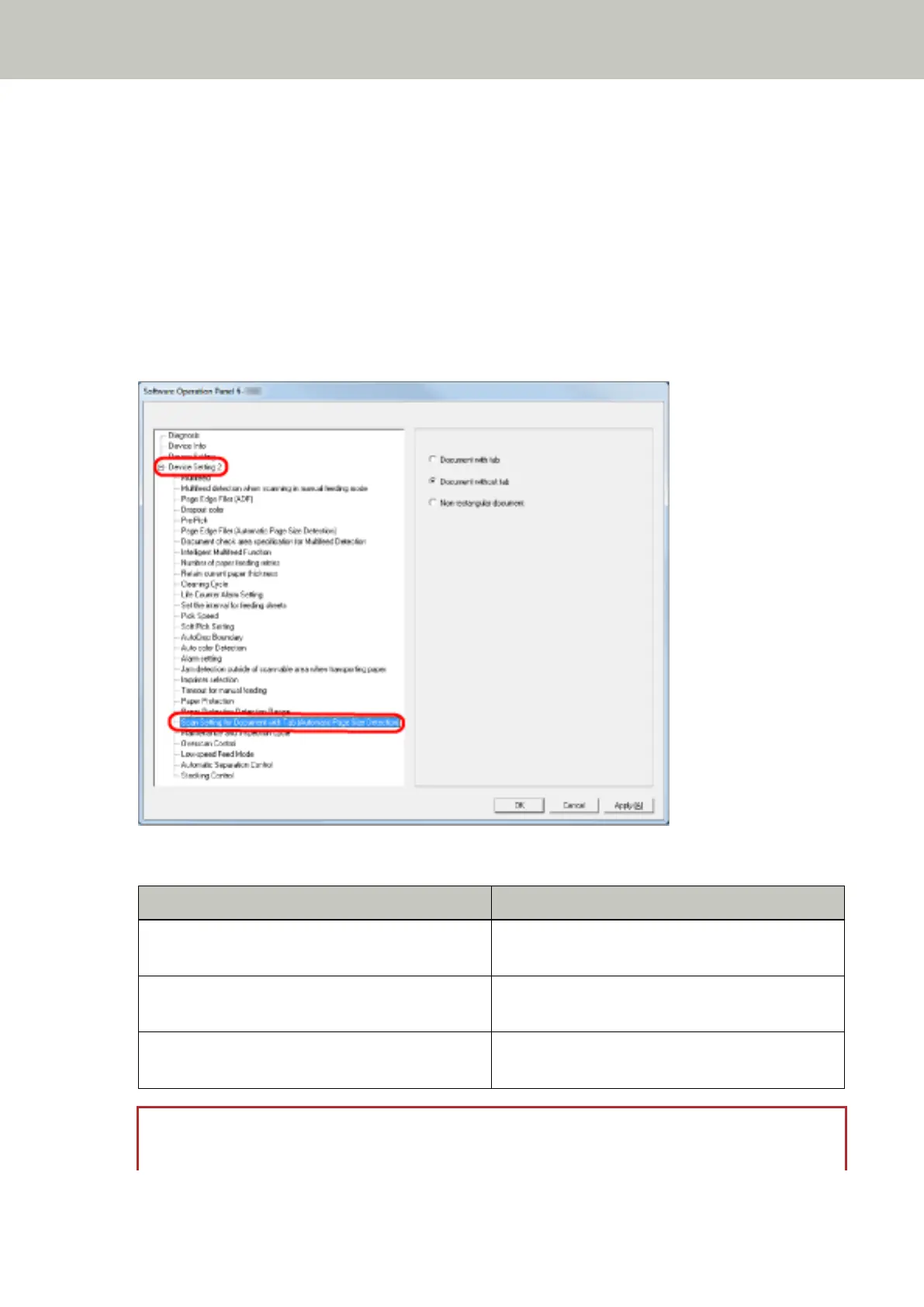
2 From the listing on the left, select [Device Setting 2] → [Scan Setting for Document with Tab (Automatic
Page Size Detection)].
3 Select [Document with tab], [Document without tab] or [Non-rectangular document].
Item Description
Document with tab Scans up to 20 mm off the bottom edge of the
document with a tab.
Document without tab Stops the scan when it detects the bottom edge of
the document.
Non-rectangular document Scans up to 120 mm off the bottom edge of the
detected document.
ATTENTION
● The scanning speed slows down when you select [Document with tab] or [Non-rectangular document].
Operational Settings
244



 To Next Page