Operational Settings
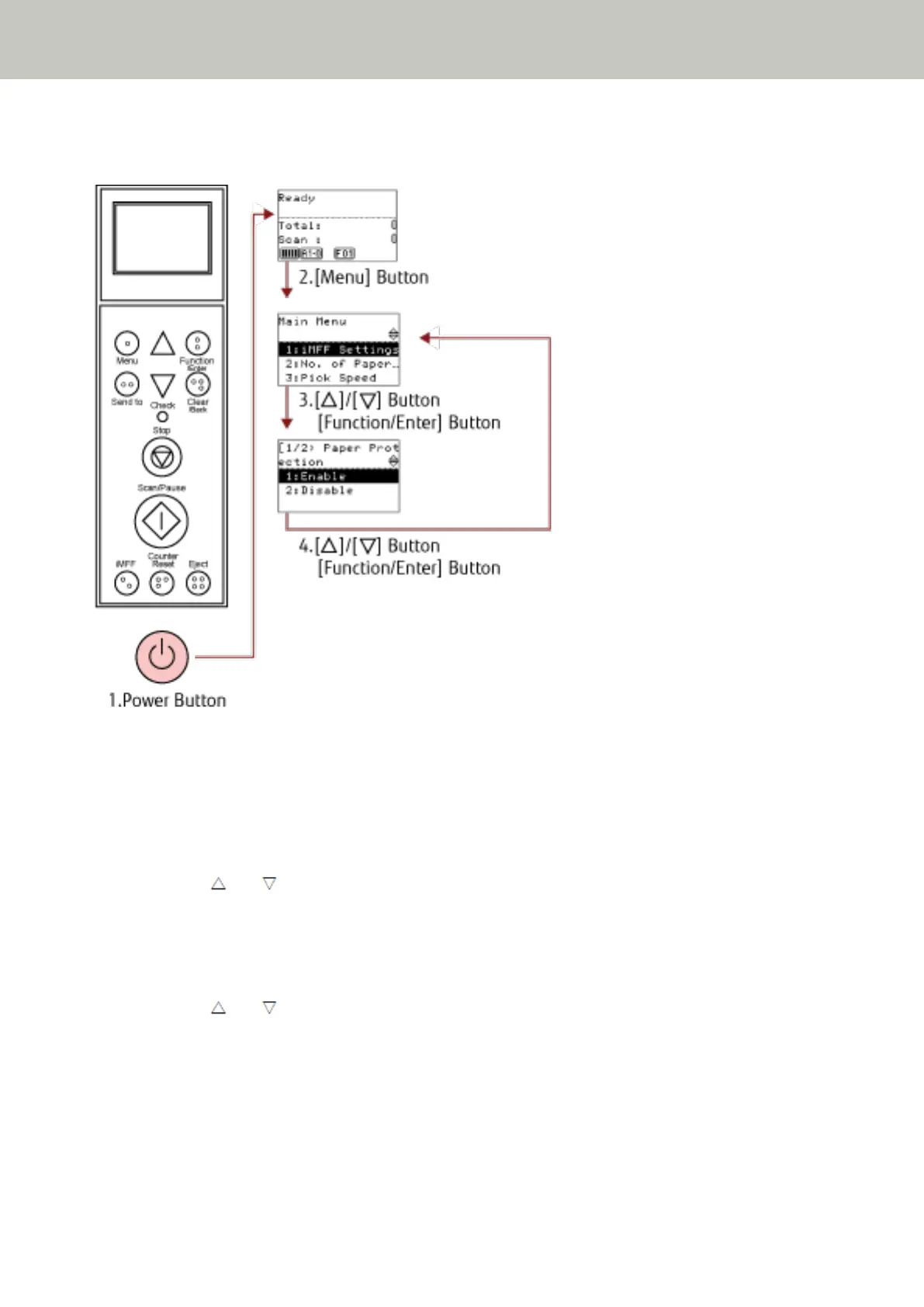
1 Press the power button on the front of the scanner.
[Ready] is displayed on the LCD.
2 Press the [Menu] button.
[Main Menu] is displayed on the LCD.
3 Press the [ ] or [ ] button and select a setting item, then press the [Function/Enter] button to
confirm.
For details about the setting items, refer to How to Use the Main Menu (page 80).
The selected item is displayed on the LCD.
4 Press the [ ] or [ ] button and select a parameter, then press the [Function/Enter] button to confirm.
For more details about the setting parameters, refer to How to Use the Main Menu (page 80).
If [Main Menu] is displayed on the LCD, it indicates that the setup has been completed.
If the LCD displays a setting item, repeat step 4 until it shows the [Main Menu] screen.
How to Use the Operator Panel
82



 To Next Page