Settings Related to Multifeed Detection
Specifying a Multifeed Detection Method [Multifeed]
Multifeed is an error when two or more sheets are fed through the ADF at once. It is also called a "multifeed" when a
different document length is detected.
Not noticing multifeed errors while scanning may put you in a situation where important data are missing from the
scanned images.
Multifeed detection function is equipped to prevent such troubles. When this function is enabled, an error message
is displayed as soon as it detects a multifeed, and stops the scan. Note that multifeeds cannot be detected in the
area of 15 mm from the leading edge of the document.
1 Start up the Software Operation Panel.
Refer to Starting Up the Software Operation Panel (page 193).
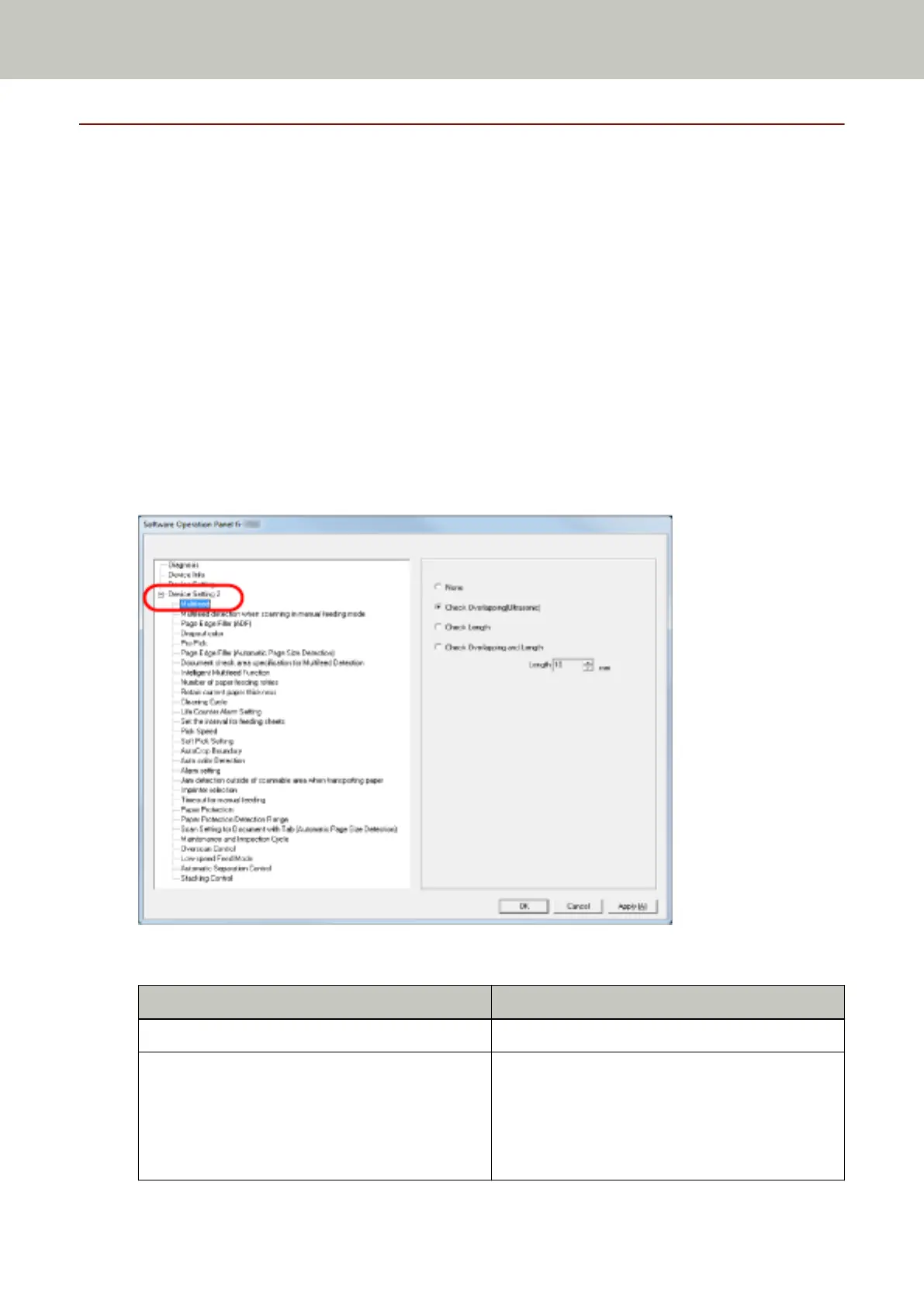
2 From the list on the left, select [Device Setting 2] → [Multifeed].
3 Select a detection method.
Detection Description
None Does not detect multifeeds.
Check Overlapping (Ultrasonic) Detects multifeed by the overlapping of documents.
When this is selected, you can specify the following
two options:
● Specify the detection range by the length from the
leading edge of the document.
Operational Settings
252



 To Next Page