Conditions for Mixed Batch Scanning
The following conditions apply when a mixed batch of documents with different paper weights/friction
coefficients/sizes is scanned.
Always test scan a few sheets and see if the documents can be fed through before scanning a mixed batch of
documents.
For information on how to scan mixed batches, refer to Scanning Documents with Different Widths (page 98).
Paper Type
Align the direction of the paper fiber with the feed direction.
Paper Weight
When scanning documents with different paper weight in the same batch, keep the paper weight within
the following range:
● A5 or larger, A4/Letter or smaller: 20 to 209 g/m
2
(5.4 to 56 lb)
● Smaller than A5, larger than A4: 41 to 209 g/m
2
(11 to 56 lb)
Friction Coefficient
It is recommended that the same paper brand from the same manufacturer is used for documents.
When different paper manufacturers/brands are mixed in documents to be scanned, it affects the feeding
performance as the difference in friction coefficient increases.
The following friction coefficients are recommended:
0.35 to 0.60 (reference value for paper friction coefficient)
Document Position
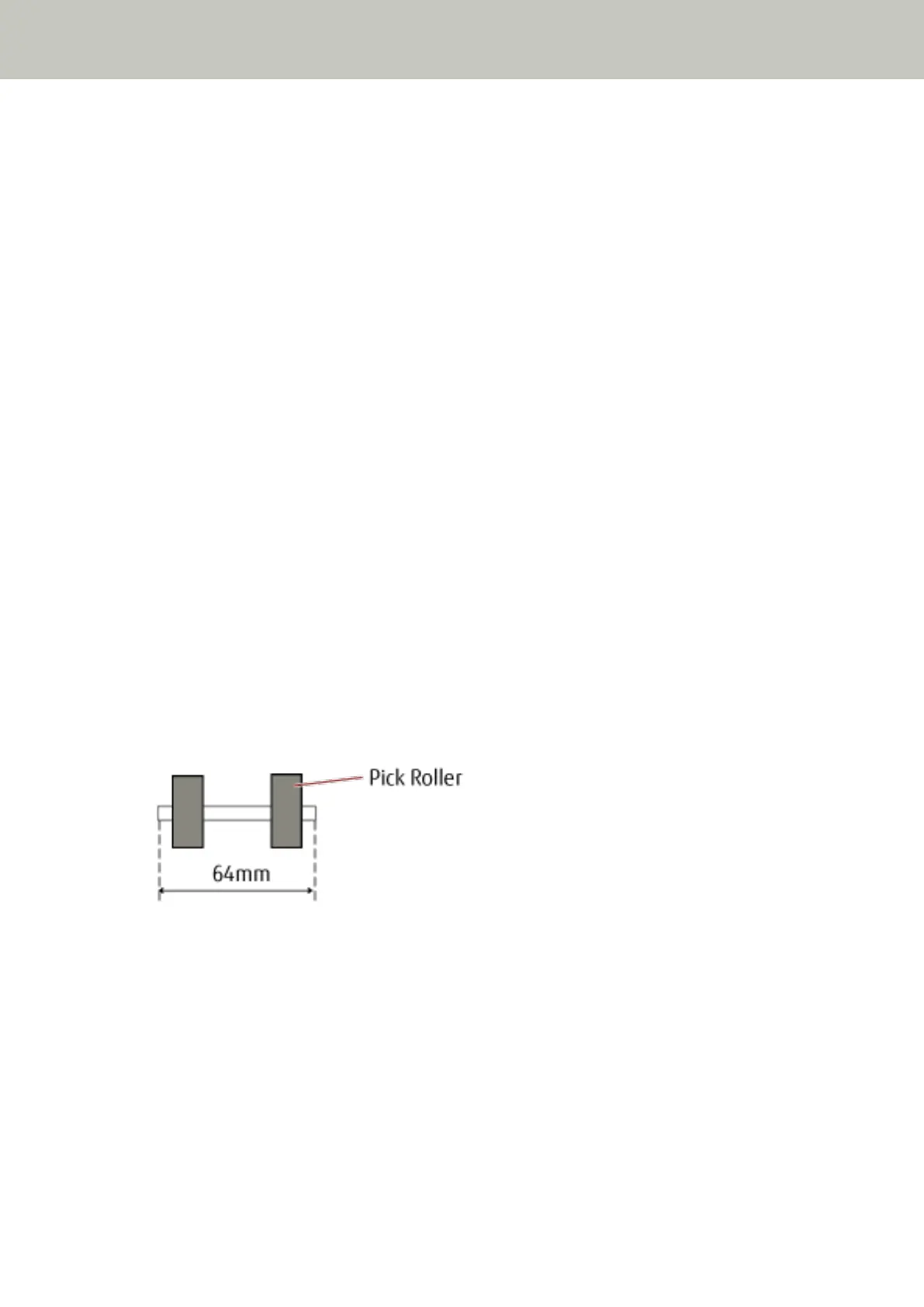
Use paper sizes that fit the 64 mm width of the pick rollers in the center.
Paper Size
When a set of wider documents is placed on top of smaller documents within the same batch, the wider
documents on top may hang down and affect the feeding performance.
How to Load Documents
69



 To Next Page