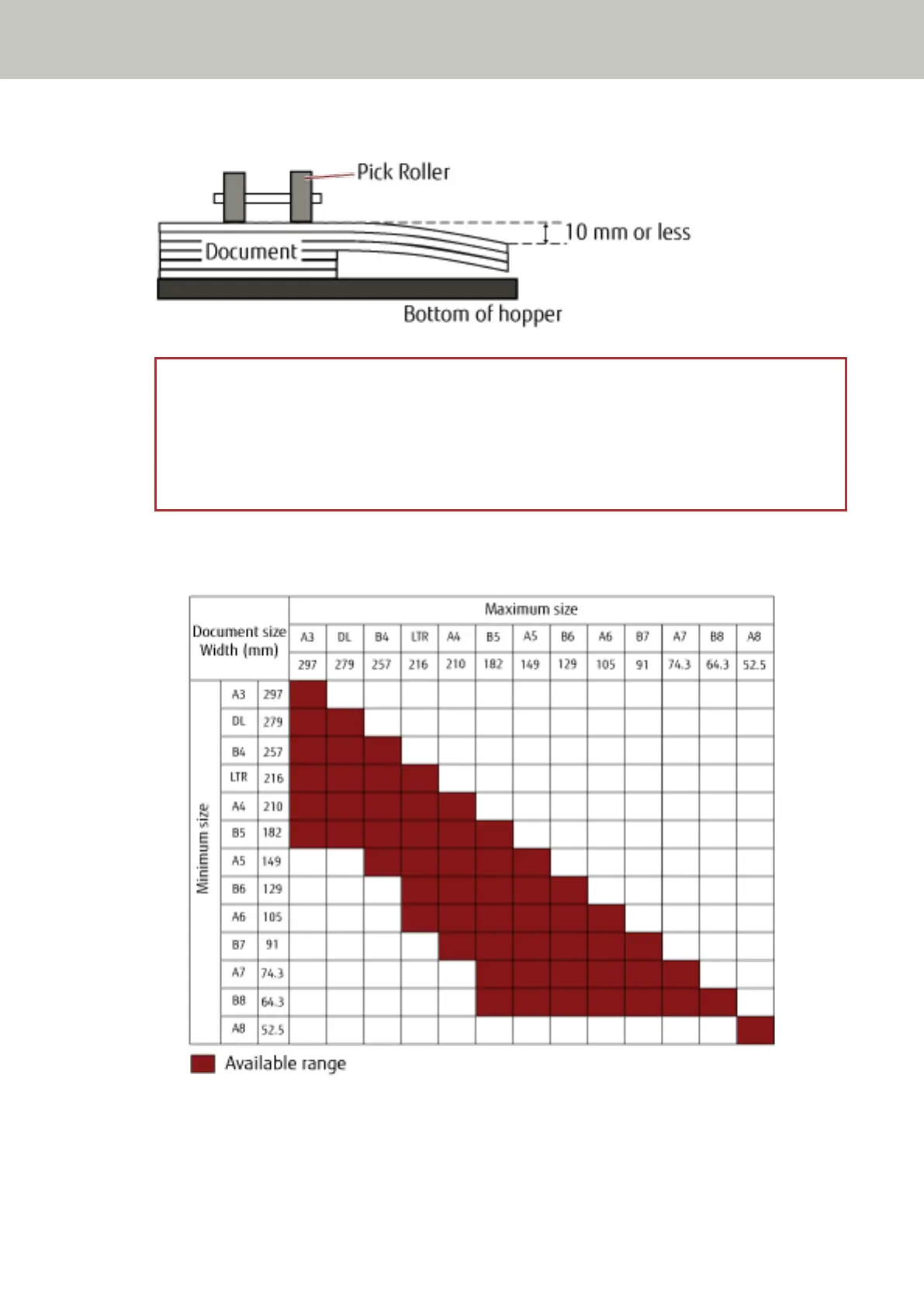
Try to meet the following condition:
ATTENTION
● When scanning a mixed batch of documents with different sizes, skewing is more likely to occur
because the hopper side guides do not function on every sheet.
We recommend scanning with automatic page size detection enabled.
● Multifeed detection with [Check Length] cannot be used together with automatic page size detection.
Combinations of Standard Paper Sizes in a Mixed Batch
Refer to the table below for a guideline of the range available for mixed batch scanning.
DL: 11×17 inches
LTR:Letter size
How to Load Documents
70



 To Next Page