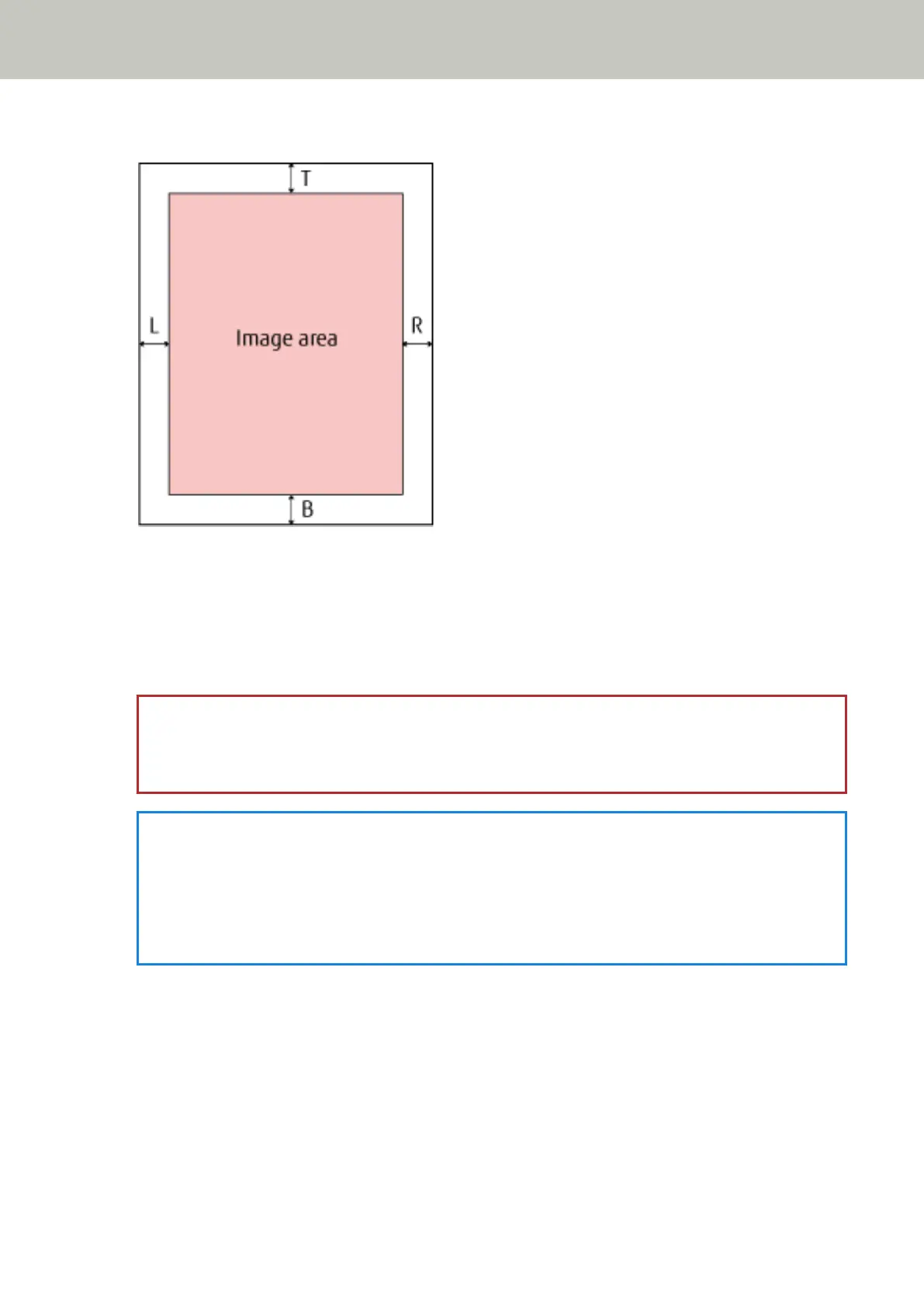
3 Specify the width of each margin to fill: top, bottom, right, and left.
T: Top = 0 to 15 mm
B: Bottom = -7 to 7 mm
R: Right = 0 to 15 mm
L: Left = 0 to 15 mm
(in 1 mm increments)
The specified area is filled in the same color as the background.
ATTENTION
Note that if the target range of the Page Edge Filler is too wide, some characters near the edge may be cut
out.
HINT
● The background is normally white but it can be changed to black in the scanner driver.
For details, refer to the help for the scanner driver.
● This setting can also be configured in the scanner driver's setup dialog box. Note that priority is given to
the setting with a larger value.
Operational Settings
226



 To Next Page