3-88 Pilot’s Guide 190-02488-01 Rev. B
Navigation
Visual Approach
FEATURE REQUIREMENTS
• Valid terrain database
FEATURE LIMITATIONS
• Not all airports in the database support visual approaches
• Only external CDI/VDI displays provide vertical deviation indications
Published data is used to determine the visual approach GPA and threshold crossing
height (TCH) for the selected runway. If no published data is available, the default is
3 degrees GPA and 50 ft TCH.
You may load and activate a visual approach from the following apps.
If unavailable, it reads: “NO VERTICAL GUIDANCE”
Terrain and obstacle obstructions along the approach path determine the availability
of vertical guidance advisories for visual approaches.
• If no known obstructions are within the approach path, vertical guidance is
provided to a maximum distance of 28 nm from the runway.
• If there are known obstructions further than 3 nm, but within the 28 nm
maximum distance from the runway along the approach, vertical guidance
is limited to the approach path after crossing the known obstructions. After
loading the approach, a shortened magenta line shows on the map.
If obstructions are within 3 nm to the runway, along the approach path, advisory
vertical guidance is not available.
Points About Visual Approaches
• Provide advisory horizontal and optional vertical guidance for the selected
runway
• Lateral guidance is always provided for visual approaches
• Helps stabilize the runway approach
• Three methods for loading and activation
• Map • Procedures • Waypoint Info
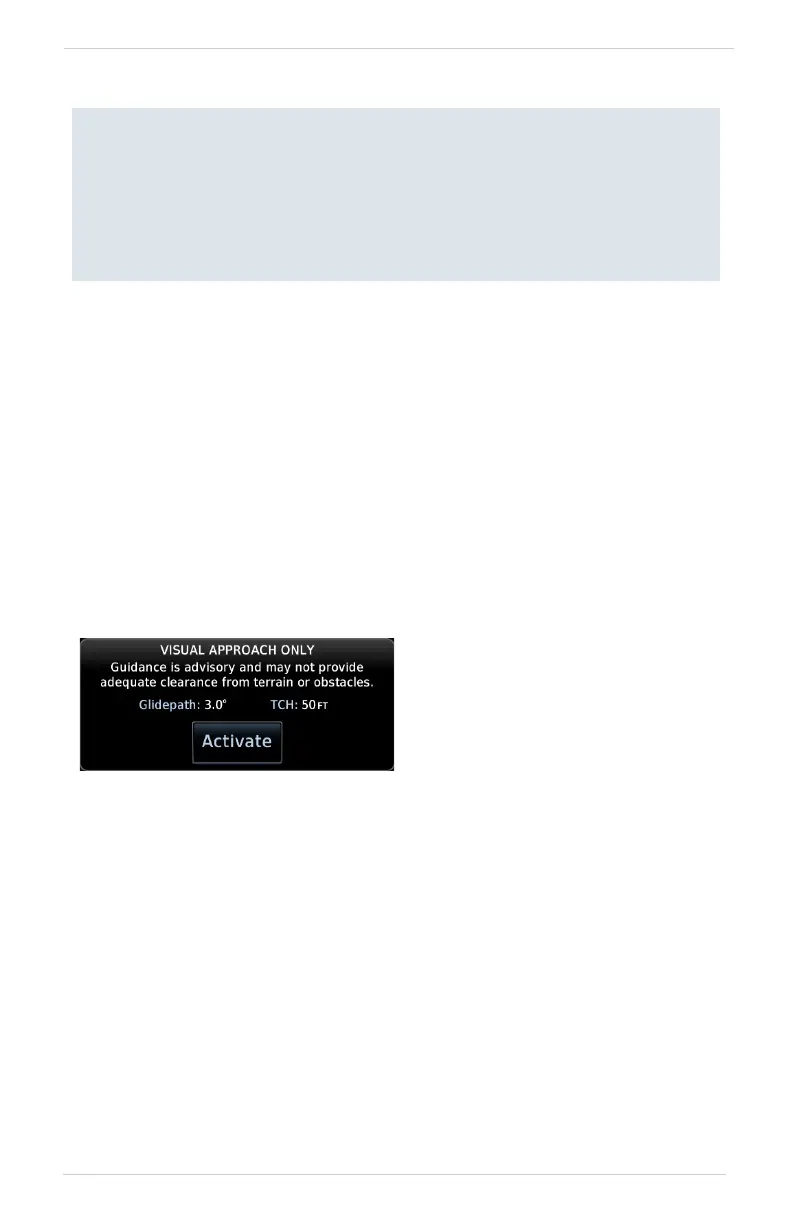
Upon loading the visual approach,
a pop-up informs when vertical
guidance is available.
If available, the pop-up contains
the glidepath angle (GPA) and
threshold crossing (TCH).



 To Next Page