2-58 Pilot’s Guide 190-02488-01 Rev. B
Get Started
Pop-up Alerts
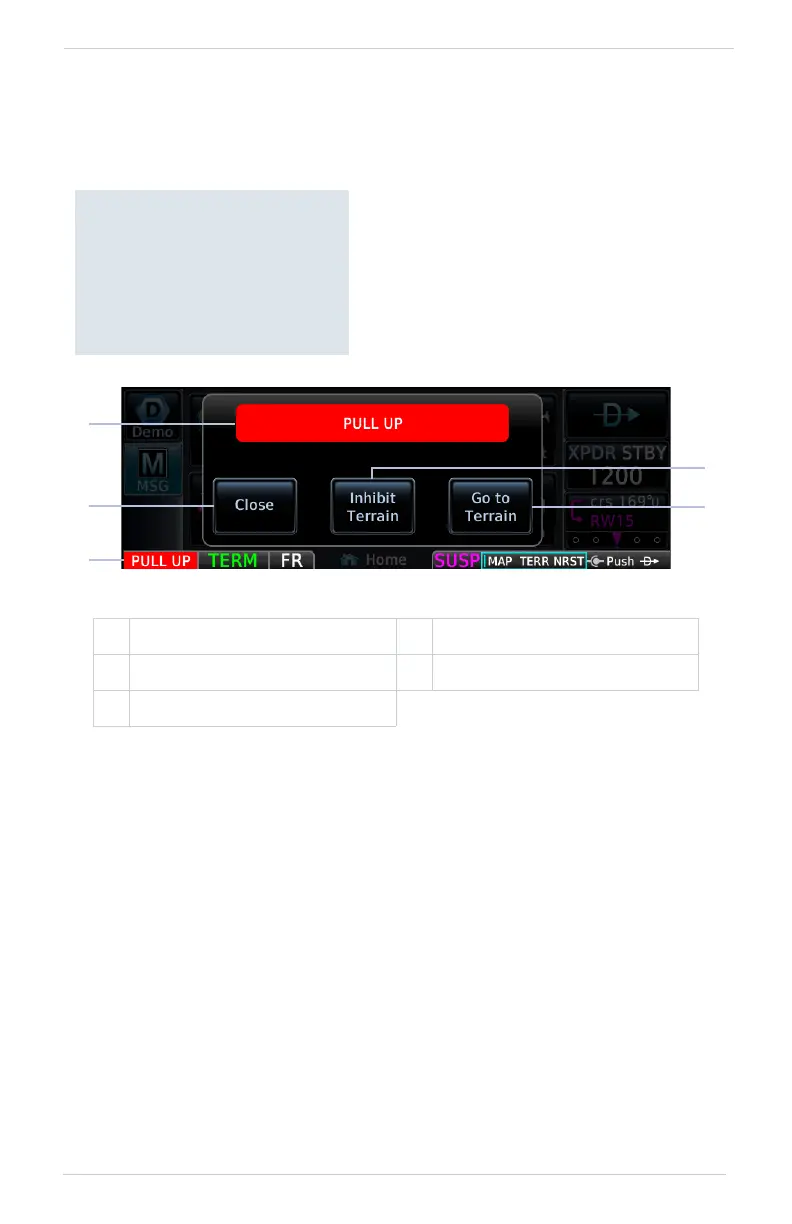
If a warning or caution relating to terrain or traffic occurs, a pop-up window may
display. These pop-ups only appear if the alerted function’s associated page is not
active.
To open the indicated page, tap Go to <Page>.
To acknowledge the alert and return to previous page view, tap Close.
1 Threat Indication 4 Alert Inhibit Key
2 Close Pop-up Window Key 5 Go to <Page> Key
3 Alert Annunciation
Pop-up Alert Priority
In the event of simultaneous
alerts, pop-up windows display
in the following order:
1. Terrain alerts
2. Traffic alerts
Each pop-up alert provides:
• Threat indication
• Alert annunciation
• Option to inhibit or mute the alert
• Control for closing the pop-up window
• Direct access to the associated page
Pop-up Alert Layout
1
3
2 5
4



 To Next Page