190-02488-01 Rev. B Pilot’s Guide 1-9
System at a Glance
Menus
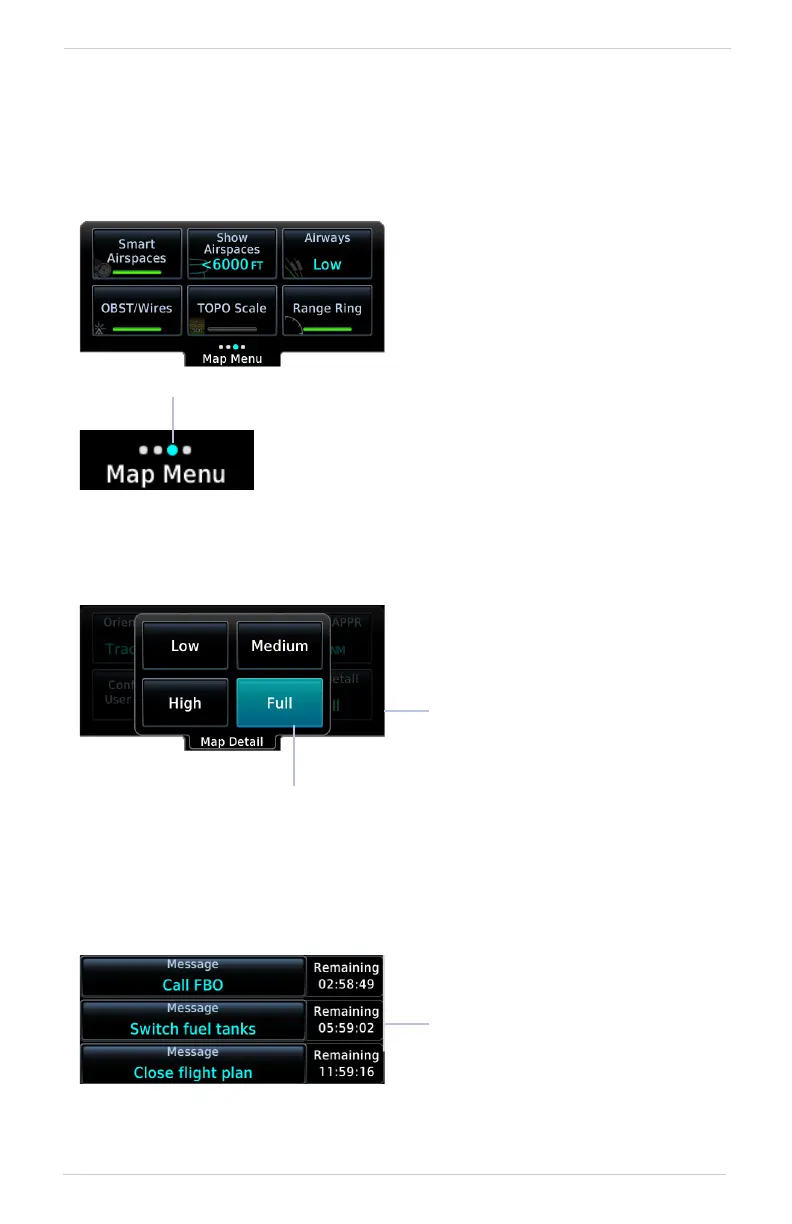
Menus group related controls into an expandable pane, allowing access to multiple
functions on a single page. Depending on the number of available functions, a menu
may comprise more than one pane.
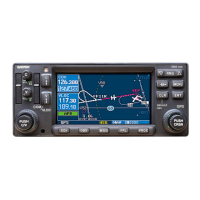
POP-UP MENUS
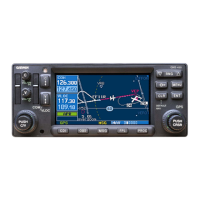
LISTS
Scrollable lists group control keys related to a single function (e.g., FIS-B Weather).
When scrolling, all keys in the list are inactive.
An indicator at the bottom of the menu shows
which pane is active.
Active Pane
Multiple panes are accessible by
way of a left/right swipe or inner
knob turn.
Toggle keys either enable or
disable list items. In some cases,
Settings or Range keys provide
access to selectable setting
options.
Underlying Page Hidden
Pop-up menus open to the
default or previously selected
value.
Default or Current Setting


 To Next Page