2-12 Pilot’s Guide 190-02488-01 Rev. B
Get Started
Wi-Fi Setup
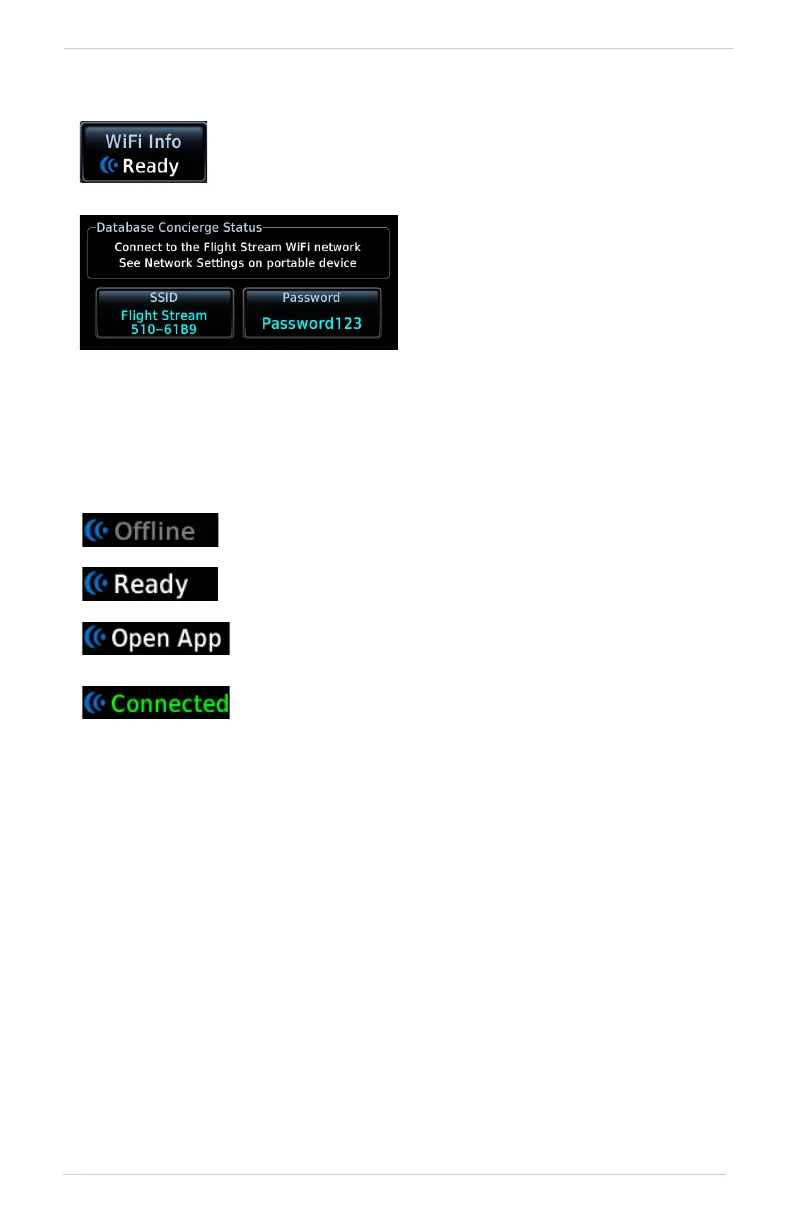
WI-FI INFO KEY STATUS ANNUNCIATIONS
Wi-Fi connection status annunciates on the key label when the information page is
not active.
CONNECT TO WI-FI
Follow the onscreen prompts when connecting to the Wi-Fi network.
1. Install Flight Stream 510 and then power on unit. Observe Wi-Fi status changes
from “Offline” to “Ready.”
2. Tap WiFi Info.
3. Enter the required SSID and password using the provided keypads.
4. Enable Wi-Fi setting on the portable device. Wi-Fi status changes to
“Open App” once pairing is complete.
Flight Stream 510 requires power up.
Wi-Fi is active, but the unit is waiting to connect with a
device.
Connection complete. Flight Stream 510 requires Garmin
Pilot to be opened in order for database transfer to
commence.
Garmin Pilot opened and streaming to unit.
Tapping WiFi Info opens an information page. This page is
accessible from the Database Update and start-up pages.
Information includes:
• Database Concierge
connection status
• Connected device name
• Database update availability
and instructions
• Wi-Fi SSID and password



 To Next Page