Hazard Awareness
190-02488-01 Rev. B Pilot’s Guide 5-33
Traffic Alerting
FEATURE LIMITATIONS
• Aural traffic alerts available on GNX 375 only
• Mute alert function is applicable only to the active aural alert
(does not mute future alerts)
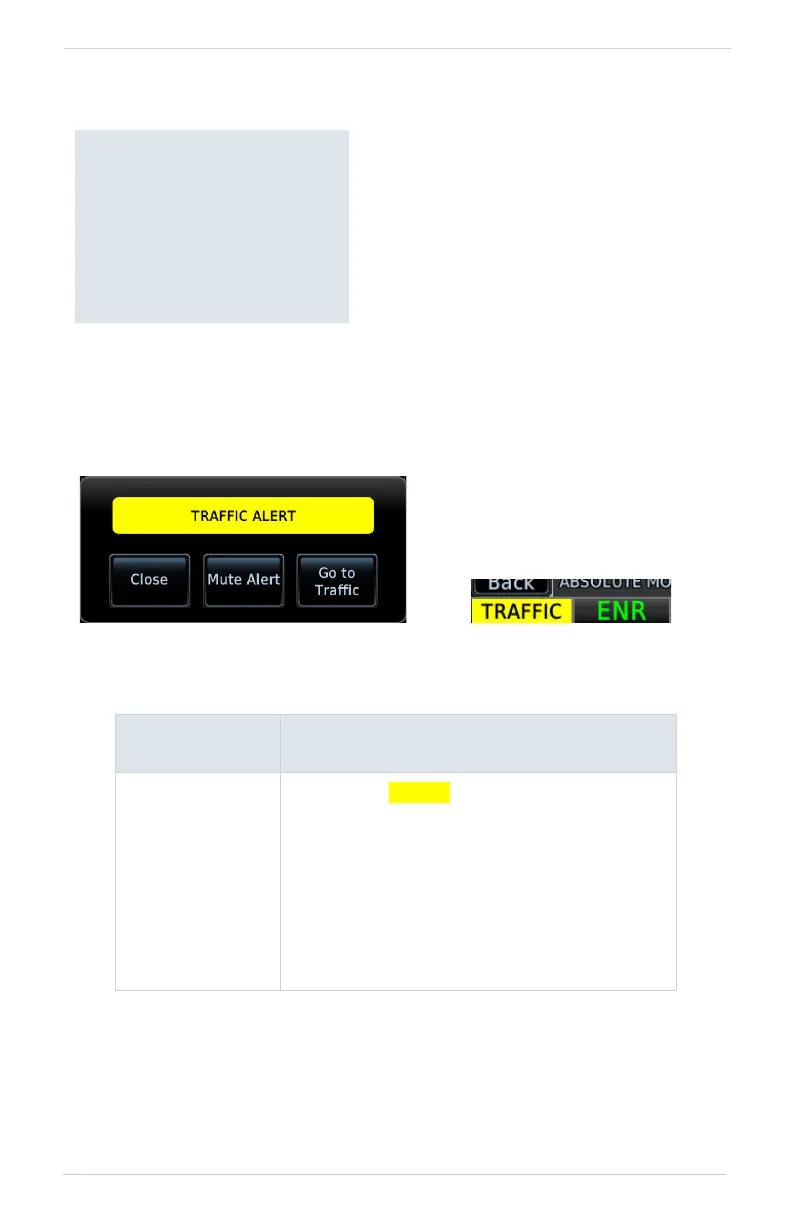
To silence the active traffic alert voice message, tap Mute Alert.
ANNUNCIATION
ALERT TYPE | POP-UP | CONDITION |
VOICE MESSAGE
TRAFFIC
Alert Type: Caution
Pop-up Alert: Yes
Condition:
• Traffic reports a traffic advisory
Voice Message:
• Message content depends on current traffic
system configuration
Traffic Alert Types
• Textual annunciations at the
bottom of the screen
• Color-coded target icons on
Traffic page
• Pop-up window when
another page is active
Traffic alerts occur anytime there is an
increase in the number of traffic
advisories. They remain active until the
area is clear of all TAs.
Traffic Pop-up Traffic Alert Annunciation



 To Next Page