1-10 Pilot’s Guide 190-02488-01 Rev. B
System at a Glance
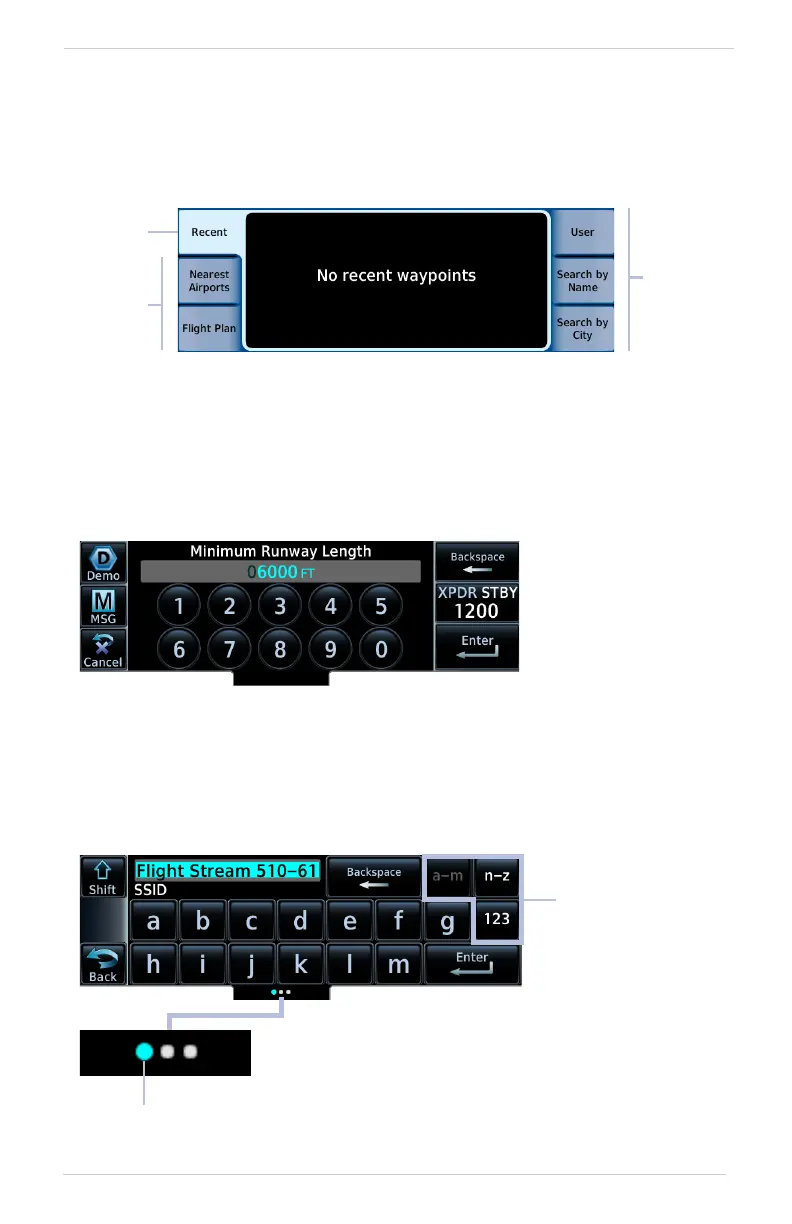
Tabs
Tabs group information into individual panes. Content includes scrolling lists, data
fields, function keys, or a combination of controls.
Tabs are located along the left and right sides of a pane.
Keypads
The navigator employs multiple keypad types to serve specific settings and functions.
NUMERIC
ALPHANUMERIC
Alphanumeric keypads comprise multiple keysets that are accessible by way of swipe
or key selection.
Inactive
Tabs
Active
Tabs
Inactive
Tabs
Numeric keypads
open on a single
pane.
Backspace and
Enter keys always
appear at the right
of the screen.
Selectable
Keysets
Active Keyset
An indicator shows which keyset is active.
Keys a through m are active by default.



 To Next Page