2-4 Pilot’s Guide 190-02488-01 Rev. B
Get Started
Database Effective Cycles
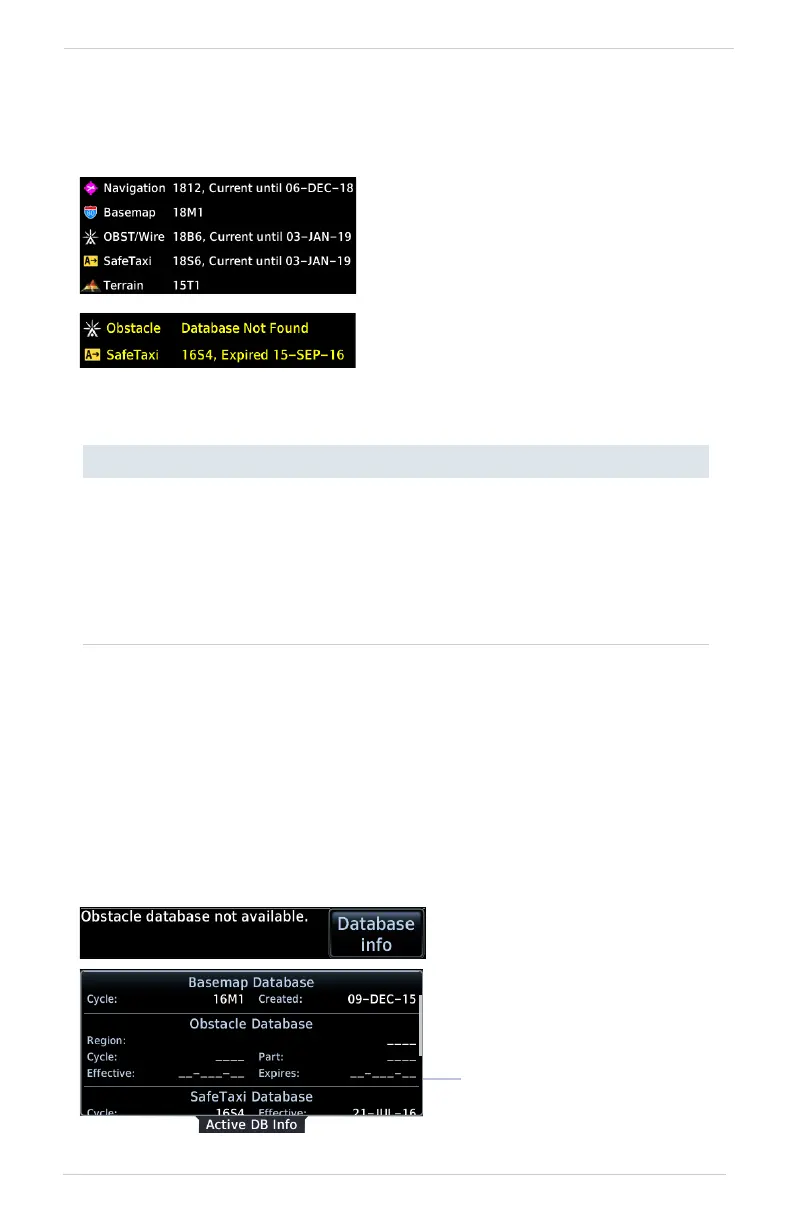
Most databases expire at regular intervals. Exceptions include Basemap and Terrain,
which neither expire nor update on a regular schedule.
DATABASE NOT FOUND
Notifications for databases not present or available also display in the form of system
messages.
DATABASE EFFECTIVE STATUS
Databases with
no effective
date
• Effective upon release
• Transfer occurs prior to database verification at system
start-up
• No automatic transfer if Flight Stream 510 is present
• Includes Basemap and Terrain
• No pilot confirmation or restart required
Databases with
specified
effective dates
• Effective during a specific period
• Unit determines database status using the current date
and time from GPS
• Automatic activation occurs on the effective date
The start-up page lists all currently
installed databases. Review this list for
current database types, cycle numbers,
and expiration dates.
Yellow text denotes when a database is:
• Not available
• Installed before its effective date
• Missing date information
• Past its expiration date
Tapping Database Info
opens the Active Database
Information page.
Review this list to determine
the status of the indicated
database.
Database
Not Present



 To Next Page