2-18 Pilot’s Guide 190-02488-01 Rev. B
Get Started
COM
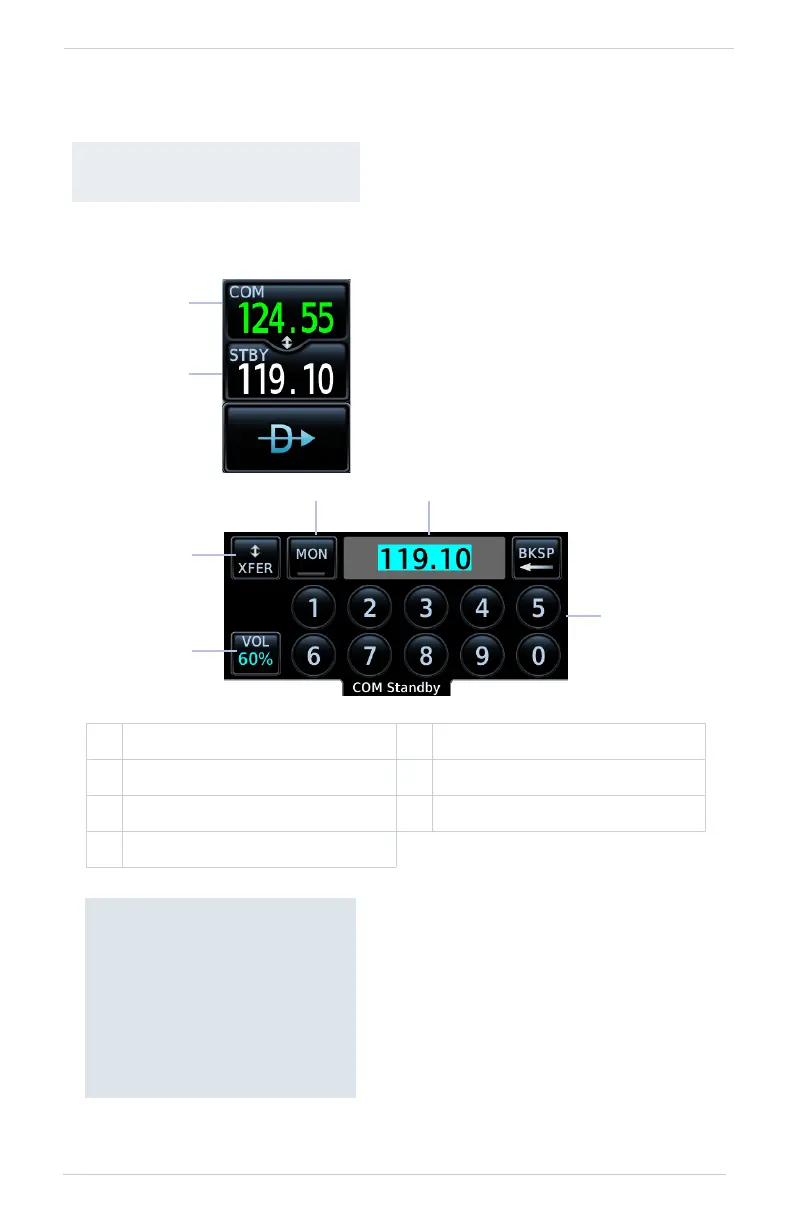
COM Standby Control Panel
AVAILABLE WITH:
GNC 355/355A
1 Active Frequency Window 5 Transfer (Flip-Flop) Key
2 Standby Frequency Window 6 COM Volume Access Key
3 Frequency Entry Field 7 Data Entry Keys
4 Monitor Key
VHF COM transceiver controls are
accessible via the selectable
standby (STBY) frequency window.
This control resides in the upper right
corner of the display.
1
2
From the COM Standby
control panel you can:
• Specify a standby frequency
• Swap active and standby
frequency values
• Enable monitor mode
• Access radio volume controls



 To Next Page