Planning
190-02488-01 Rev. B Pilot’s Guide 4-7
Computing Fuel Statistics
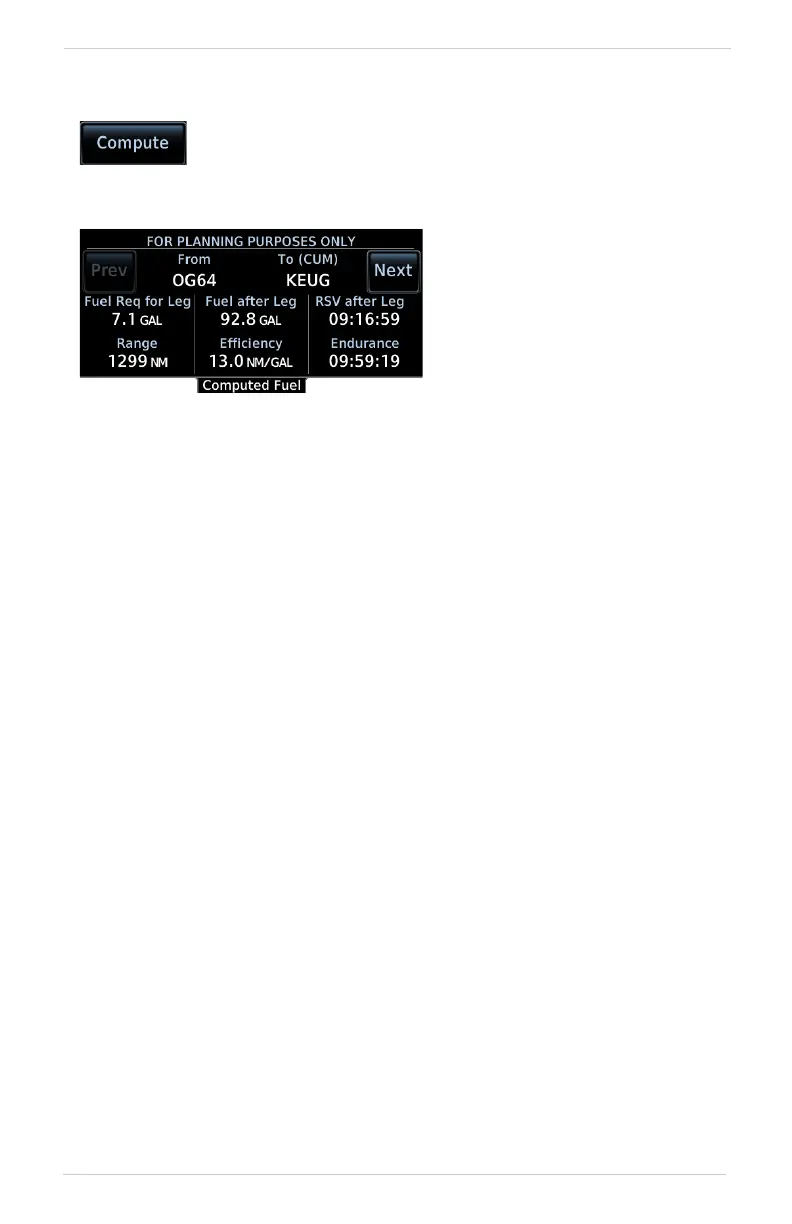
Statistics include:
COMPUTE FUEL STATISTICS
1. Select a fuel planning mode.
2. Define a leg or route.
• If “Flight Plan” is set, select the flight plan and leg. Selecting the active
flight plan sets the starting waypoint at the aircraft’s current position.
• If “Point to Point” is set, select From and To waypoints, or use the
aircraft’s current position as the From waypoint.
3. Specify the amount of fuel on board and average fuel flow rate.
4. Specify ground speed or elect to use sensor data.
5. Tap Compute.
• Fuel required for leg • Fuel after leg
• Reserve after leg • Range
• Efficiency • Endurance
Compute and display fuel data based on the selected fuel
planning mode and specified input values.
Statistics for the selected leg or
route display on a dedicated
data page. This information is
for planning purposes only.
Tap Next or Prev to view
statistics for other legs in the
flight plan (if applicable).



 To Next Page