190-02488-01 Rev. B Pilot’s Guide 2-7
Get Started
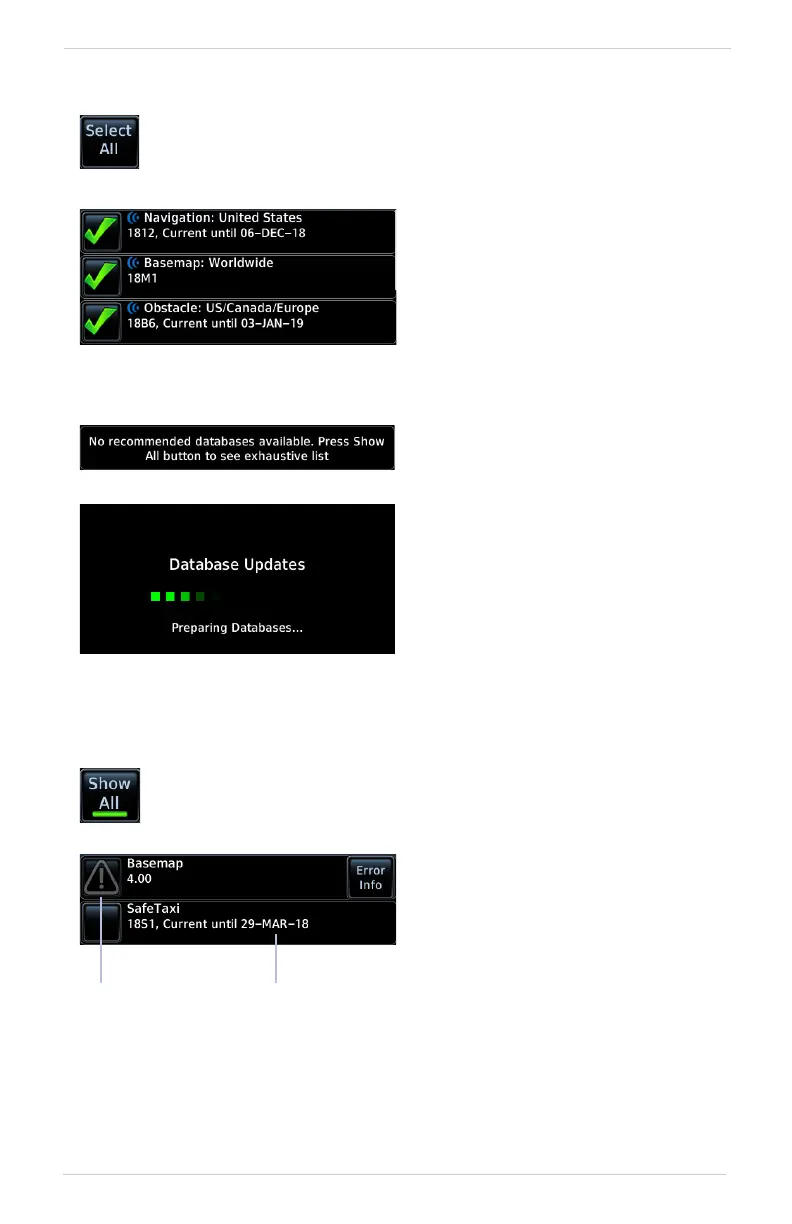
SELECT ALL DATABASES
SHOW ALL DATABASES
Select individual databases for transfer, or choose Select All if all
listed databases require updating.
After all selections are made,
initiate the update process by
tapping Start.
By default, this page displays only
the databases recommended for
update.
Basemap and Terrain update automatically and
require no action.
A message notifies when no such
databases are available.
The unit automatically restarts
once all updates are complete.
Tapping Show All displays a complete list of all databases.
This list may include databases
that are:
• Not yet effective
• Older than the currently
active database(s)
• Unable to update due to
an error
Older
Timestamp
Error
Icon



 To Next Page