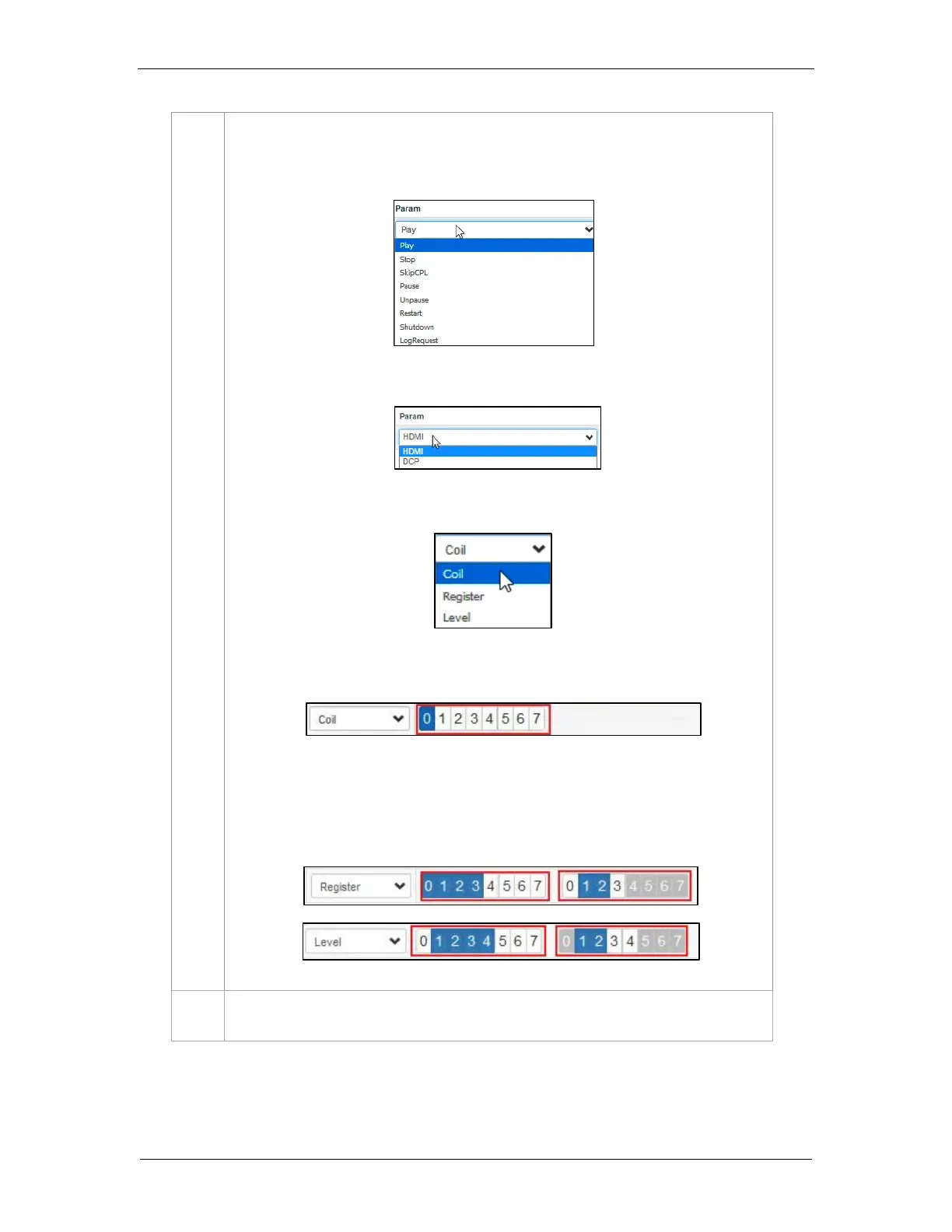
i) If Primitive is selected as the Action type, select the desired Param value from
the drop-down as shown below:
ii) If Switch Source is selected as the Action type, select the desired Param value
from the drop-down as shown below:
b) If the selected Device is a IMBGPIO, the Action type can be Coil, Register or Level.
i) If Coil is selected as the Action type, only one pin can be selected at a time
from the Param option:
ii) If Register or Level is selected as the Action type, multiple pins can be selected
from the Param option. The number of pins selected (left section) will be the
number of pins shown as enabled (right section). The user may select multiple
pins (right section) based on the number of pins selected (left section).



 To Next Page