
 Need help?
Do you have a question about the GE LOGIQ 5 PRO and is the answer not in the manual?
Outlines essential safety precautions for operation, service, and repair of the equipment.
Details environmental and electrical requirements for the console.
Outlines purchaser responsibilities and required facility features for installation.
Guides through configuring system settings like date, time, and language.
Details the general steps for performing functional checks on the system.
Details procedures for checking the function of various system boards.
Presents the system block diagram illustrating component interconnections.
Describes the functions of the Front End components in signal processing.
Details the functions and components of the Backend Processor.
Describes the user interface components of the top console.
Details the external interfaces and connectors on the rear panel.
Explains the AC and DC power distribution within the system.
Introduces the Service Platform software for system maintenance.
Details procedures for adjusting the LV unit's DC output.
Guides on adjusting monitor contrast and brightness settings.
Describes tools for investigating and resolving network connectivity issues.
Details accessing and executing diagnostic tests via the service platform.
Covers basic diagnostic tests available under Common Diagnostics.
Covers general disassembly and re-assembly procedures with safety warnings.
Details replacement procedures for PC block components like BEP and drives.
Describes the procedure for loading system software.
Guides on installing the base software load image from a CD.
Describes the procedure for performing a full system backup and restore.
Outlines procedures for electrical safety testing.
 General
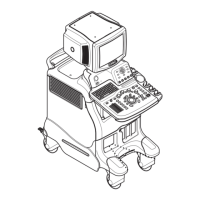
| Type | Ultrasound System |
|---|---|
| Display | 15-inch CRT monitor |
| Power Requirements | 100-240V AC, 50/60 Hz |
| Application | General Imaging, Vascular, Cardiology |
| Transducer Types | Convex, Linear, Phased Array |
| Imaging Modes | B-mode, M-mode, Color Doppler, Power Doppler, PW Doppler |
| Ports | USB, VGA |

 To Next Page






