GE MEDICAL SYSTEMS
DIRECTION 2380207, REVISION 7 LOGIQ™ 5 PRO SERVICE MANUAL
8 - 170 Section 8-10 - Software Loading Procedure
8-10-5-3 Saving Connectivity
Before starting upgrade, write down
the Connectivity Setting for back-up.
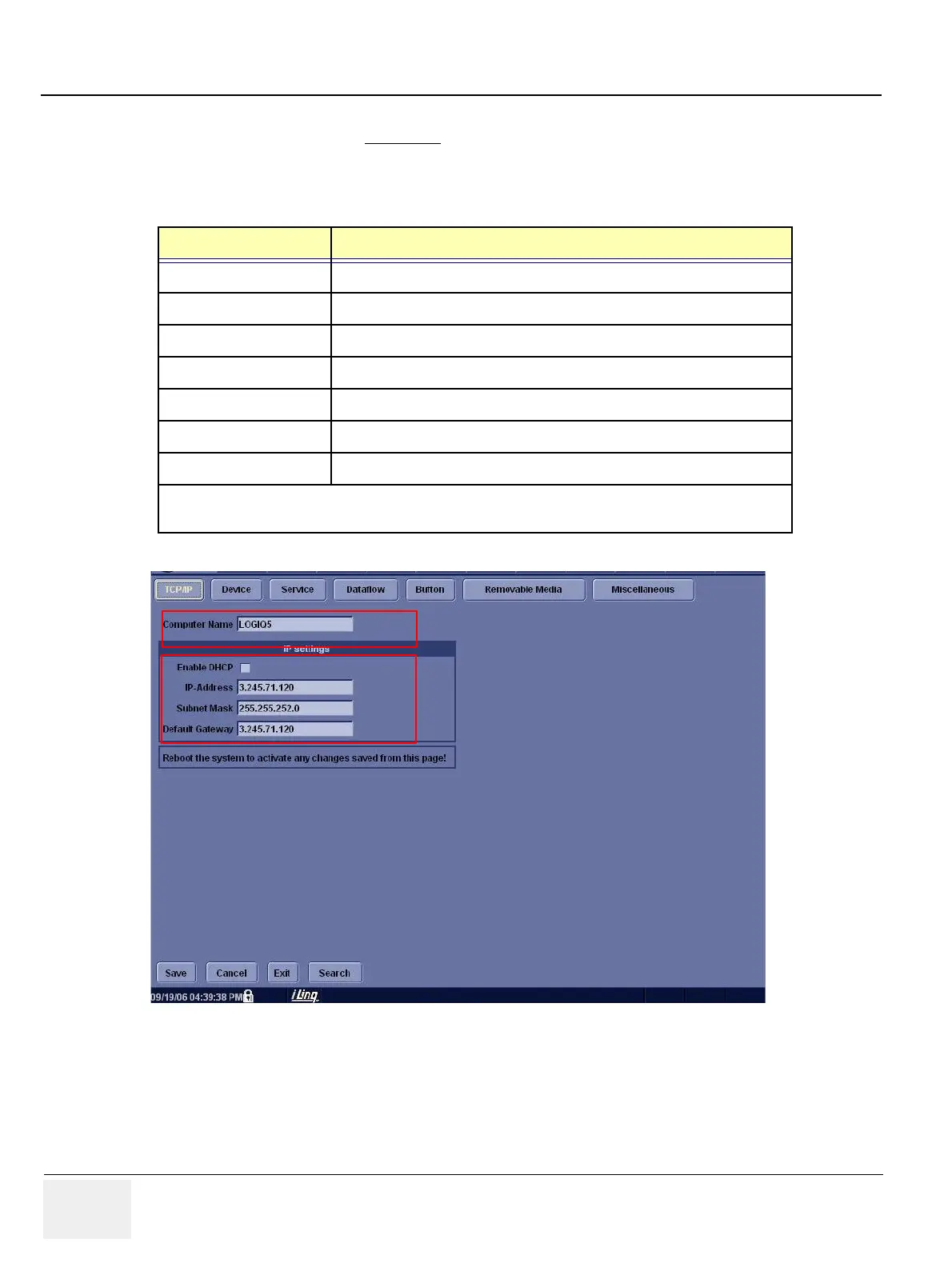
1.) Press Utility > Connectivity and click the Tcpip tab.
2.) Write down the following parameters:
Parameters Descriptions (Entry for Stand-Alone System)
Computer Name
Enable DHCP
IP-Address
Subnet Mask
Default Gateway
Remote Archive IP-Addr
Remote Archive Name
Note : For a stand-alone system, preset values of IP address, subnet mask, and default gateway, shown
above, must entered.
Figure 8-189 Connectivity


 To Next Page