GE MEDICAL SYSTEMS
D
IRECTION 2380207, REVISION 7 LOGIQ™ 5 PRO SERVICE MANUAL
Chapter 8 Replacement Procedures 8 - 87
8-6-6 Air Filter Set (FRU No. 406)
Purpose: This is a description on how to remove and replace the Air Filter Set.
8-6-6-1 Tools
• Not Required.
8-6-6-2 Needed Manpower
• 1 person, 5 minutes + travel
8-6-6-3 Preparations
• Shut Down the System and switch off the Main Breaker at the rear as described in section 4-3-2 on
page 4.
8-6-6-4 Removal Procedure
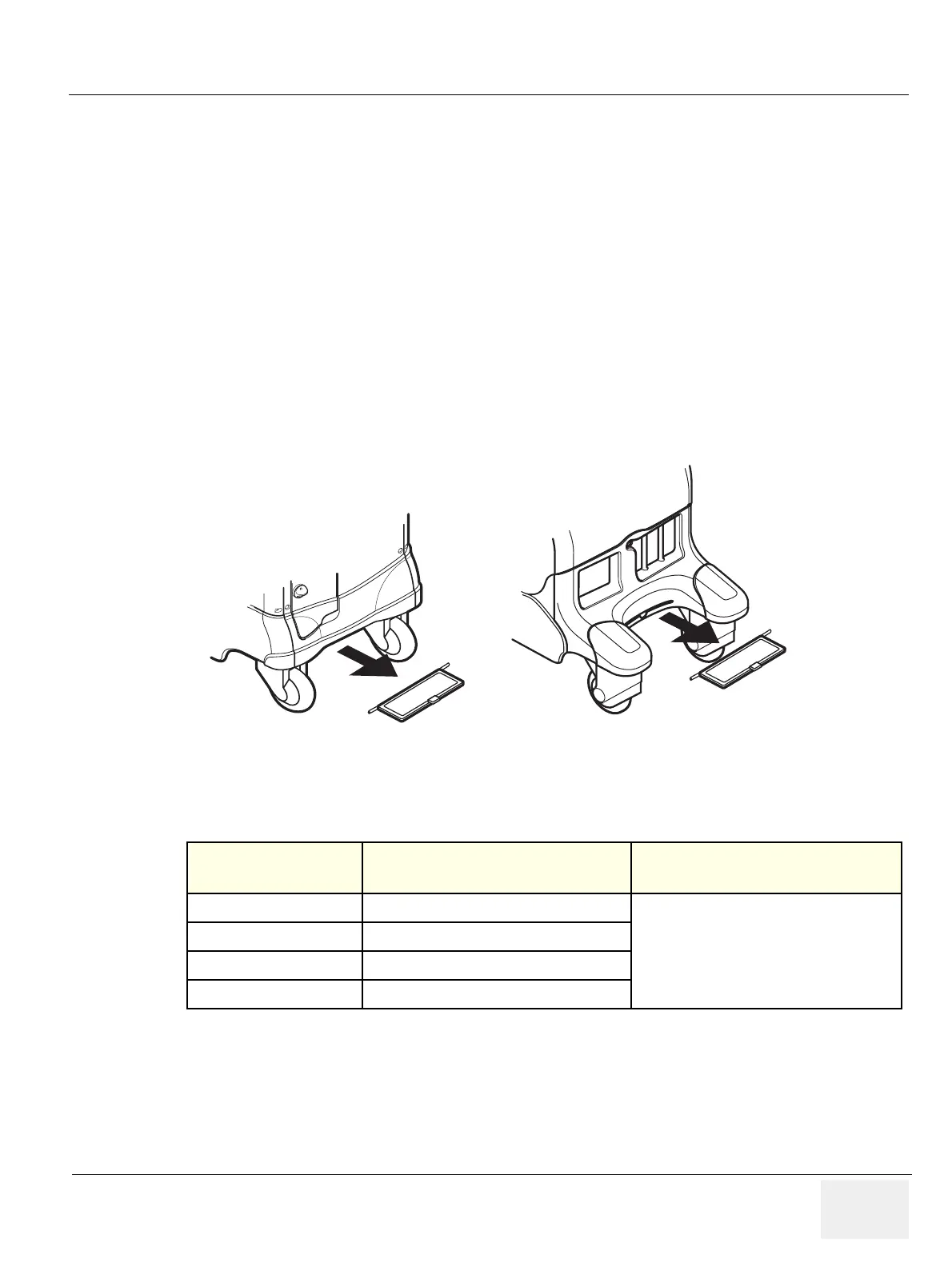
1.) Remove Air Filter as illustrated below.Refer to Figure 8-78.
2.) Perform the following functional tests. If all are successful, include the debrief script provided below.
8-6-6-5 Mounting procedure
Install the new parts in the reverse order of removal.
Figure 8-78 Removing the Air Filters
Table 8-41 Functional Tests
Service Manual
Section
Functional Test / Diagnostic Test Debrief Script
Section 4-3-1
Power On/Boot Up
“Service Manual, Direction
2380207, Rev 7+, Section 8-6-6. Equipment
passed all required tests and is ready for use. “
Section 4-3-2
Power Off / Shutdown
Section 4-12-1-7
Air filter set
Section 10-5-5
Physical Inspection


 To Next Page