GE MEDICAL SYSTEMS
D
IRECTION 2380207, REVISION 7 LOGIQ™ 5 PRO SERVICE MANUAL
Chapter 8 Replacement Procedures 8 - 161
8-9-4 Transformer (FRU No. 703)
Purpose: This is a description on how to remove and replace the Transformer.
8-9-4-1 Tools
• Common pillips screwdrivers
• Allen/Unbraco wrench
8-9-4-2 Needed Manpower
• 1 person, 15 minutes + travel
8-9-4-3 Preparations
• Shut Down the System and switch off the Main Breaker at the rear as described in section 4-3-2 on
page 4.
8-9-4-4 Removal Procedure
1.) Remove the AC Power top cover. Refer to Figure 8-83 on page 86 .
2.) Remove the AC Power left cover. Refer to Figure 8-82 on page 84 .
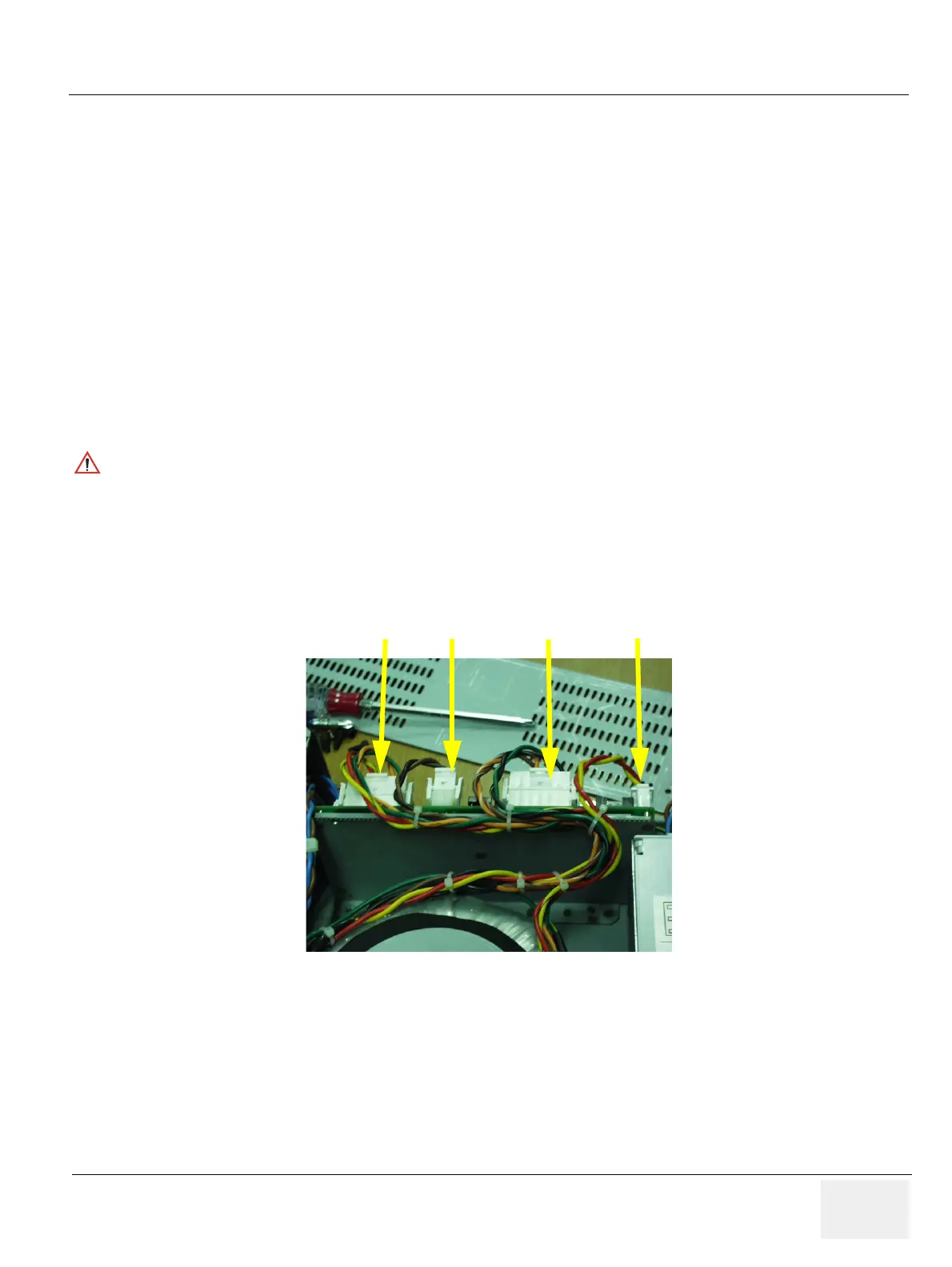
3.) Disconnect four (4) connectors (1-4, J3, J6, J9, J11). Refer to Figure 8-179..
4.) Cut the Cable ties tied to the cables.
5.) Disassemble the AC Power box cover. Refer to Figure 8-85 on page 90 .
CAUTION
Do not wear the ESD wrist strap when you remove a part of power supply unit. Turn OFF power
and unplug the power cord before removing a part of power supply unit. However be sure to turn
off power and wear the strap before you remove a circuit boards.
Figure 8-179 Disconnecting 4 connectors
JPC Board
(1)
(2)
(3)
(4)
J3
J6J9
J11


 To Next Page