GE MEDICAL SYSTEMS
DIRECTION 2380207, REVISION 7 LOGIQ™ 5 PRO SERVICE MANUAL
3 - 16 Section 3-6 - System Configuration
Section 3-6
System Configuration
3-6-1 System Specifications
3-6-1-1 System Settings
1.) Press Power on/off switch.
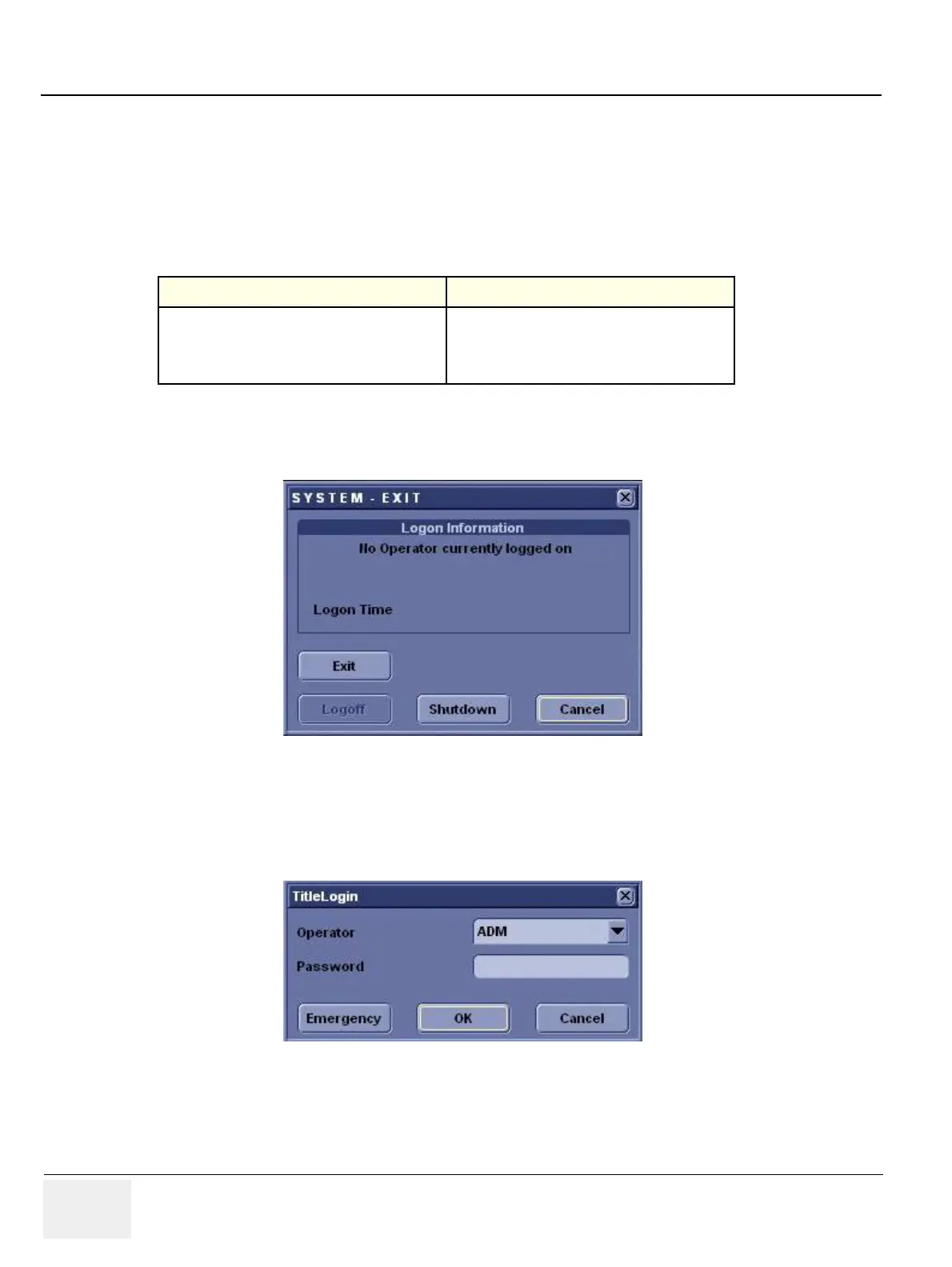
2.) The SYSTEM EXIT window appears. Click on Logoff.
3.) The message window appears. Click on OK.
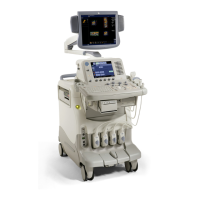
4.) The OPERATOR LOGIN window appears.
Change the User level to Admin, then enter Password. Then click on Log on.
Table 3-1 System Configuration
Configuration Category Description
Settings
Enables the user or service personnel to set the
date, time, unit, language, basic information about
the organization such as the institution name and
department.
Figure 3-18 System EXIT window
Figure 3-19 Operator LOGIN window


 To Next Page