GE MEDICAL SYSTEMS
DIRECTION 2380207, REVISION 7 LOGIQ™ 5 PRO SERVICE MANUAL
4 - 34 Section 4-11 - Keyboard Function Checks
4-11-9 OP Panel LCD Encoder Assy Validation
1.) Boot up the system and run the scfpapitest program.
2.) Press and Rotary LCD Encoder.
3.) Check the log dialog box in scfpapitest program.
NOTICE
Follow up the procedure from step 1 to step 7 of Section 4-11-1 to run the scfpapitest program.
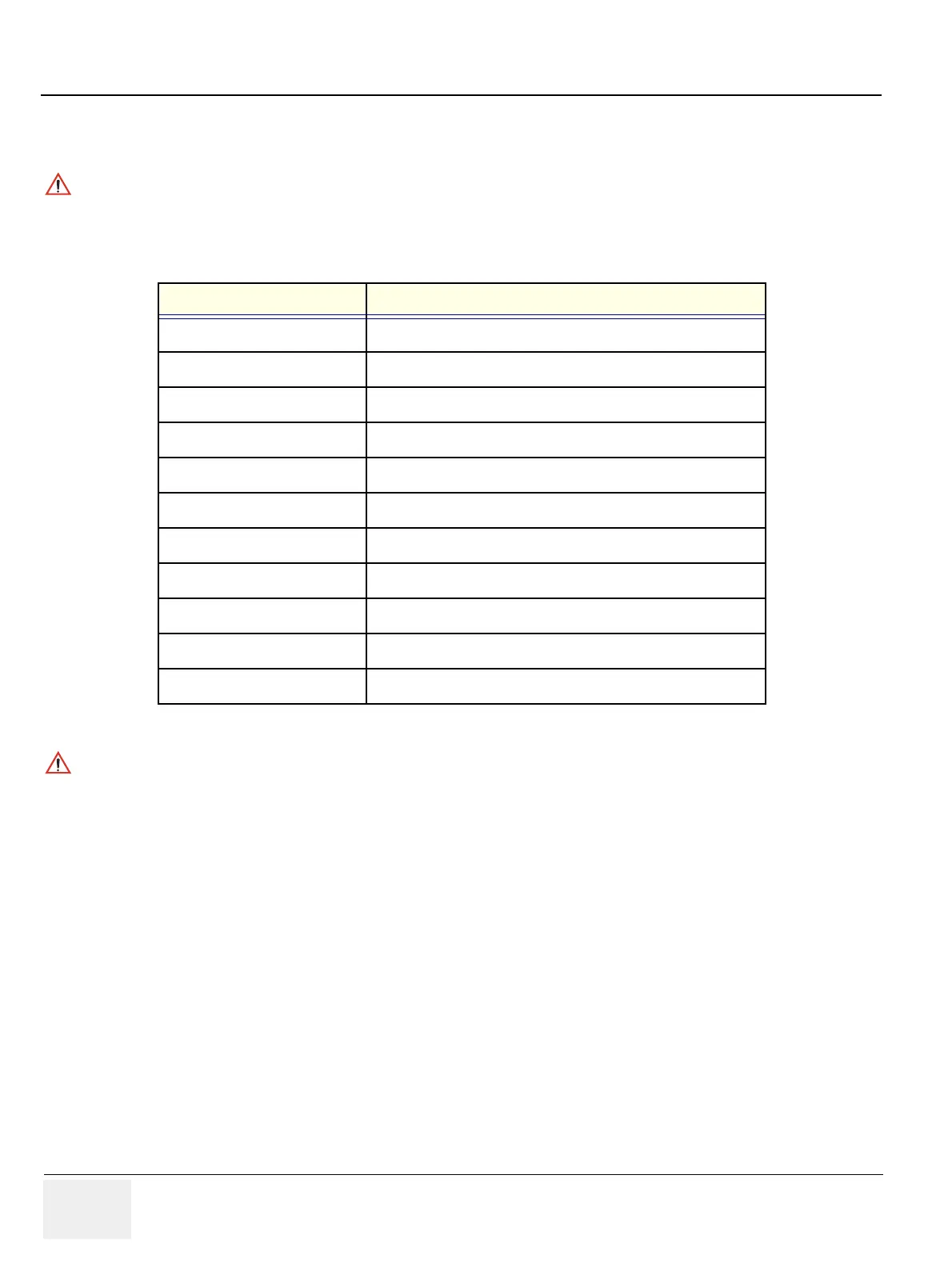
Button or Rotary Name The Name displayed in Log
1 Button PushEncoder 1 of Touchpanel Button
2 Button PushEncoder 2 of Touchpanel Button
3 Button PushEncoder 3 of Touchpanel Button
4 Button PushEncoder 4 of Touchpanel Button
5 Button PushEncoder 5 of Touchpanel Button
1 Rotary PushEncoder 1 of Touchpanel Rotary
2 Rotary PushEncoder 2 of Touchpanel Rotary
3 Rotary PushEncoder 3 of Touchpanel Rotary
4 Rotary PushEncoder 4 of Touchpanel Rotary
5 Rotary PushEncoder 5 of Touchpanel Rotary
Brightness Rotary Brightness PushEncoder Rotary
Table 4-26 Button and Rotary Table
NOTICE
The Name displayed in log while rotating the rotary button, The menu Encoder is working correctly.


 To Next Page