GE MEDICAL SYSTEMS
D
IRECTION 2380207, REVISION 7 LOGIQ™ 5 PRO SERVICE MANUAL
Chapter 3 Installation 3 - 17
3-6-1-1 System Settings (cont’d)
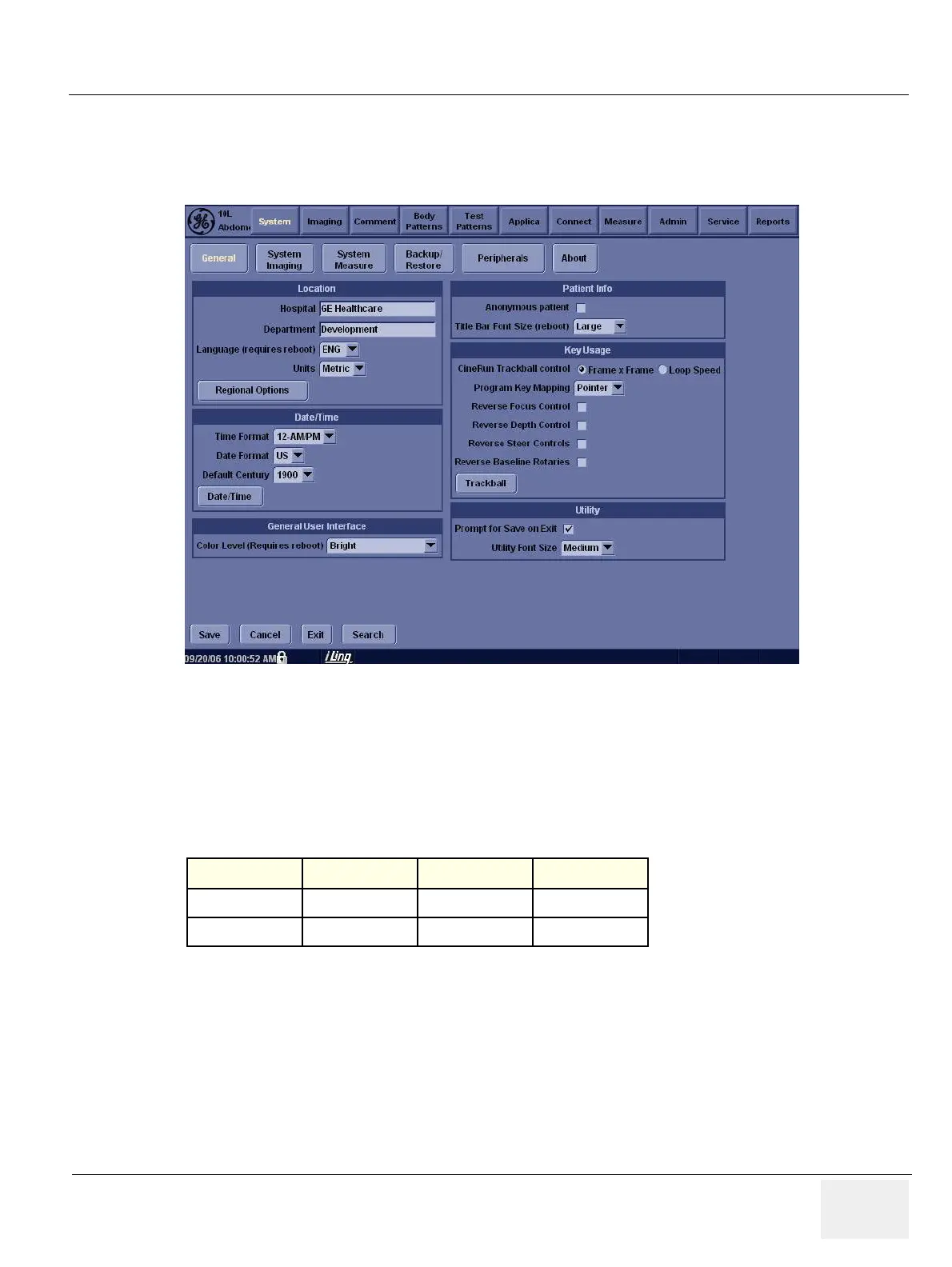
5.) Press Utility > System.
6.) Set the Hospital name, Department, Date and Time, Language, and Units.
Click on Utilities to terminate the utility function.
3-6-1-2 Physical Dimensions
The physical dimensions of the LOGIQ™ 5 PRO unit are summarized in Table 3-2 on page 3-17 .
The Size of LOGIQ™ 5 PRO, with monitor and peripherals
Figure 3-20 Setting Display
Table 3-2 Physical Dimensions of LOGIQ™ 5 PRO
Height Width Depth Unit
135 - 145 52.0 99.0 cm
53.1 - 57.08 20.47 38.9 inches


 To Next Page