GE MEDICAL SYSTEMS
D
IRECTION 2380207, REVISION 7 LOGIQ™ 5 PRO SERVICE MANUAL
Chapter 8 Replacement Procedures 8 - 201
8-11-3-4 Setting the VCR (if necessary)
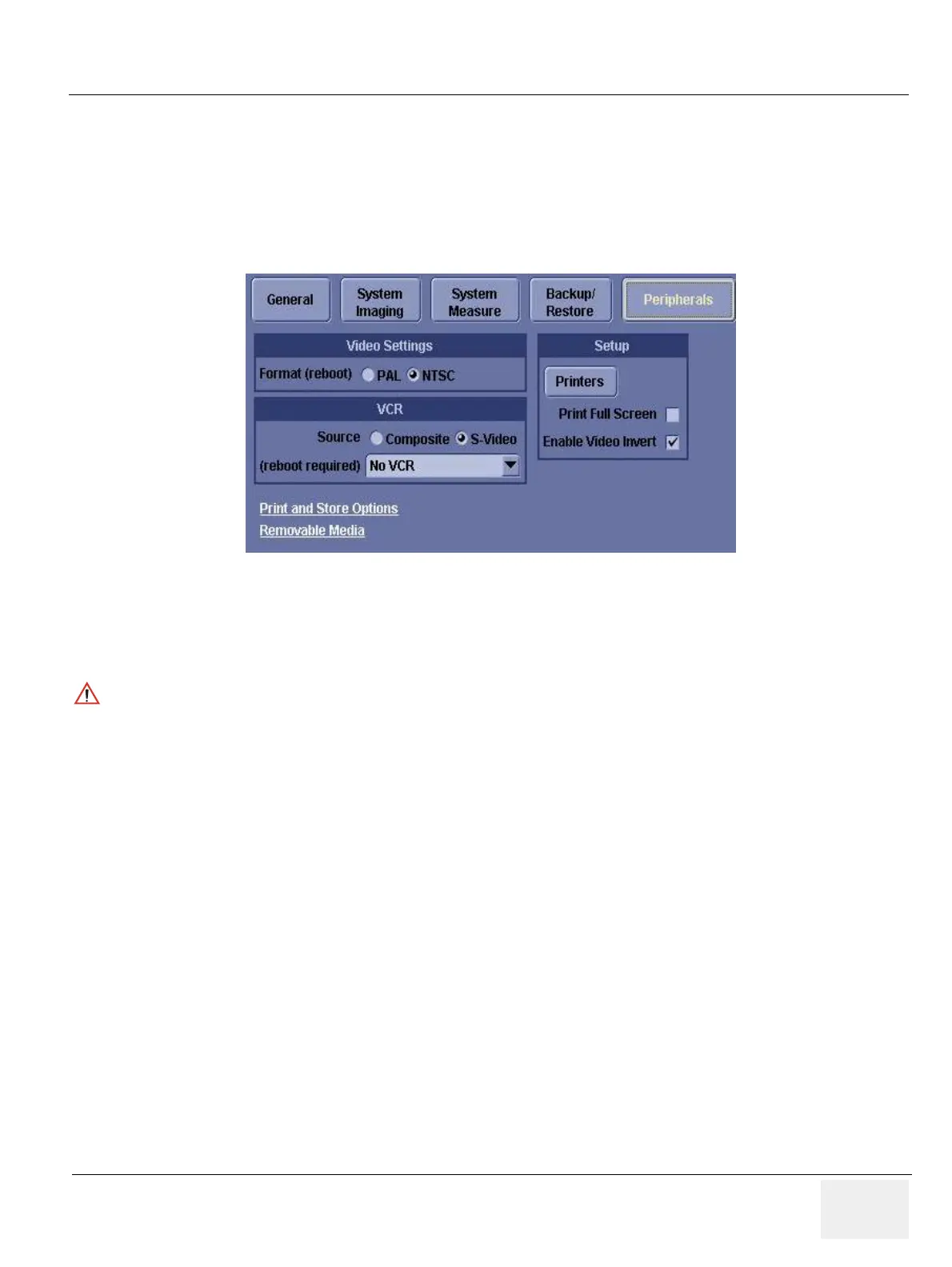
1.) Press Utility > System>Peripheral.
2.) Set the proper parameters:
- PAL or NTSC
- VCR type
- Source type
3.) Click on Save.
4.) Shut down the scanner, then restart the scanner.
5.) Verify that the VCR can be properly operated (remote, play...).
Figure 8-244 Utility > System>Peripheral
NOTICE
Be sure to connect the converter and cable before booting up the system. Otherwise the LOGIQ 5
system does not recognize the peripheral devices


 To Next Page