GE MEDICAL SYSTEMS
DIRECTION 2380207, REVISION 7 LOGIQ™ 5 PRO SERVICE MANUAL
4 - 36 Section 4-11 - Keyboard Function Checks
4-11-11 Menu Encoder Assy
1.) Boot up the system and run the scfpapitest program.
2.) Press and Rotary sub keyboard, and Paddle(up/down, right/left) button.
3.) Check the log dialog box in scfpapitest program.
NOTICE
Follow up the procedure from step 1 to step 7 of Section 4-11-1 to run the scfpapitest program.
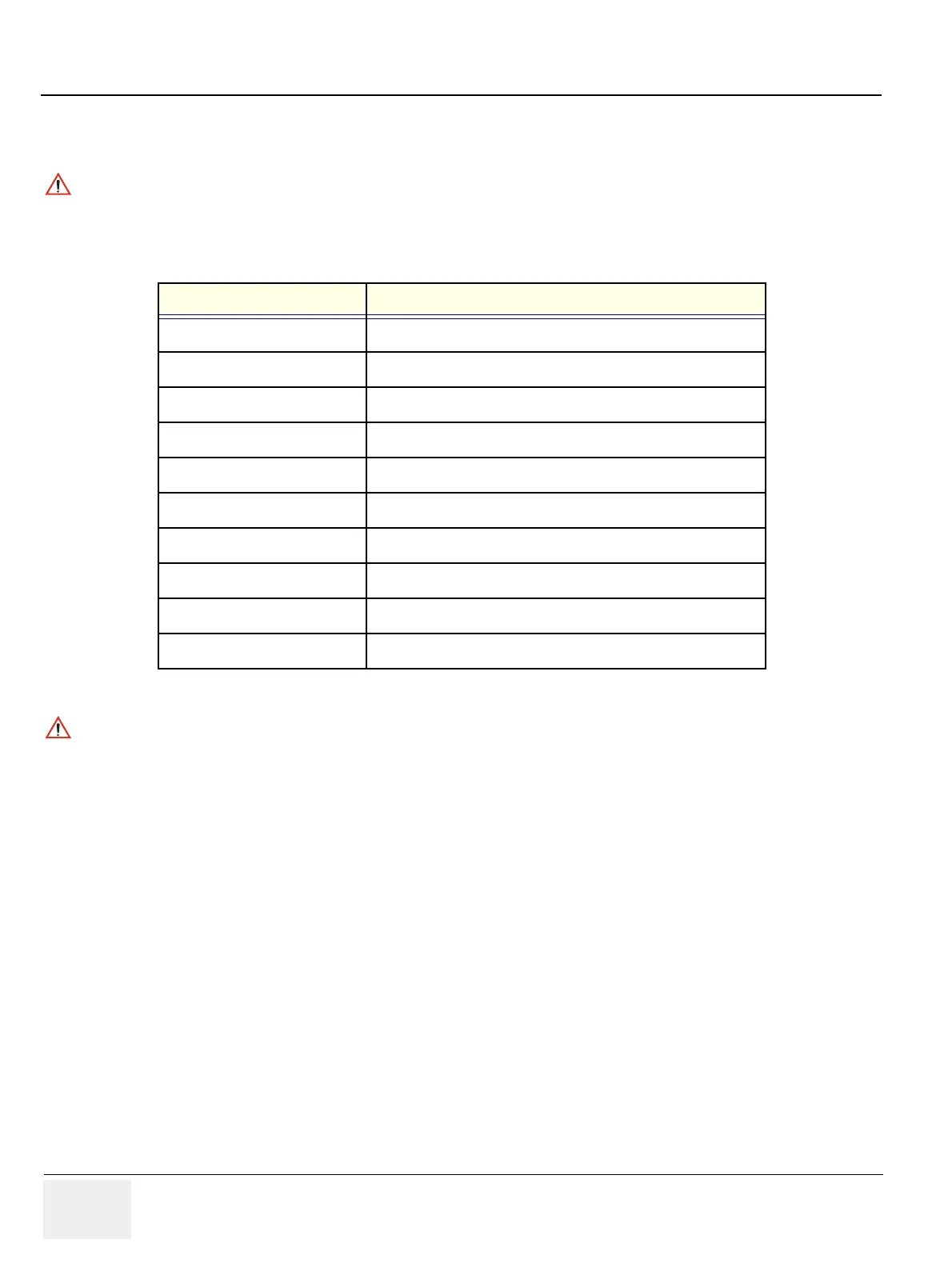
Button or Rotary Name The Name displayed in Log
1 Button PushEncoder 1 of Touchpanel Button
2 Button PushEncoder 2 of Touchpanel Button
3 Button PushEncoder 3 of Touchpanel Button
4 Button PushEncoder 4 of Touchpanel Button
5 Button PushEncoder 5 of Touchpanel Button
1 Rotary PushEncoder 1 of Touchpanel Rotary
2 Rotary PushEncoder 2 of Touchpanel Rotary
3 Rotary PushEncoder 3 of Touchpanel Rotary
4 Rotary PushEncoder 4 of Touchpanel Rotary
5 Rotary PushEncoder 5 of Touchpanel Rotary
Table 4-28 Button and Rotary Table
NOTICE
The Name displayed in log while rotating the rotary button, The menu Encoder is working correctly.


 To Next Page