GE MEDICAL SYSTEMS
D
IRECTION 2380207, REVISION 7 LOGIQ™ 5 PRO SERVICE MANUAL
Chapter 3 Installation 3 - 13
3-5-1-3 Maintanance Mode for Service
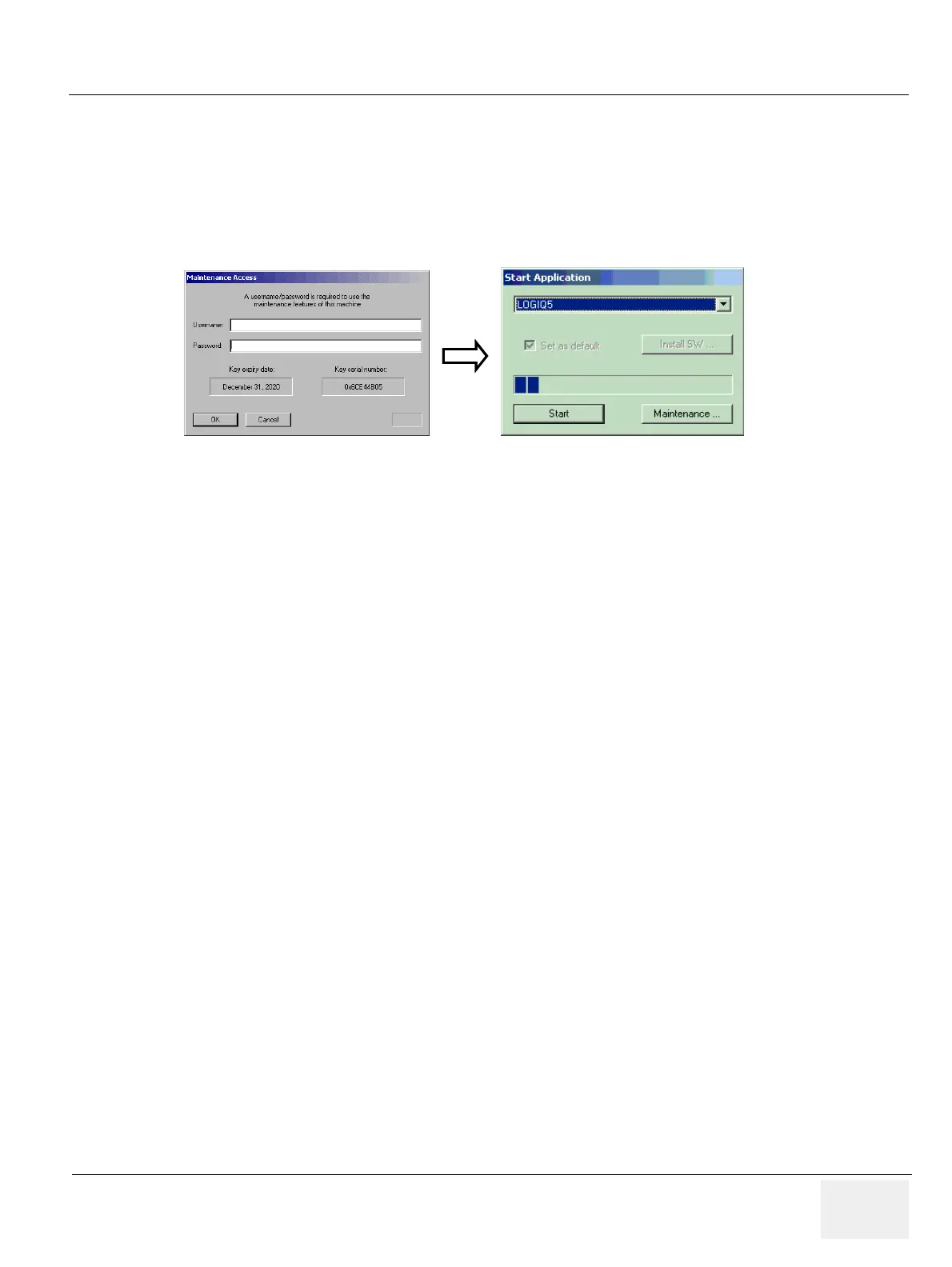
1.) If the service dongle is inserted in the USB port in the rear panel during system boot up,
Maintenance access window appears.
2.) Then key in the service pass word and click OK button.
3.) When the start application widow appear, click the “Maintenence” button
NOTE: Start is selected automatically when it time out.
Figure 3-16 maintenance Window


 To Next Page