GE MEDICAL SYSTEMS
D
IRECTION 2380207, REVISION 7 LOGIQ™5 PRO SERVICE MANUAL
Chapter 5 Components and Functions (Theory) 5-33
5-7-2-3 Cable Connection- VCR (cont’d)
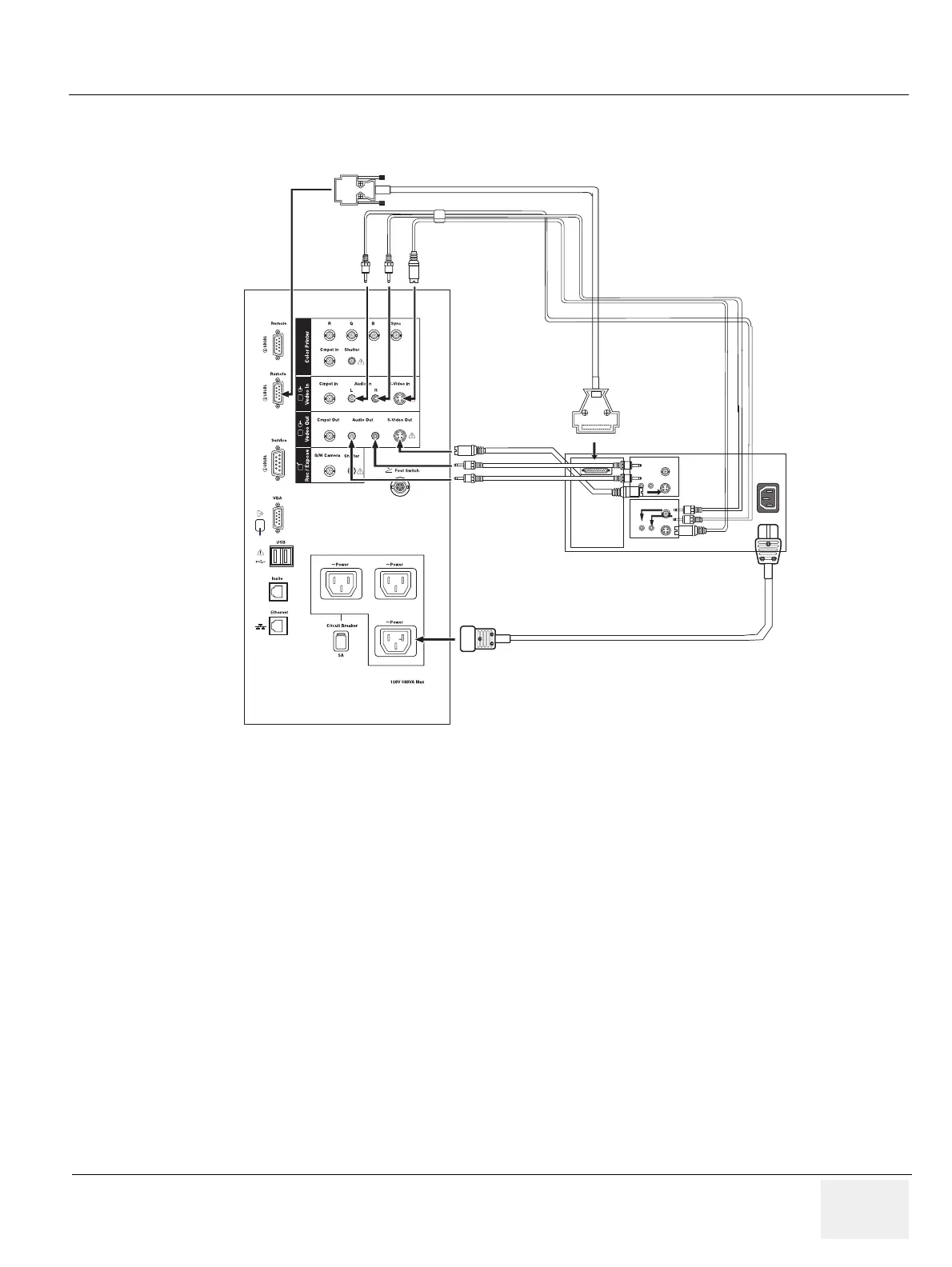
Connect the cables listed below between the Panasonic VCR and the console.
Figure 5-27 Cable Connection between VCR and Console
Equipment damage possibly. Be sure to use the following recommended connecting cables to connect
recording devices and a network with LOGIQ™ 5 PRO console.
RS232C CABLE
POWER CABLE
REAR PANEL of Panasonic VCR
Rear Panel of JUPITER
AUDIO
IN
AUDIO
OUT
VID EO IN
VIDEO OUT


 To Next Page