GE MEDICAL SYSTEMS
DIRECTION 2380207, REVISION 7 LOGIQ™ 5 PRO SERVICE MANUAL
3 - 8 Section 3-3 - Receiving and Unpacking the Equipment
Section 3-3 Receiving and Unpacking the Equipment (cont’d)
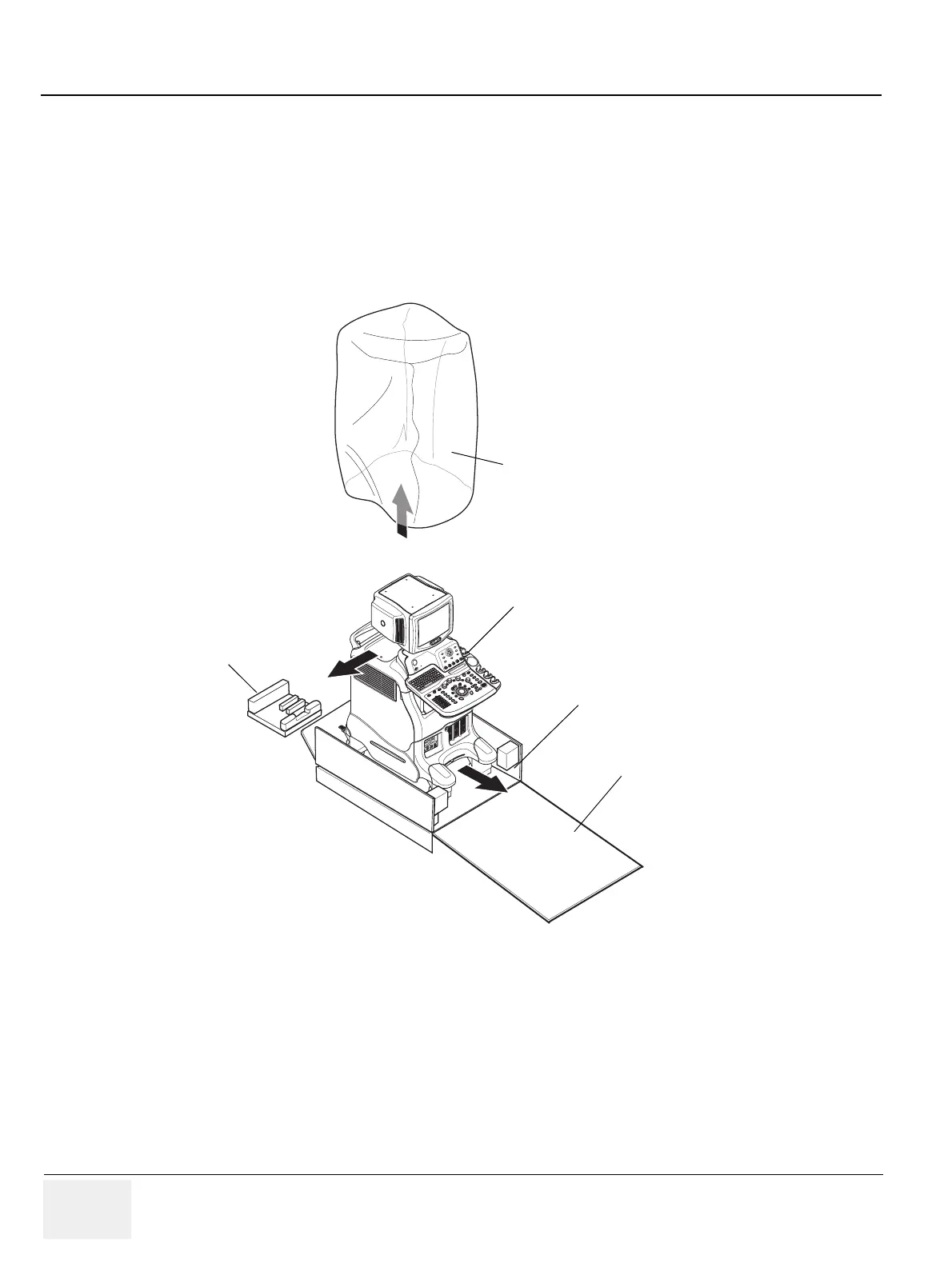
7.) Remove the PLASTIC BAG.
8.) Lift the Monitor up by pressing the UP/Down Release Button.
9.) Remove the MONITOR SUPPORTER.
10.)Pull the Bottom Plate from the bottom so that it can be used as a ramp.
11.)Unlock the front caster and carefully put the console off the PALETTE.
Figure 3-11 Moving the LOGIQ™ 5 PRO from the crate
PLASTIC BAG
Palette Base Assy
Console
Monitor
Supporter
Bottom Plate


 To Next Page