CHAPTER 3: CONFIGURING THE D20E FIRMWARE
D20E ETHERNET I/O MODULE INSTRUCTION MANUAL GE INFORMATION 45
5. Click Next to continue the configuration of the new project.
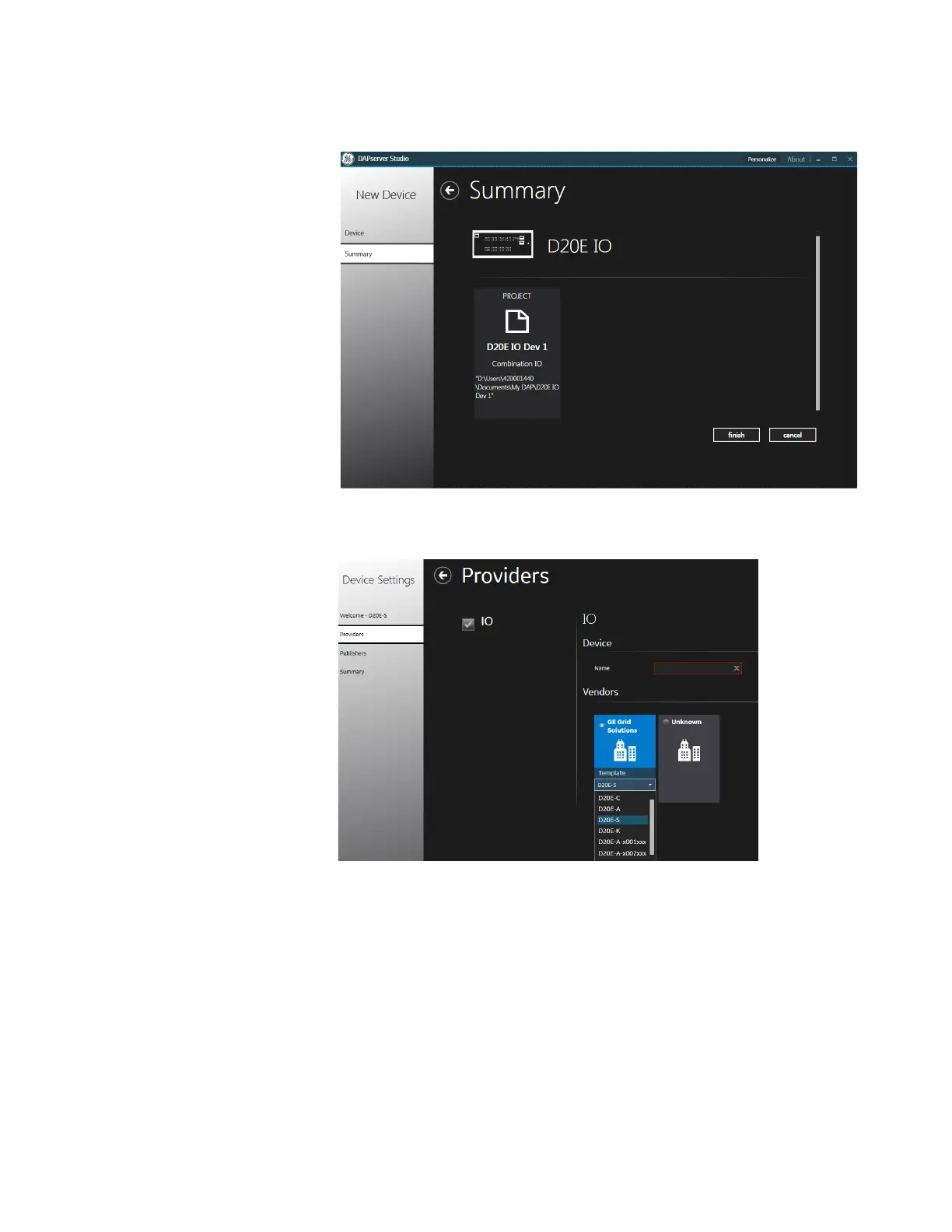
Result: The Summary page appears showing the project details.
6. Click Finish. Result: The Welcome page appears.
7. Click Next.
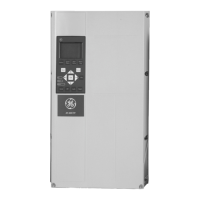
Result: The Providers page appears.
8. Select the D20E IO module model.
Select the D20E IO model from the drop-down list tab. Selecting the correct hardware
part number will auto configure the IO Provider with scaling, controls and alarm
values. The default projects vary for the D20E-A, K and C models; accordingly, a
specific project is available for each model. All D20E-S board variations share a single
default project.



 To Next Page