27
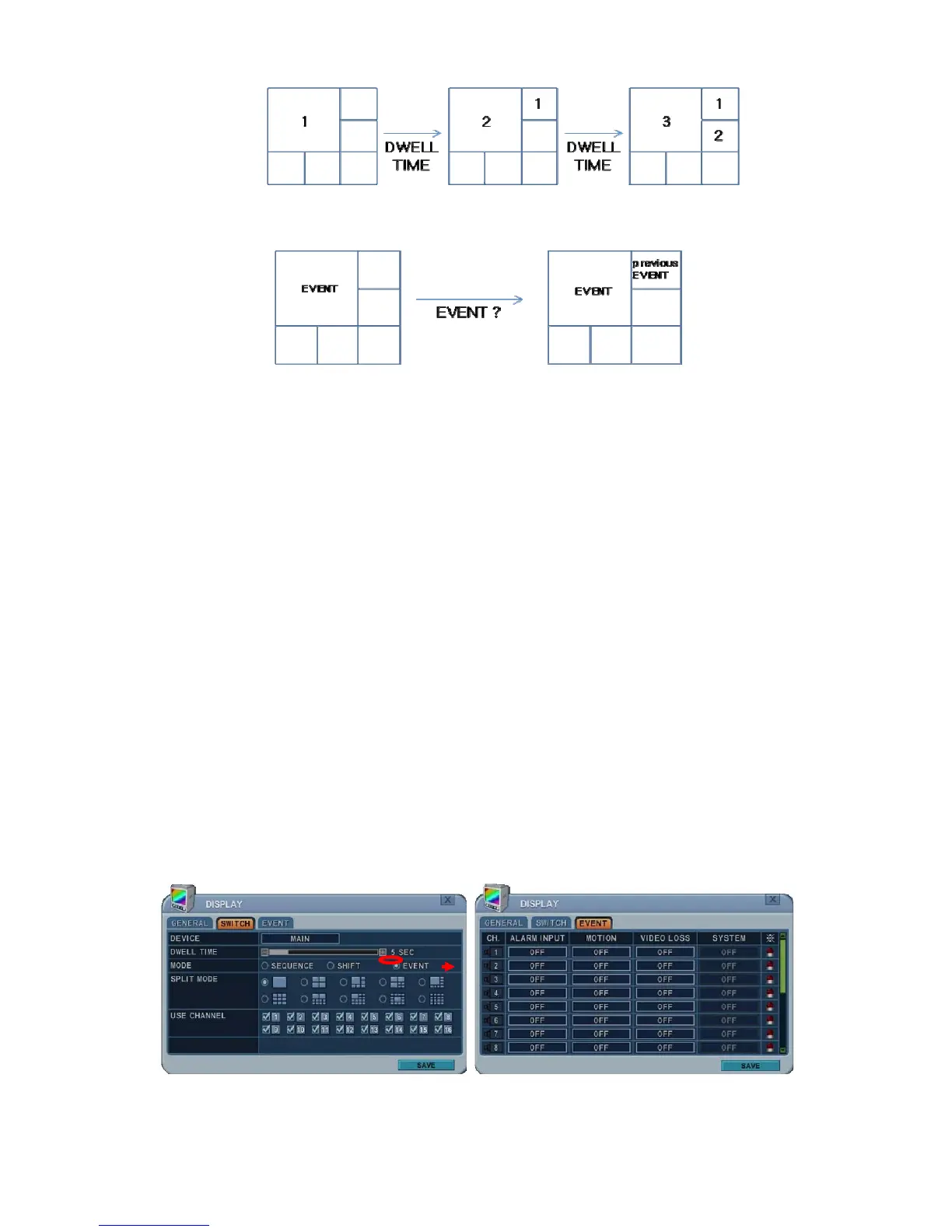
c. Event: To display a particular camera in full screen or in multi-mode
when an event is triggered.
4) Split Mode: Select desired sequence mode for switching.
Note: This function is limited to SPOT Monitor use with this model.
5) Use Channel: Select the cameras to be included or excluded from the
automatic switching.
3. To save changes and exit the menu, press the MENU button.
Exit the menu without making changes, press the CANCEL button.
4. Press the DISPLAY button for 2 seconds to start Auto Switching cameras on
the Main Monitor. Press the SPOT button then DISPLAY for 2 seconds to
start auto switching cameras on the Spot Monitor.
1.3. Event
This menu is activated when you select EVENT Mode for switching. Event menu
allows customisation for motion detection, alarm and video loss.



 To Next Page