28
When the selected event is triggered - such as alarm, motion or video loss - it is
displayed on the monitor that is configured for the event.
2. Camera
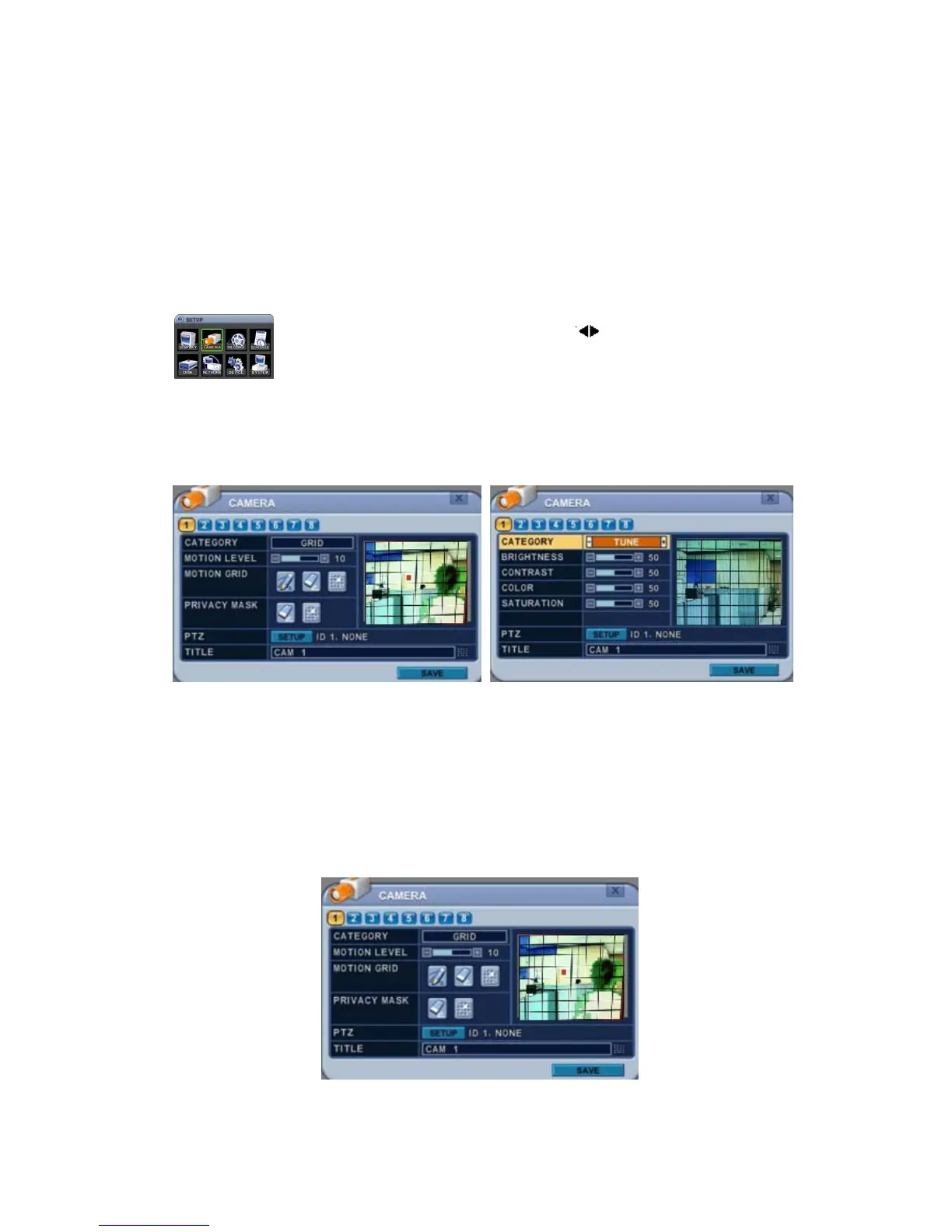
Configure the properties of cameras – e.g. Motion Detection, Video Adjustment
(Brightness, Contrast, Colour, Saturation), Privacy Mask and PTZ sections.
1. Press the Left/Right buttons or a number button to
select a camera.
2. Camera Channel option is highlighted and the camera
settings are displayed.
3. The menus are displayed with options in the left-hand column and settings
in the right hand column.
Category: GRID Category: TUNE
2.1. Motion Detection
Choose “GRID” in Category option.
To Configure Motion Area:
Select Camera number button to configure.



 To Next Page