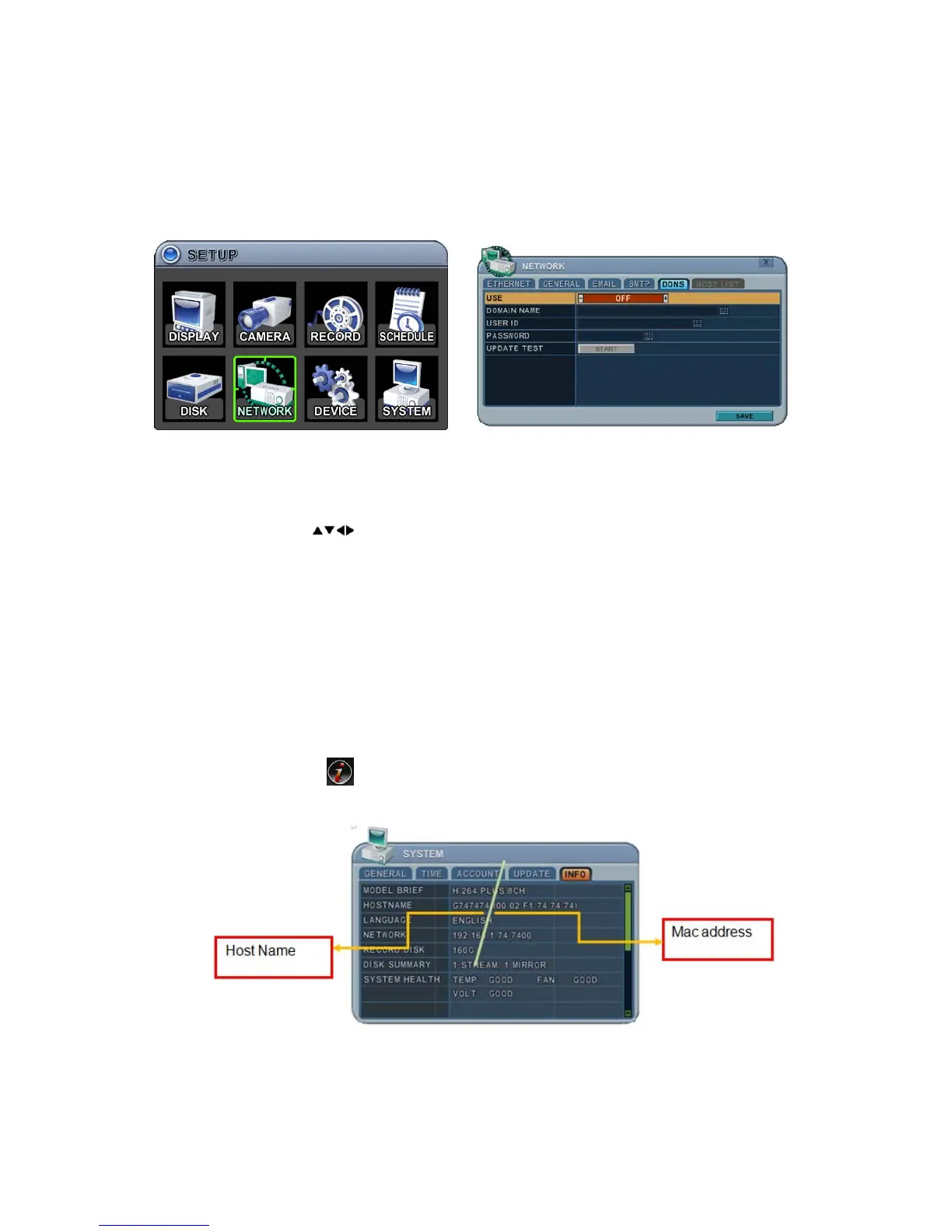
48 DIGITAL VIDEO RECORDER
6.5. DDNS (Dynamic DNS)
This DVR offers free dynamic DNS update. It keeps track of your changing IP
address.
The menus are displayed with options in the left-hand column and settings in
the right hand column. A cursor (highlighted menu) can be moved using the
Direction buttons
.
1. Use: Select DDNS On or Off. The default is Off. Press the [-, +] buttons
to select. Using a mouse, click the option to select DDNS provider.
1) Default: Default it is provided by the manufacturer. We offer DDNS
service at http://www.dvrhost.com
If you are using <Default> for DDNS, you do not need to set anything up.
Creating host names is not allowed. It’s provided by the DVR. Press the
[info] button on the IR remote or select the icon on the menu, then
check your host name and Mac address.
For example, http://G747474.dvrhost.com:7400



 To Next Page