31
2.4. PTZ Setup
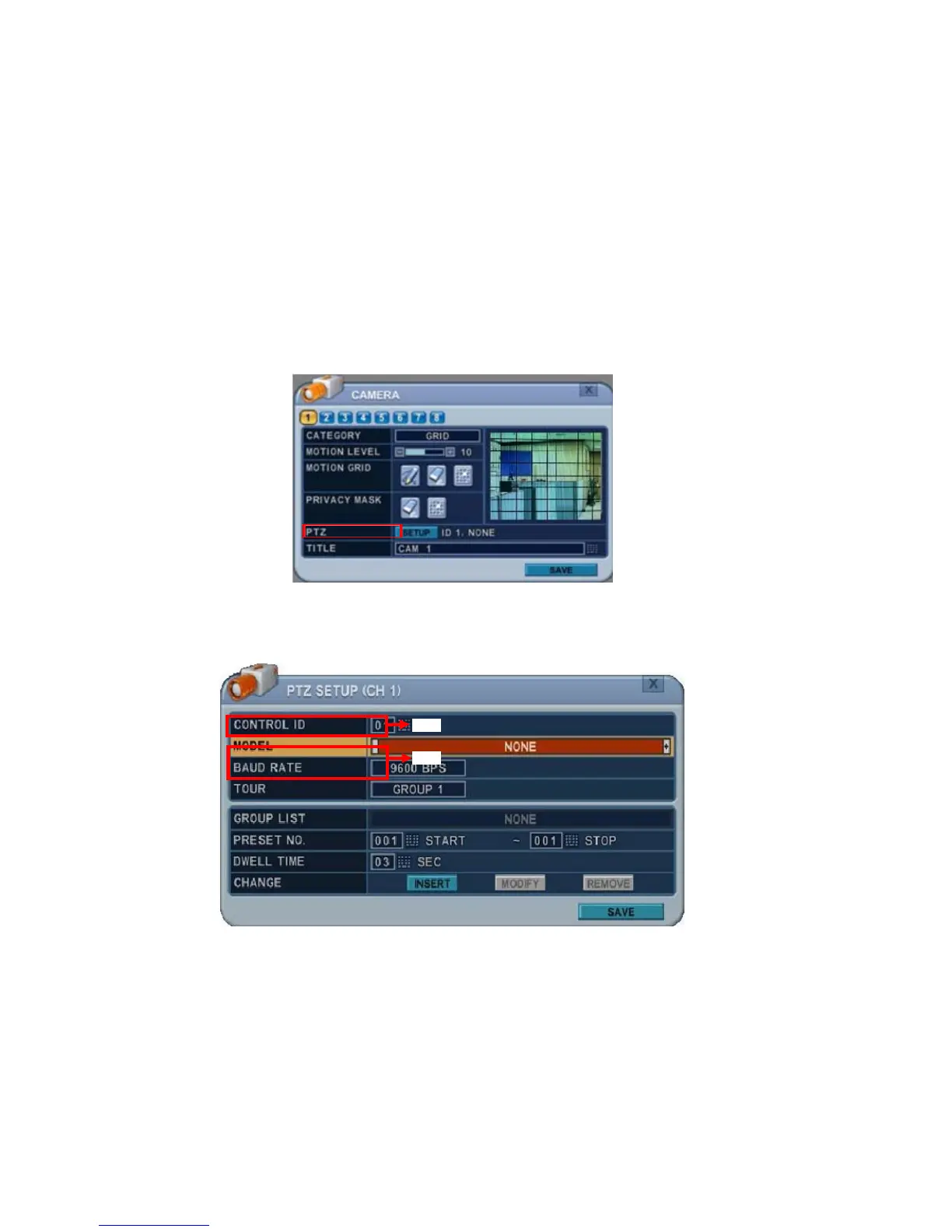
PTZ devices are connected to the RS-422 ports located on the back of the unit.
Multiple PTZ cameras are connected by daisy-chaining the camera connection.
This DVR allows you to address and control multiple PTZ cameras individually.
To Configure PTZ Setup:
1) Select a Camera number button to configure the camera.
2) Press Enter to configure PTZ Setup.
The menu displays options in the left-hand column and settings in the right hand
column.
a. Communication Settings: Configure the appropriate model and
then enter the corresponding baud rate, PTZ ID (address).
b.Tour Group: Preset Tour allows a camera to move though a
programmed sequence of PTZ presets. Please refer to <PTZ
Controlling> for more details.



 To Next Page