21
2. Multi-Screen Display and Sequencing
2.1. Screen Display.
Select any camera for Full Screen display by pressing the Number button
of the related camera.
2.2. Multi-Screen Display and Switch Sequencing Display.
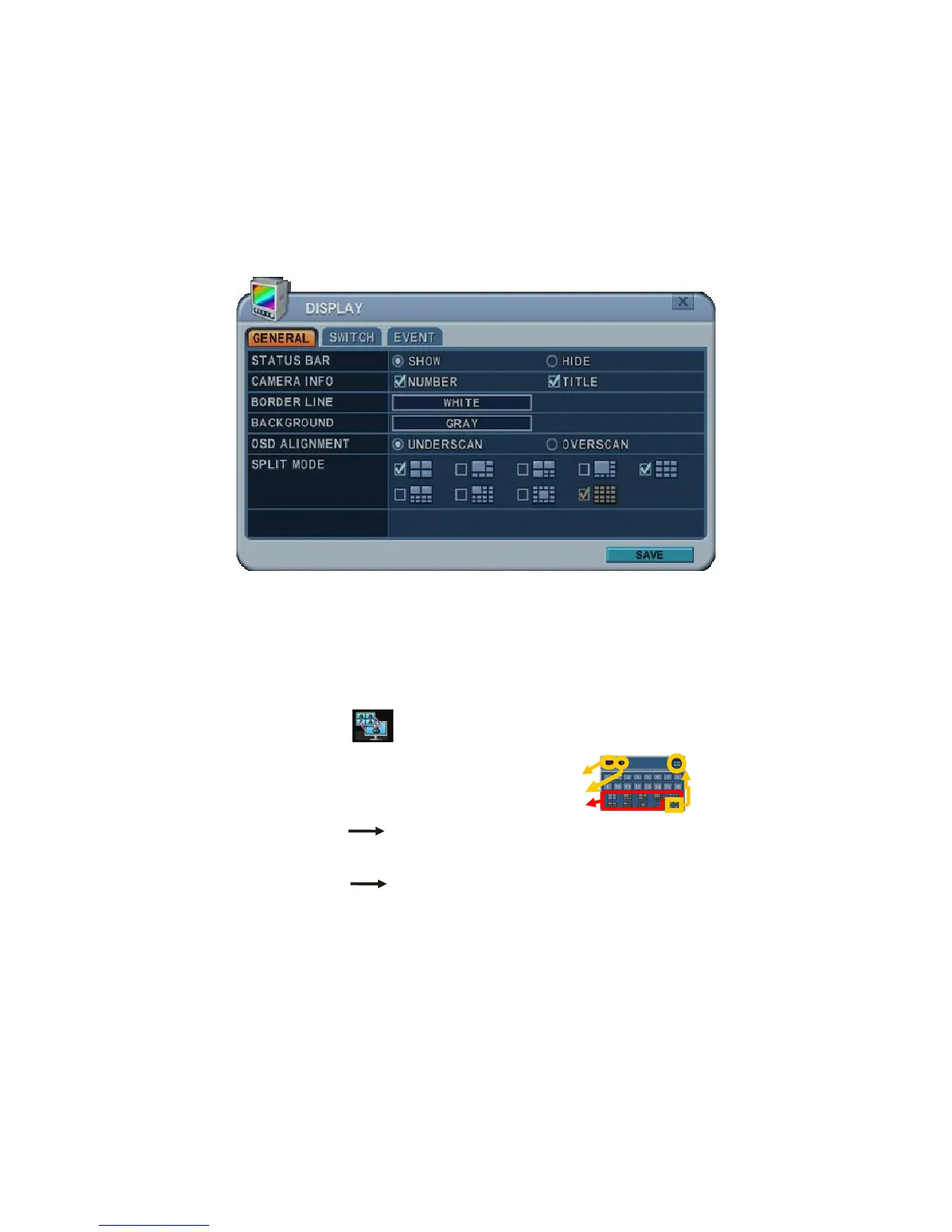
1) Press the DISPLAY button to activate the multi-screen display. It
changes the order from the choices shown in SPLIT MODE.
2) To start Auto Sequencing, press the DISPLAY button for 2 seconds to
begin full screen sequencing.
Click this ICON or spot button on the remote control.
The following virtual controller is displayed.
Main Monitor
Spot Monitor
3) The sequence mode and dwell times are programmable. For detailed
information about configuring those, see “Switch Setup”. If the
sequence mode is not activated, Quad mode is displayed instead of
Sequencing.
4) The Split mode is programmable in General set up.



 To Next Page