19
IV.LIVE VIEWING
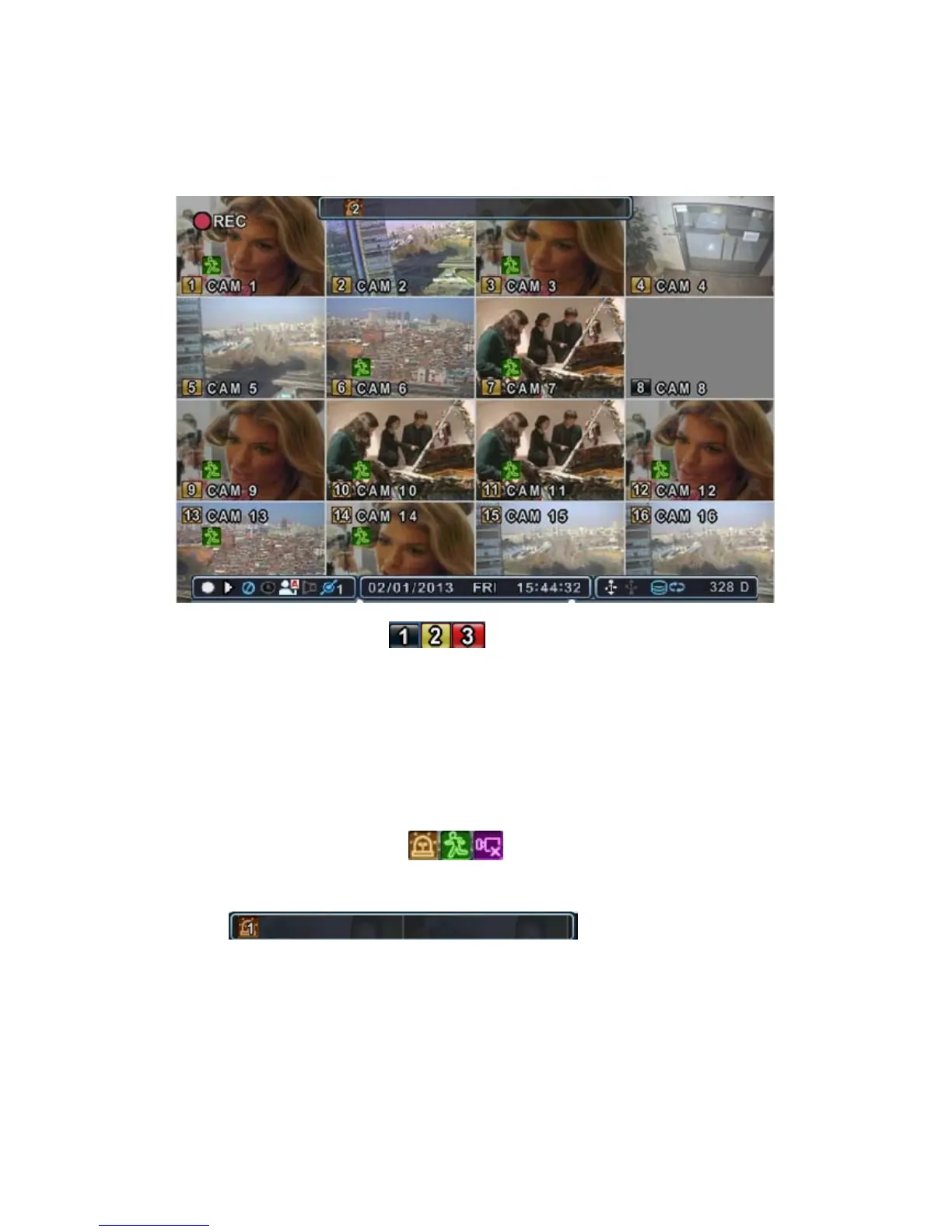
1. Display Overview
1.1. Recording Mode
The channel number background colours vary according to their
recording status.
1) Red - Event (Motion/Alarm) Recording
2) Yellow - Continuous Recording
3) Black - Not Recording
1.2. Event Indicator
(1) Indicates an Alarm In terminal is triggered by an alarm sensor.
To display the Alarm window, press the [UP] button. This button
toggles between Showing or Hiding the Alarm Window.
(2) Indicates Motion detected. To cancel, press the [CANCEL] button.
(3) Indicates Video Loss during Recording. To cancel, press the [CANCEL]
button.
(1) (2) (3)



 To Next Page