45
6.2. General
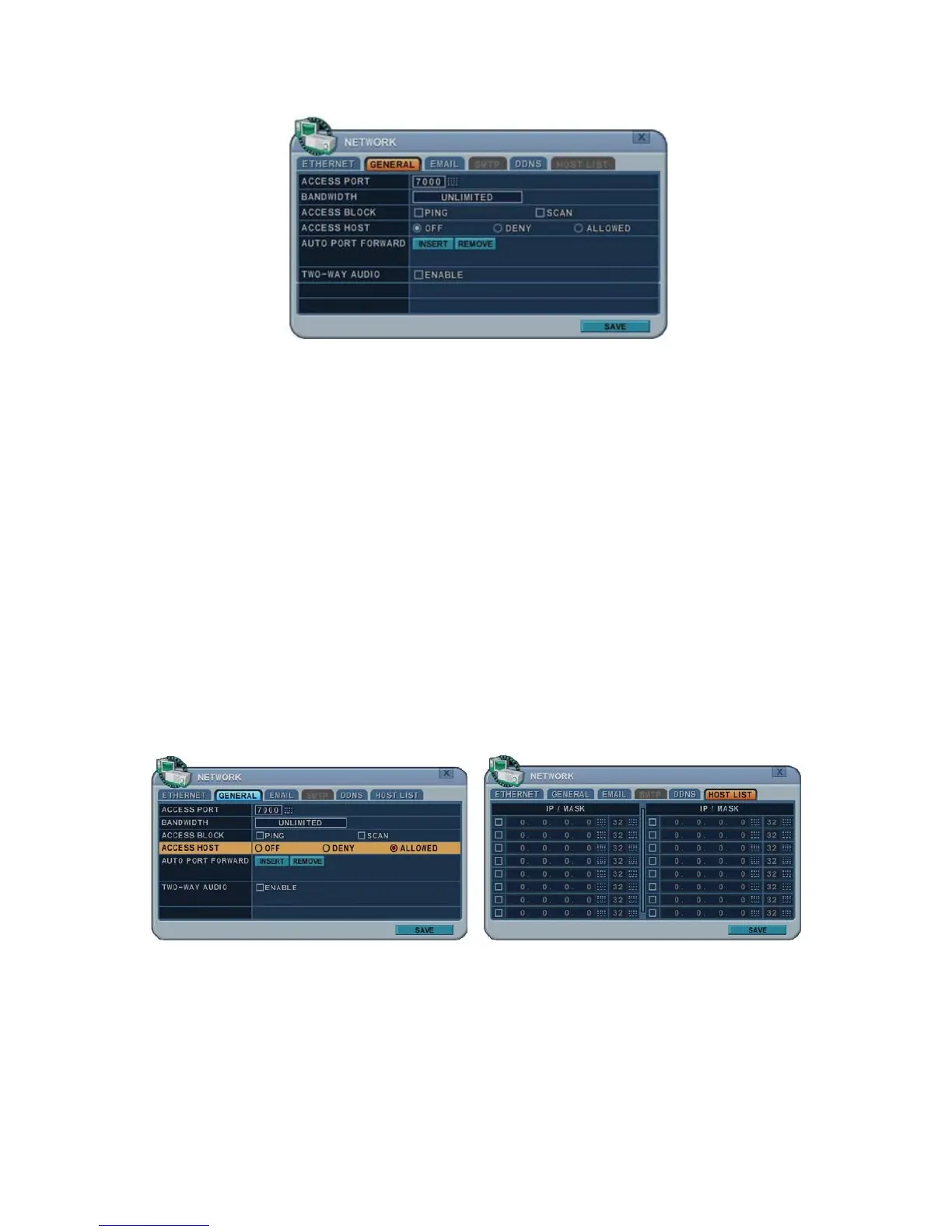
1. Access Port: Select “0001 ~ 9999”
Enter the port number the client will use to communicate with the DVR
over the internet. The default port is 7000. It is recommended to use a
port number higher than 1,000.
2. Bandwidth: Select the network bandwidth to limit the amount of network
resources allocated to the client connection. The default is unlimited: “4
KBPS~ 8 MBPS”
3. Ping Block: No response for ping. Default is OFF.
4. Scan Block: No response for Auto Scan from EMS. Default is OFF
5. Access Host and Host List: Allows you to access or deny access to specific
IP addresses.
To allow or deny remote access requires you to enter a range of IP
addresses as an IP address and mask. Host List will be activated when
you select Deny or Allowed
6. Auto Port FWD: Select the ADD button to automatically open ports for
router communication with UPNP compliance.
7. 2-Way Audio: Supports 2-way Audio between NVR and Remote Software.



 To Next Page