54 DIGITAL VIDEO RECORDER
z Network Link Disconnected
z Admin Login
z Power Recovery
z Disk Full
z Invalid Password in Sequence
z Auxiliary Event (Reserved )
4) Control: To manually stop the Relay Output and Buzzer.
4. Buzzer
1) Use
y ON: The buzzer sounds if an alarm is triggered. The buzzer sounds for
the duration of the RECORD TIME. This buzzer relates to Alarm Out.
Please configure Alarm Out “ON” for Alarm buzzer.
yOFF: Disables the ALARM BUZZER function.
2) Inactive: Select to turn off Buzzer.
a. Event (Automatic): Buzzer is turned off when the event time
expires.
b. Manual: Buzzer is turned off from the <Control> menu.
5. To save changes and exit the menu, press the MENU button.
Exit the menu without making changes, press the CANCEL button.
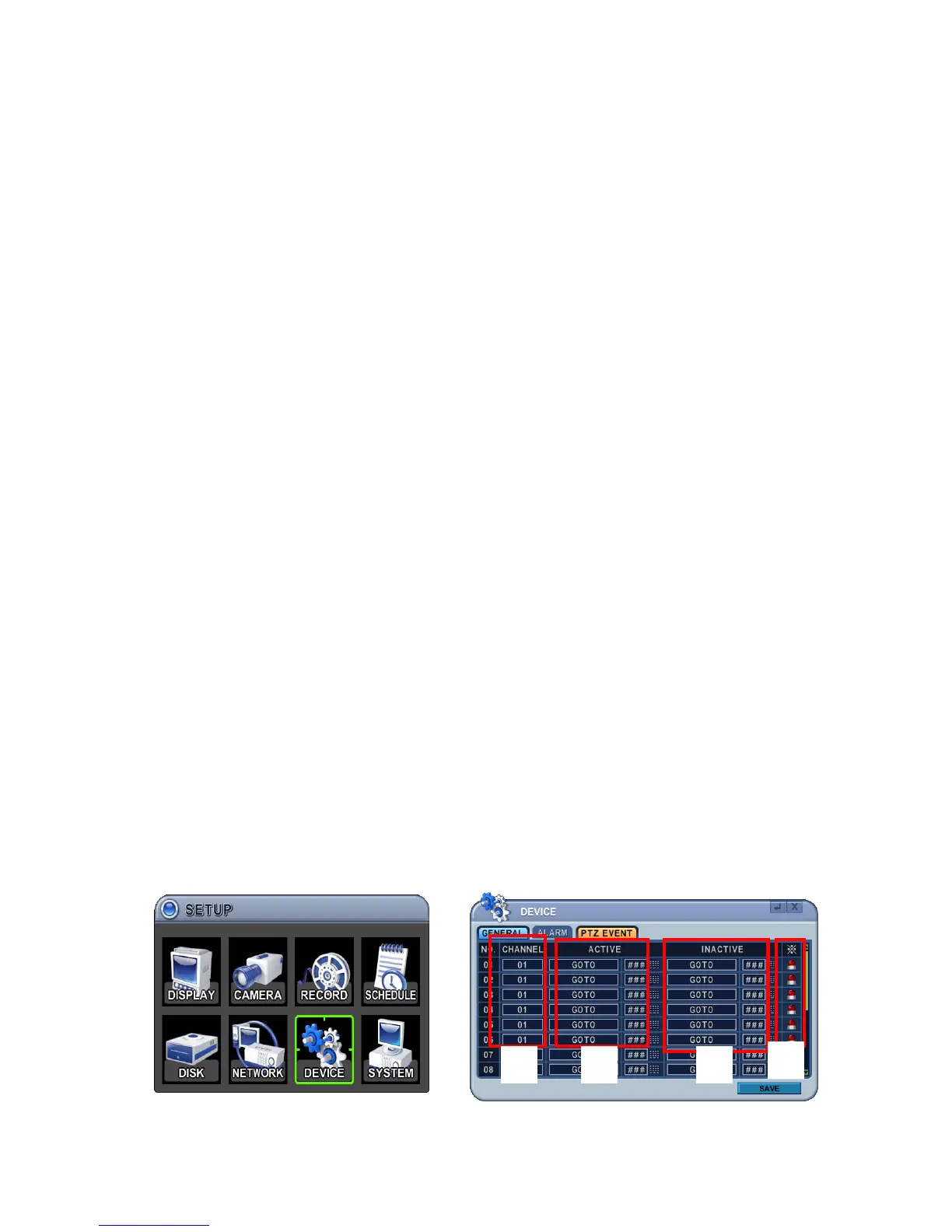
7.3. PTZ Event
When an alarm trigger occurs, such as motion detected or video loss, this DVR
sends a preset command to PTZ camera. PTZ option must be enabled and a
protocol must be assigned to the camera channel.
③
④
①
②



 To Next Page