43
synchronisation the Master HDD can be removed as well.
3. Status
1) Stable: The HDD is in a stable condition.
2) Sync: Copy Master HDD to the Slave HDD.
3) Re-sync: To force all pending buffered disk writes to the NEW installed
disk.
4) Recover: To force all pending buffered disk writes to the slave disk.
5) Faulty.
4. Action : Remove HDD.
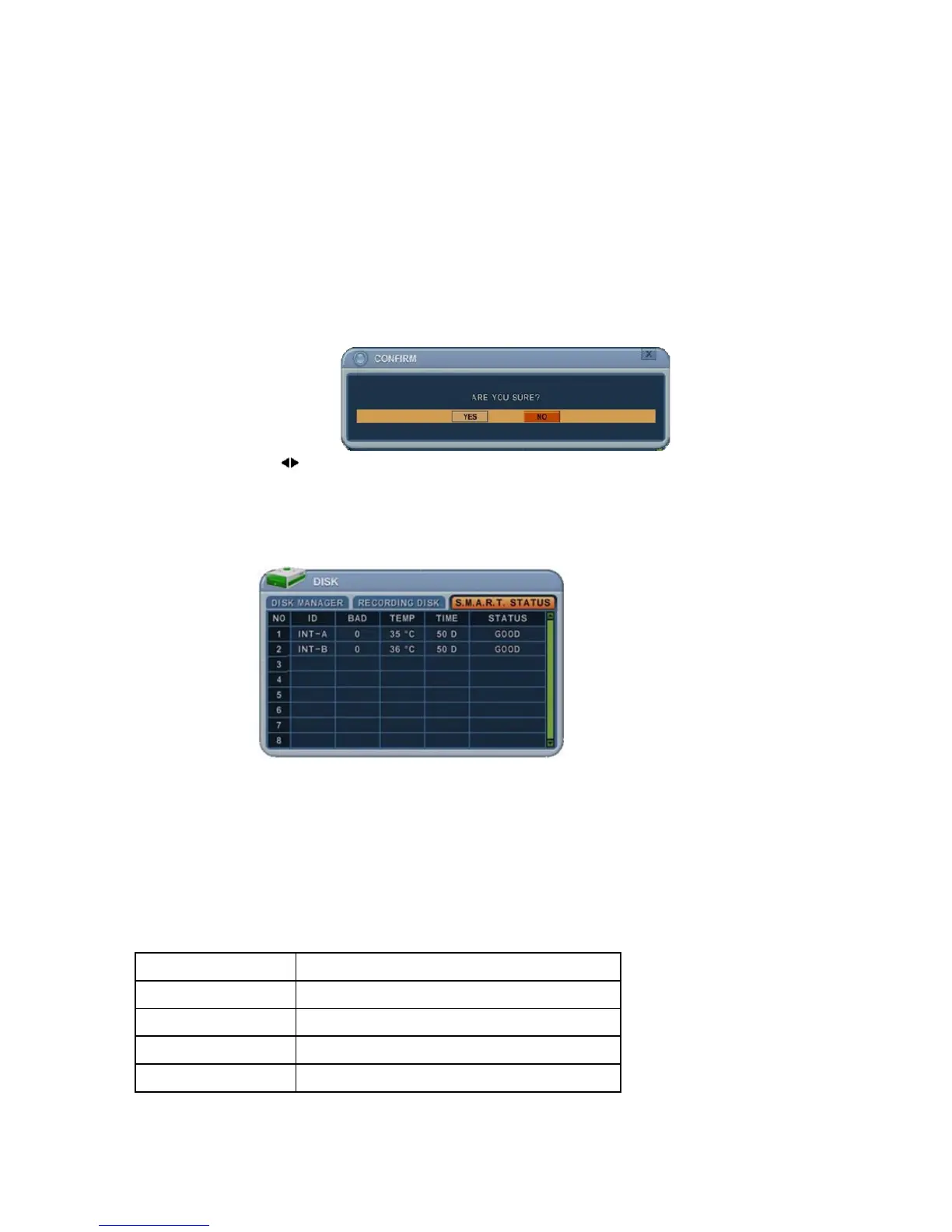
The “Are you sure?” dialogue box opens.
Press the
buttons to select YES or NO, then press the [-, +] button to
select.
5.3. S.M.A.R.T. STATUS
This displays HDD information, such as bad sector, temperature, HDD running
time. There are slight differences in S.M.A.R.T information, depending on the
manufacturer.
We recommended changing the HDD when the HDD status is in <PRE-FAIL>
NOTE: Please refer to these STATUS explanations
Status Explanation
GOOD GOOD
PRE-FAIL Alerts there may be a problem
PAST PRE-FAIL “PRE-FAIL”has occurred before
FAIL Find problem / need to replace



 To Next Page