Media can be formatted x o o x
Device can be formatted on a PC using
FAT32 NTFS File system.
x x o o
Media must be formatted on DVR before
backing up or exporting data to the
device.
x o
ᇞ ᇞ
Note1: USB flash memory works without format.
Note2: if a FAT32 /NTFS formatted external USB device is installed, <Assign
to Stream> feature is disabled. It’s limited to backup only.
3. Press the [ +] button to start selected action.
4. To save changes and exit the menu, press the MENU button.
Exit the menu without making changes, press the CANCEL button.
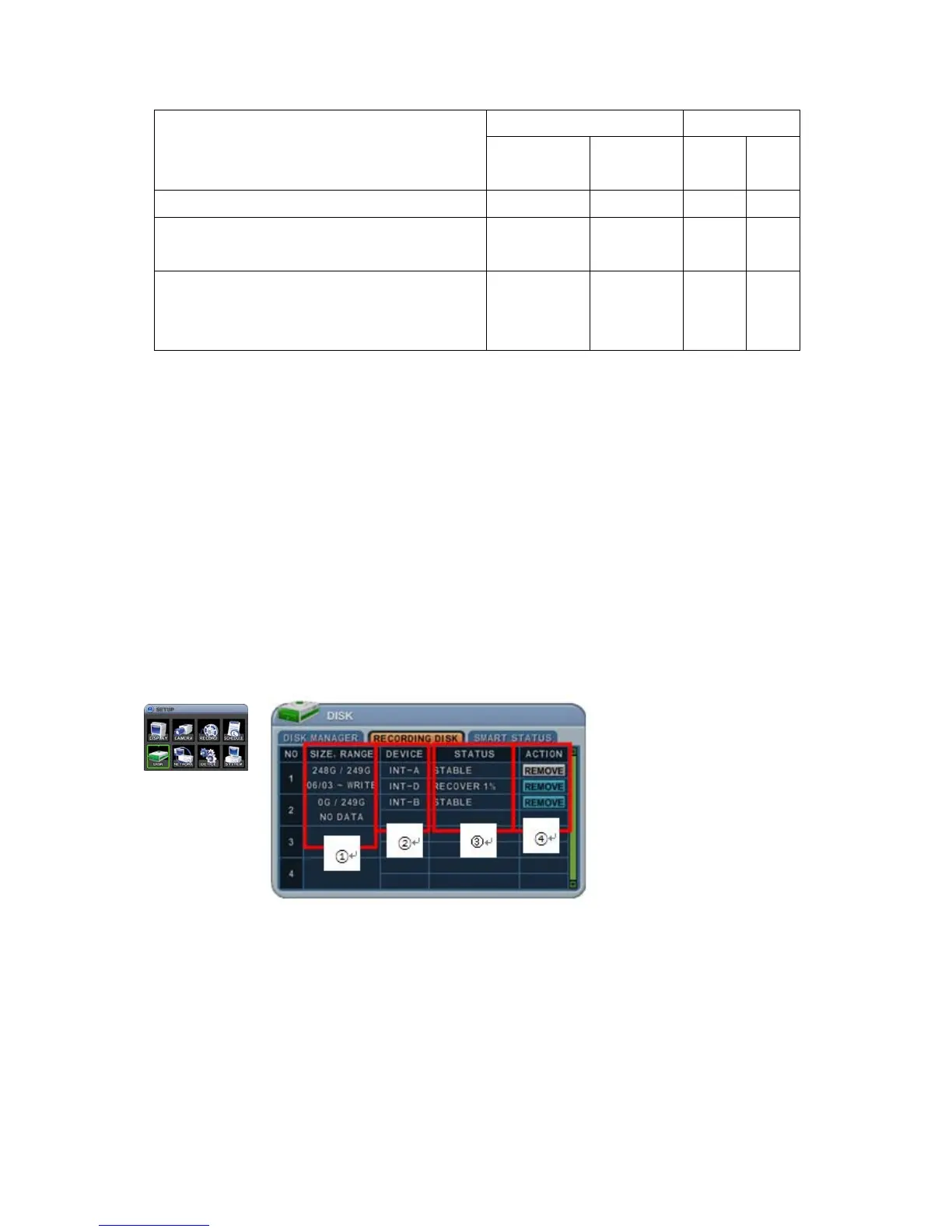
5.2. Recording Disk
This information lists the installed drives, how the DVR records video and their
respective capacities, and which is currently used for recording.
1. Size, Range
This displays the current recorded data size, HDD size and indicated stored
data range and where the writing progress is running
2. Device
It displays logical Master and Slave device in mirroring. Upper device is
Master and the other is used for Slave. If a slave HDD has reached 100%



 To Next Page