47 DIGITAL VIDEO RECORDER
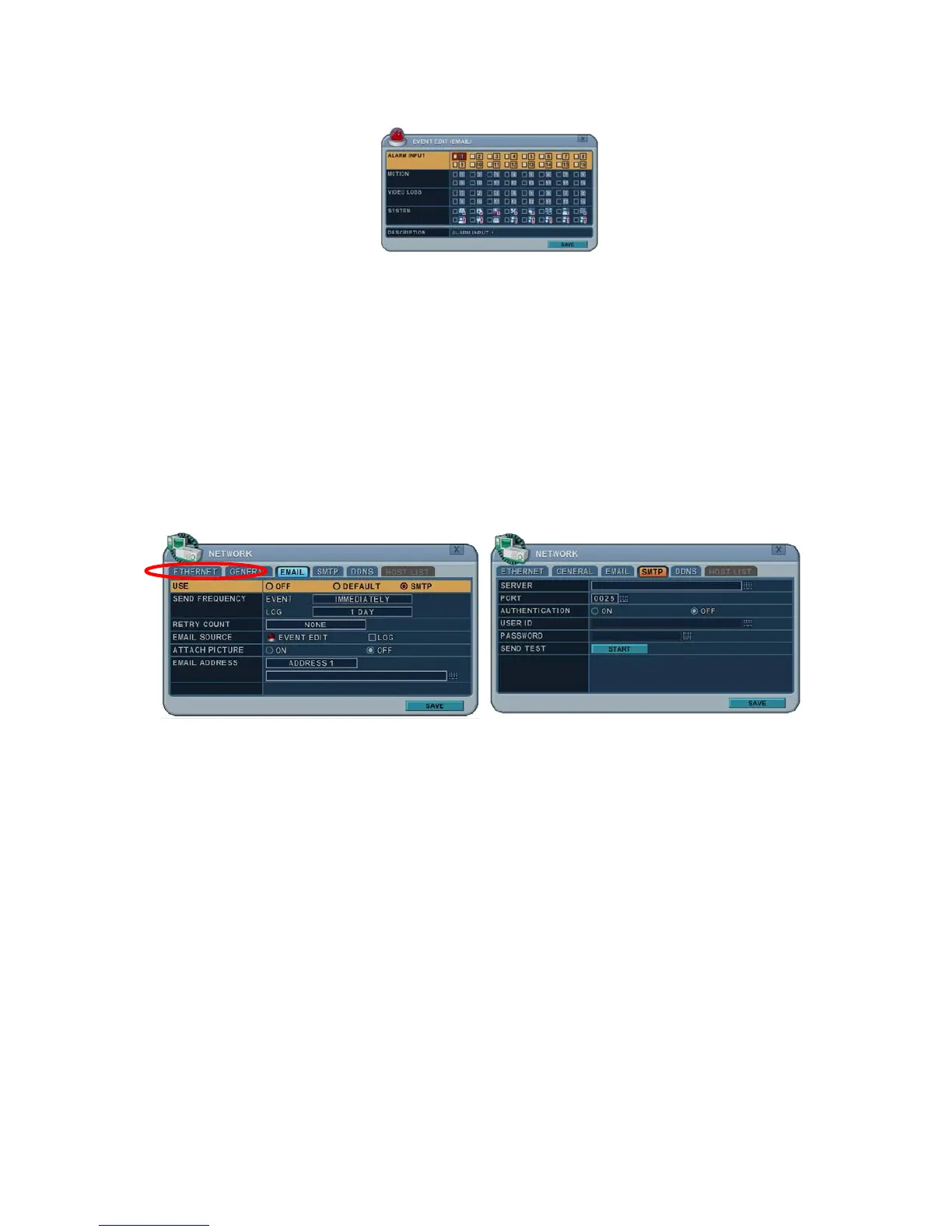
2) Log: This DVR will mail the Log list at selected intervals.
5. Attach Picture: While in record mode, a picture can be attached to the
email.
6. Email Address: 5 mail addresses can be configured for mail notification.
6.4. SMTP
This menu is activated when you check SMPT on EMAIL.
The following settings are only needed if you are NOT using the DVR mail server.
1. Server: Enter the email server name or IP. To enter the server name, use
the virtual keyboard or press the appropriate numeric buttons on the IR
Remote or front panel.
2. Port: Define the port that the SMTP server will communicate through. By
default, it’s set to 25.
3. Authentication: Check this ON if your mail server requires authentication.
4. User ID & Password: Enter the user ID/Name and password for the SMTP
Server (recognised as lower case even if it’s displayed in capital letters).
5. Sent test : Test to send email.
6. Save changes and exit the menu, press the MENU button.
Exit the menu without making changes, press the CANCEL button.



 To Next Page