33
the need to press the REC button - when set to ON.
3) Disk Overwrite: Select the record policy of the hard disk drive.
- ON: By default, the HDD overwrites from the beginning when full.
- OFF: Stops recording when the HDD is full.
5) Auto Delete: Allows you to configure when the DVR automatically
deletes all data from HDD. Retains data for the following durations
(from the current time). NONE does not delete data.
NONE Æ 12HOURS Æ 1~ 6DAYS Æ 1WEEK ~ 4WEEKS-> 30 DAYS
6) Pre-Record: Determines the duration the DVR stores video recorded
prior to the beginning of Event Recoding -
5~300 Seconds. By default
5 seconds.
7)
Post-Record: Determines the duration the DVR continues records for after
an Event detection - 5~300 Seconds. By default 5 seconds.
Note
(a) The Alarm/Motion duration is extended if there is another
Alarm/Motion detection while Event recording.
(b) When recording, the Pre-Record and Post-Record are not
activated.
3. To save changes and exit the menu, select SAVE then press OK button.
To exit the menu without making changes, press the ESC button.
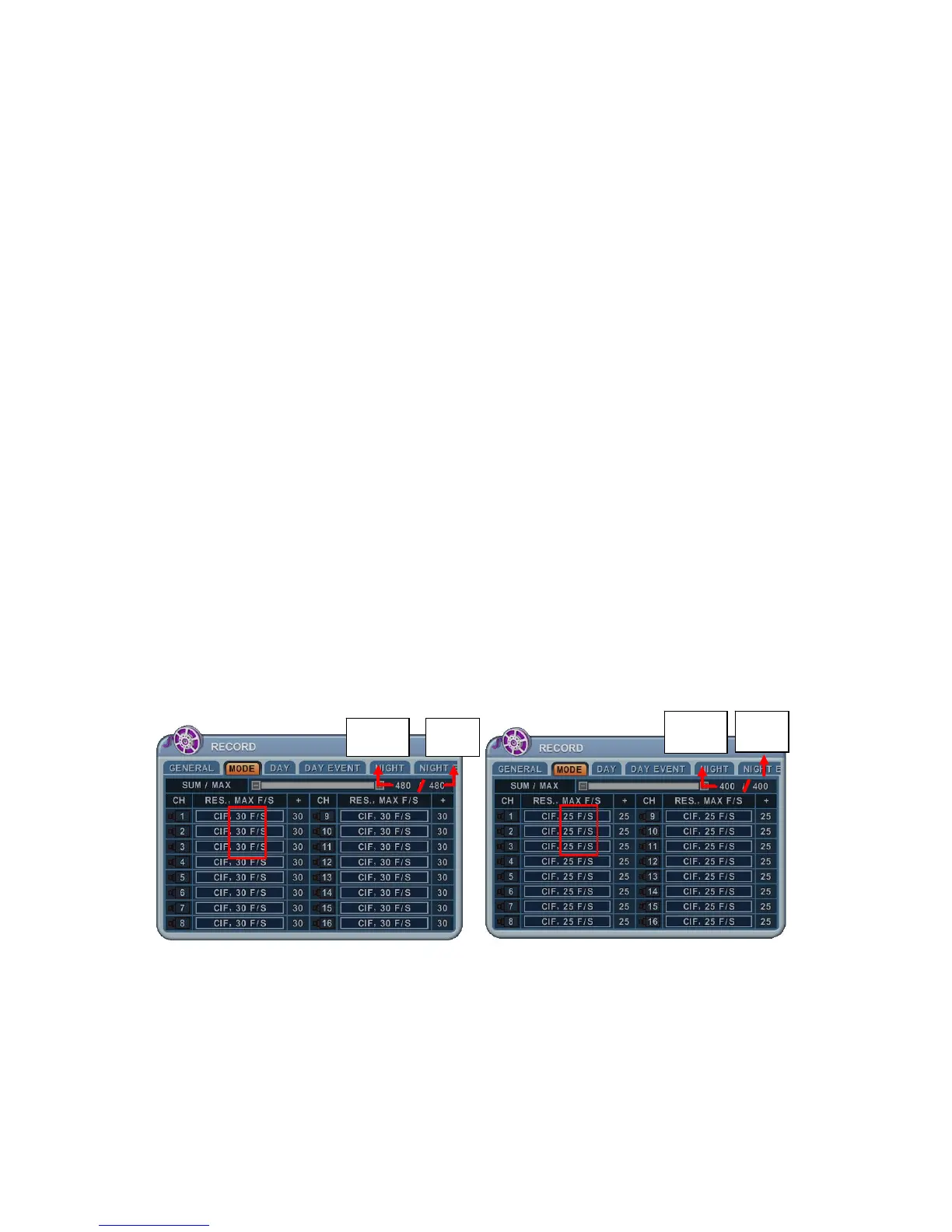
3.2. Resolution & Recording Speed Setting
<NTSC MODE> <PAL MODE>
This DVR records each camera individually and then multiplexes them. You can
individually set up resolution and recording speed for each channel. D1 stands
for NTSC 720 x 480 (PAL 720 x 576), Field stands for 720 x 240 (PAL 720 x 288)
and CIF for 360 x 240 (PAL 360 x 288).
USED MAX
USED MAX



 To Next Page