35
3.4. Event Recording
Users can set different event recording parameters on a camera by camera
basis. Set the continuous recording to OFF and configure the Event recording
speed and quality for each camera.
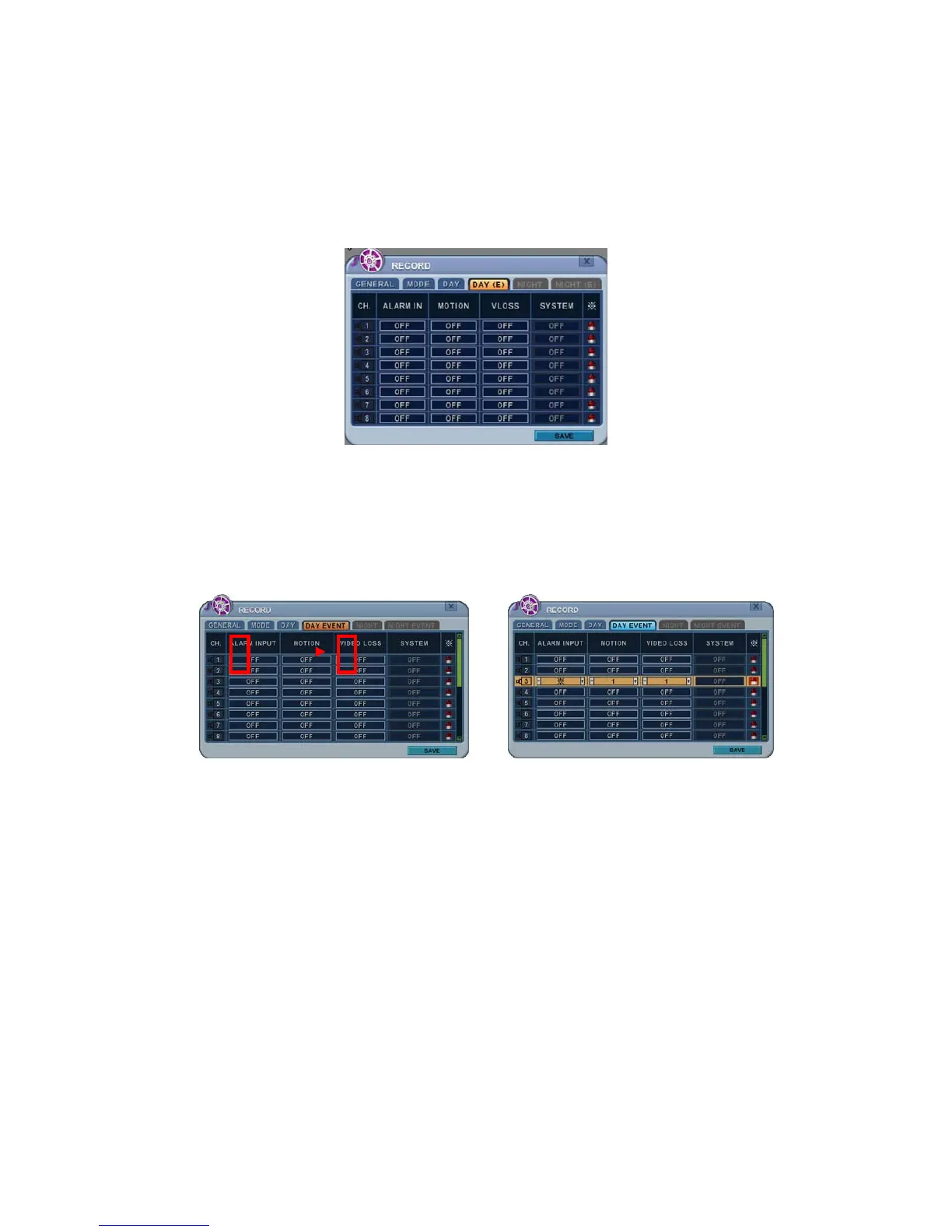
Select Alarm, Motion, Video Loss for EVENT recording on the DAY EVENT tab.
1) Alarm Recording
One Alarm input can be configured to one channel. One camera channel
can be assigned to multiple alarm inputs.
a. Press the [-, +] buttons to change values or select options. By
mouse, use the scroll wheel.
b. [※] Indicates multiple alarm sources are selected.
c. Please refer to [Device/Alarm] for Alarm inputs and outputs.
2) Motion Recording
One Motion detection can be configured to one channel. One camera
channel can be assigned to multiple motion detections.



 To Next Page