72 DIGITAL VIDEO RECORDER
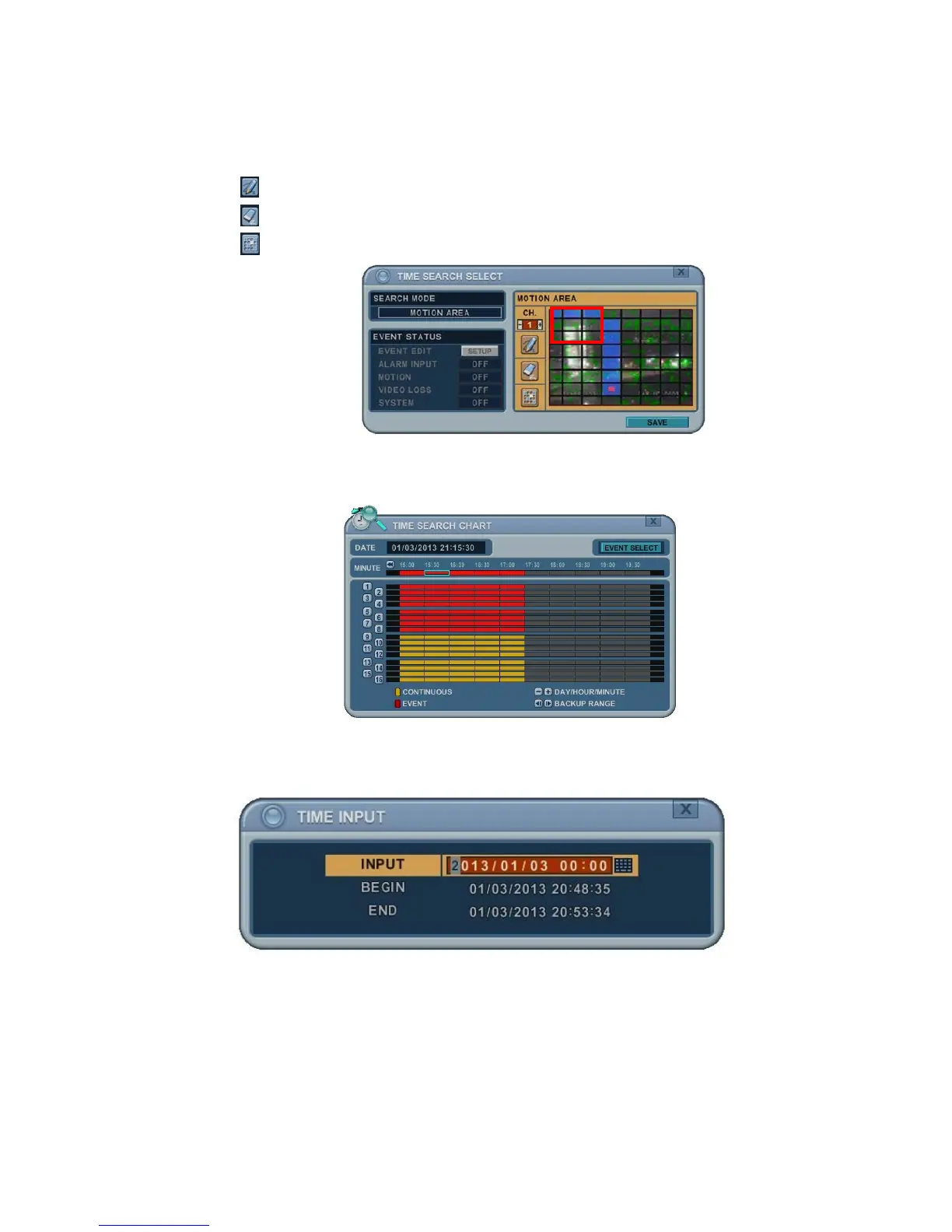
2. Press the [+/- ] buttons to select the channel you want to search.
3. Select the motion area you want to search.
: Select all grids.
: Deselect all grids.
: Select grids one by one by one by pressing the [+/- ] buttons.
4. Press the MENU button - the Time Search Chart displays the recorded
data in red - to see what happened on that channel.
3. Go to Search
1. Press the Time Search button for 2 seconds. The Time Input menu pops
up.
2. Set the date and time you wish to search.
3. Press Enter or Menu to start search.



 To Next Page