39
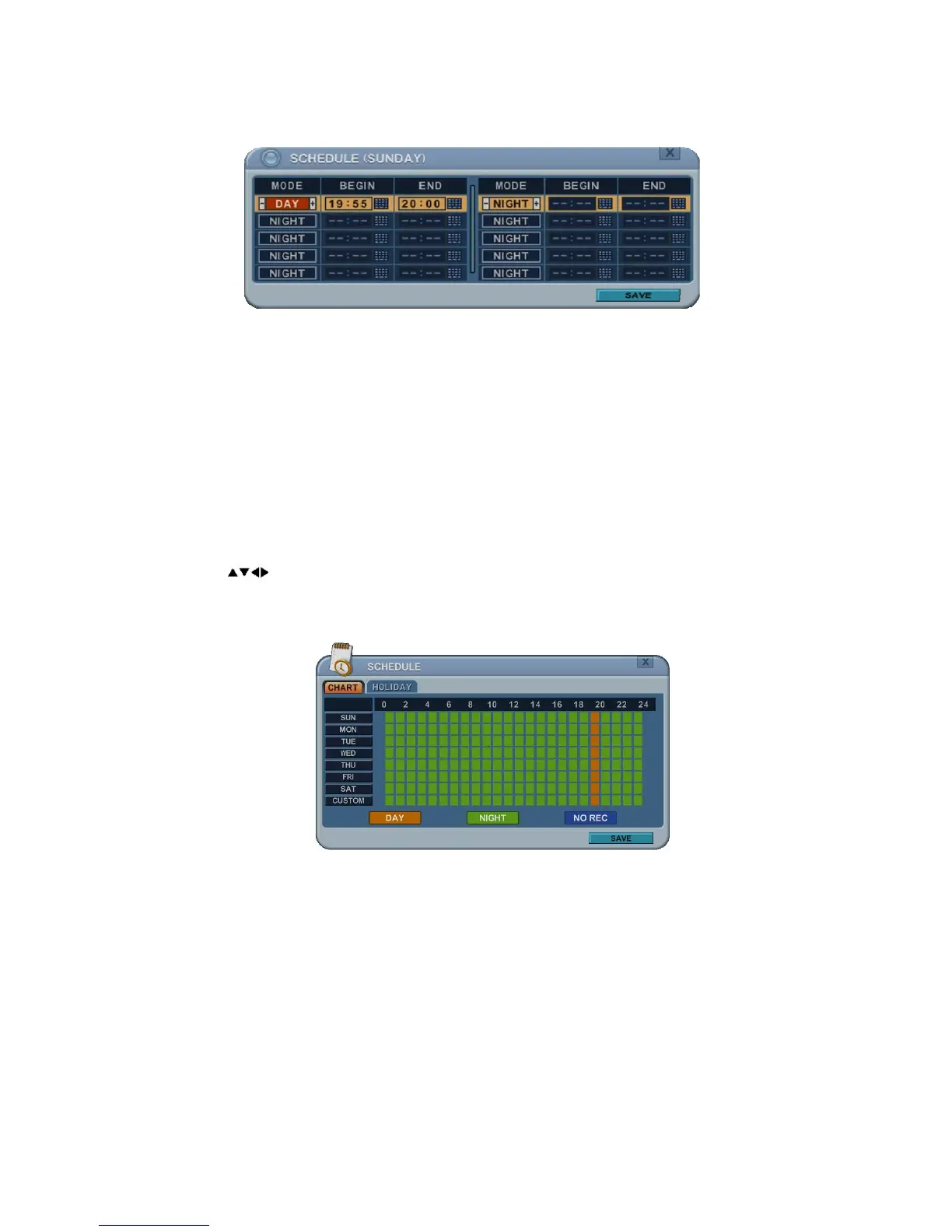
3) A detailed menu pops up for selected day, as shown below.
a. Use [-, +] buttons to change the values.
z Mode: [Night] Æ[Day] Æ[No Rec]
z BEGIN: The start time of recording.
b. END: The end time of recording. The end time must not be before the
start time or the same as the start time.
c. To save changes and exit the menu, press the MENU button.
Exit the menu without making changes, press the CANCEL button.
4) Copying Schedule
a. A cursor (highlighted menu) can be moved using the direction buttons
on Day (Sun – Sat).
b. Press the DISPLAY button on the desired setting.
4.2. Holiday Setup
This allows you to create up to 32 holidays. If a holiday schedule occurs on the
same date as a weekday schedule, the holiday schedule overrides the weekday
schedule.



 To Next Page